
Sending us a key or password safely
How to share an API key, token or password with Apteco using a one-time secret link
Why we ask you to do it this way
An API key, token or password opens your data to whoever holds it, and an email stays in inboxes and backups for years. So instead of emailing it, you put it into a one-time secret link: the link shows the key once, to the first person who opens it, and then stops working.
Sending it
Open your web browser and go to https://onetimesecret.com/en/.
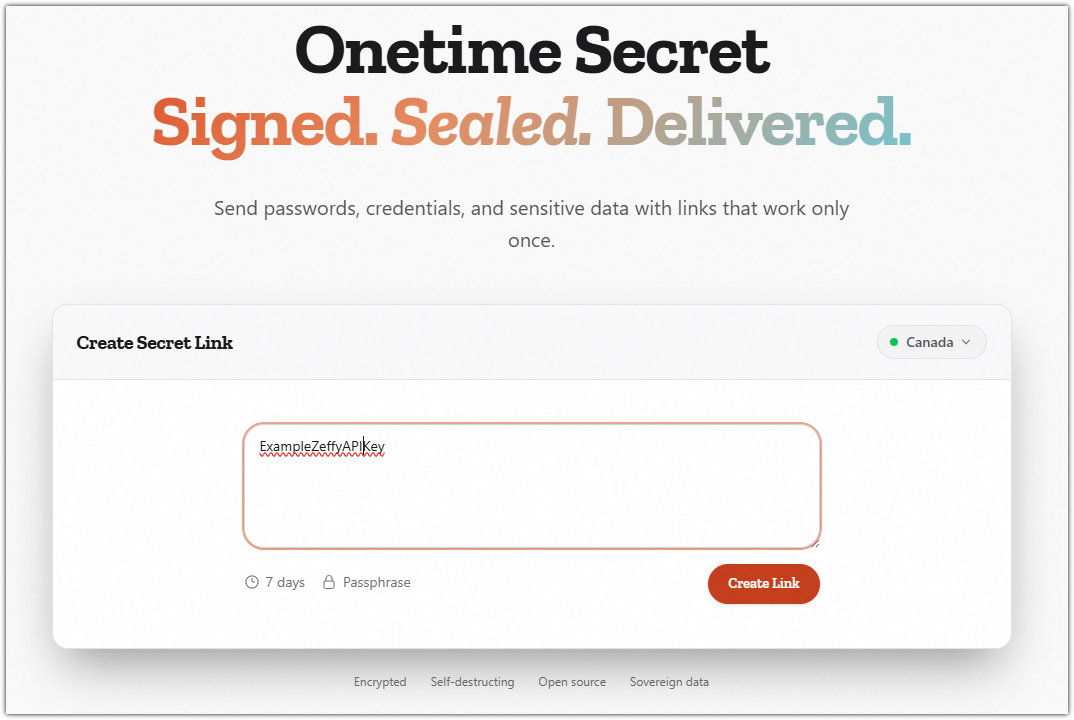
Paste your key (and anything else the guide asks for) and click Create Link.
Onetime Secret generates the link.
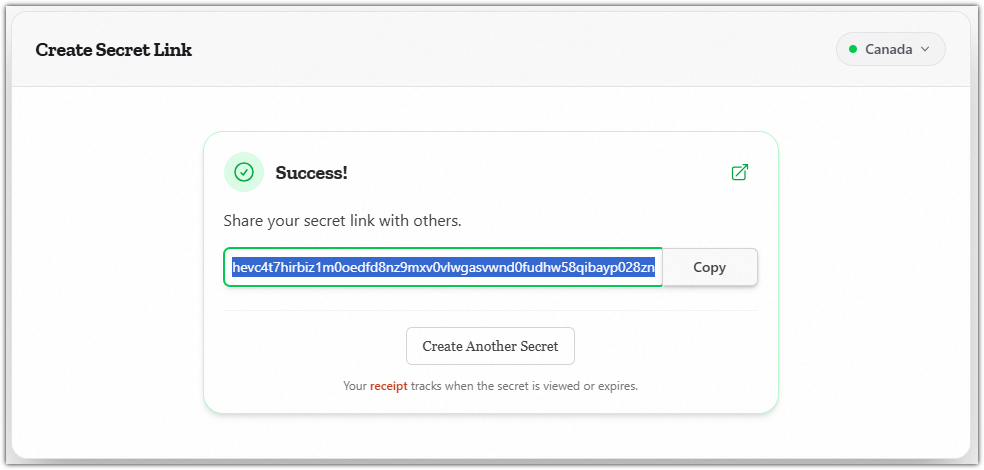
Send the link without clicking on it. The link expires as soon as anyone clicks on it, including yourself.
Email the link to your Apteco contact. They will safely store the key in your Apteco Vault.
Security note: At Apteco, we take your data security very seriously. Please never send a key, token or password in an email, a chat or a document. If you think one has been seen by someone it shouldn't have, tell us and replace it in the system it came from.