
Eventbrite: getting your private token
How to create the key Apteco uses to bring your Eventbrite events and attendees into your system, and send it to us safely
What we need and why
Your Eventbrite private token lets us read your events, orders and attendees straight from Eventbrite each night, so you don't have to export attendee lists by hand. Each event appears in your CiviCRM with everyone who registered for it, and anyone new becomes a contact.
- We only read. We never create, change or cancel anything in your Eventbrite account.
- One token covers everything. It gives us every event your Eventbrite organization has run, past and future, including cancelled registrations, so your history comes across too.
Before you begin
- Use the account that runs your events. The token sees the events of the Eventbrite organization(s) that account belongs to. If you have more than one Eventbrite login, use the one your events are created under.
- You need permission to create API keys. If you don't see API Keys in step 2, Eventbrite says the owner or an admin of your organization needs to give you the Create webhooks permission first.
Creating the key
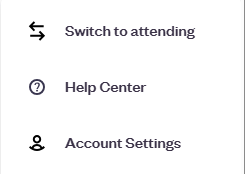
Open your Account Settings. Log in to Eventbrite, click your name at the top right, and choose Account Settings.
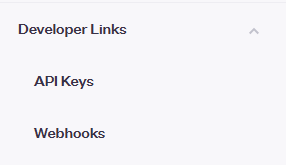
Go to API Keys. In the menu on the left, under Developer Links, choose API Keys.
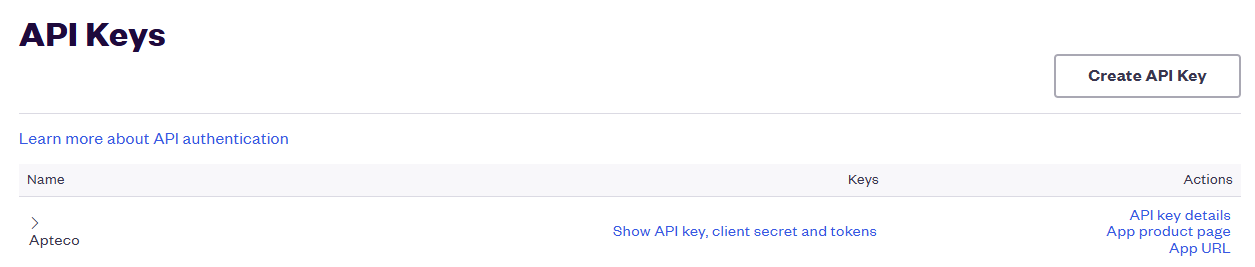
Choose Create API Key. If you've never made one, the page says there are no application keys yet. If your organization already has a key listed here, you can skip to step 5 and use that one instead.

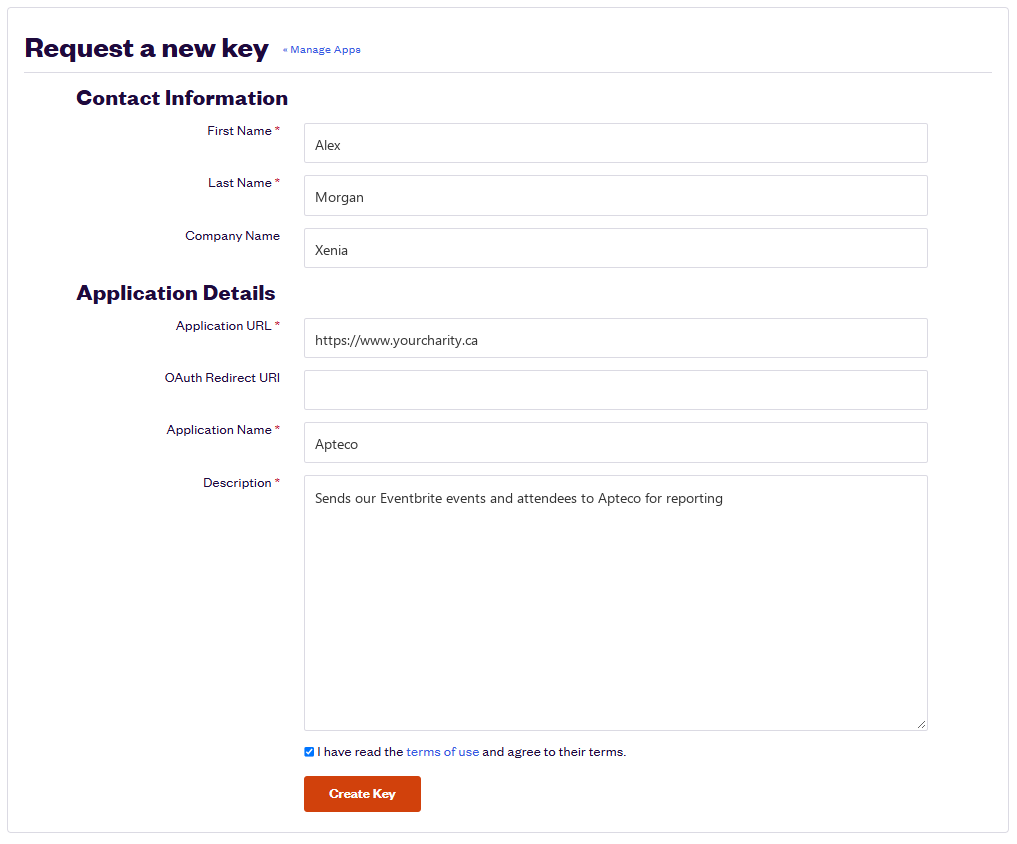
Fill in the Request a new key form. Eventbrite's form is written for software developers, so here's what to put:
- First Name and Last Name: your own name.
- Company Name: your charity's name (optional).
- Application URL: your charity's own website, for example https://www.yourcharity.ca
- OAuth Redirect URI: leave this blank. It's optional, and we don't use it.
- Application Name: Apteco
- Description: Sends our Eventbrite events and attendees to Apteco for reporting
Tick I have read the terms of use and agree to their terms, then choose Create Key. Eventbrite also sends you an email when the key is approved.
Copy your private token. You're back on the API Keys page with your new key, named Apteco. Choose Show API key, client secret and tokens and copy the private token. We don't need the API key or the client secret, only the private token.
The screenshots show a made-up charity, Xenia.
Treat it like a password: Eventbrite has no read-only token, so the private token can do anything your Eventbrite account can. We only ever read with it, but please don't paste it into an email, a document or a shared drive.
Sending us your private token
Send it with a one-time secret link, never by email: follow Sending us a key or password safely.
Once we have it, we connect your account and bring your events in. Events already in your CiviCRM (from a guest list you sent us, for example) are matched up with the same event in Eventbrite, so they aren't added twice.
Things to know
- New events come across automatically. You don't need a new token for each event.
- If the key is deleted in Eventbrite, our nightly update stops. Send us the new private token the same way.
- Eventbrite's own instructions: Generate an API key (Eventbrite Help Center). Eventbrite support doesn't help with API questions, so if you get stuck, contact your Apteco Canada representative instead.