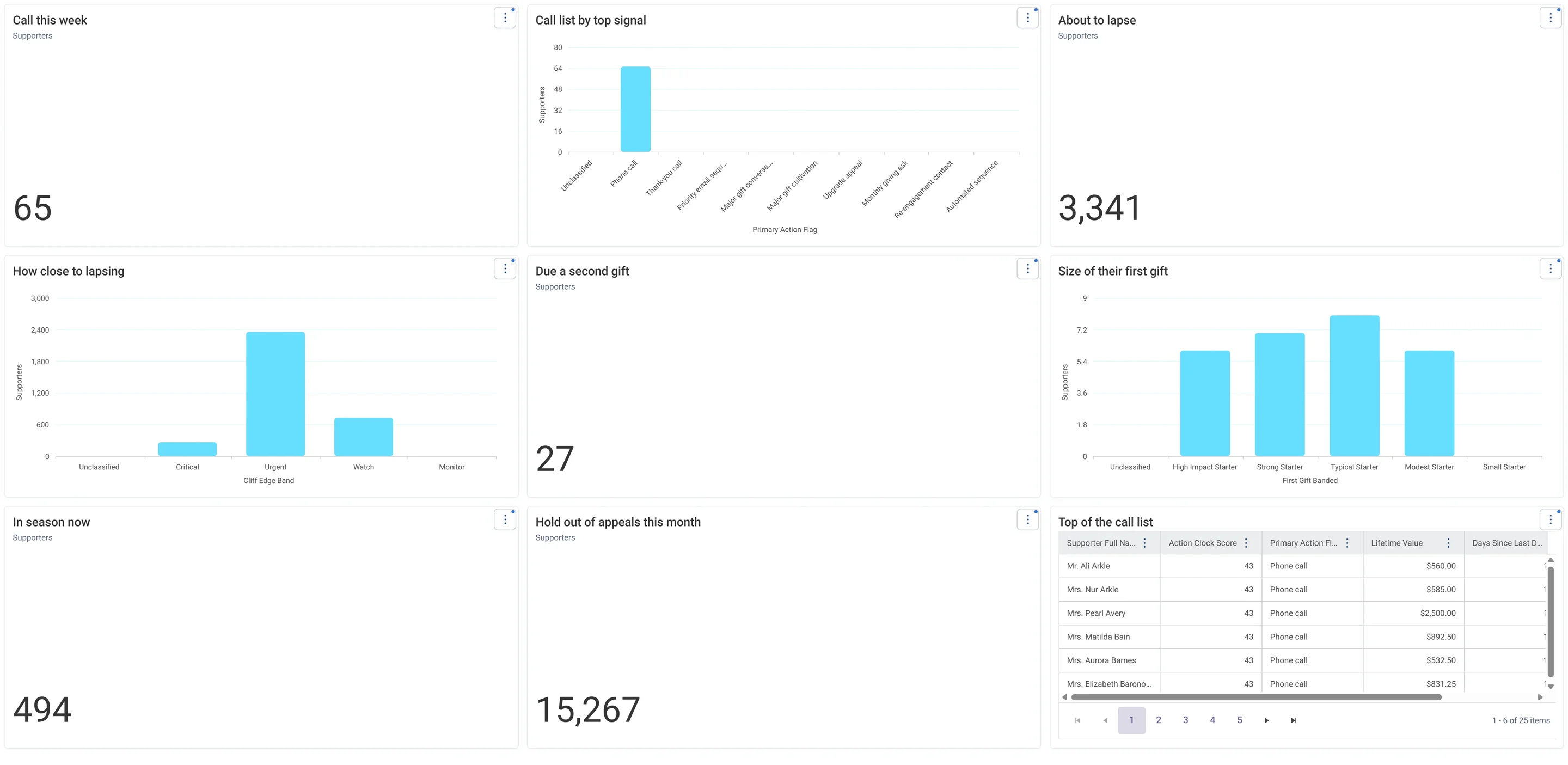
Apteco Mission's Catch Them Before They Lapse pathway uses each supporter's own giving rhythm to say when they are slipping, so you act inside the window, not at year end. Givebutter's CRM is where you enter gifts and supporters. Mission is where you ask questions of them, and the question that matters is who is slipping. The page says the usual stand-in is one rule for everyone, such as no gift in 12 months. Mission joins your gifts and other supporter data into one record per person, beside your CRM.
For many small nonprofits, yes. Givebutter says on its own blog that it can replace a traditional CRM for many small to mid-size nonprofits. It also says it is not built for every large, complex organization. Its CRM is free, with no limit on contacts. It works best when most of your gifts come in through Givebutter's own forms, events and pages. Then each donor's record fills in by itself.
What a donor CRM has to do. A good donor CRM keeps one record per supporter, with every gift, pledge and note. It groups people into households. It sends a receipt and a thank-you on time. It pulls a list, like last year's donors who haven't given again, in a minute. And it shows your team who to call this week. Givebutter's free CRM covers most of the record keeping: households, soft credits, pledges, tags, saved lists and automatic receipts.
What it costs. The CRM is free. Givebutter earns its money on the giving. With tips turned on, donors see an optional tip, and your nonprofit pays 0% platform fees and no processing fees. Turn tips off and a flat 3% platform fee applies, plus card rates (Givebutter pricing). Ask your board how they feel about donors seeing a tip prompt. Workflows, tasks, wider reporting and data cleanup tools sit in the paid Givebutter Plus tier.
Where it falls short, in its own words. Givebutter says grant tracking is on its public roadmap but not a full feature yet. It says a nonprofit with tens of thousands of contacts across several entities may need more than it offers. And if another CRM is your main record, it says to compare the links your team relies on before you switch. One more check of your own: gifts that come in outside Givebutter, such as cheques, stock or a donor-advised fund, still need entering by hand or by import.
Test it before you decide. Givebutter lets you try Plus free for 30 days. Use that month on real work. Load last year's gifts. Find last year's donors who haven't given again. Merge two records for the same person. Build a household. Enter a cheque. Send a thank-you. If each job takes minutes, not an afternoon, it is likely good enough for you.
Who it suits. Givebutter suits a small team that raises most of its money online, through events, peer-to-peer pages and campaigns, and wants one free place for donors. A team with major gifts, grants and a board that wants deep reports may outgrow it. Then the choice is a fuller donor CRM, such as CiviCRM, a CRM made for nonprofits, which Apteco hosts.
Mission and Givebutter. A fair question is why add anything when the CRM does so much. Add Mission when a question needs data from more than one place. Apteco Mission does not replace your CRM. It takes data from your CRM and from the other places supporters show up, by file or through a direct connection, and builds the insight a CRM can't, like which lapsed donors still volunteer (see Does Mission replace my CRM?). Your team can keep its CRM, its skills and its workflows.