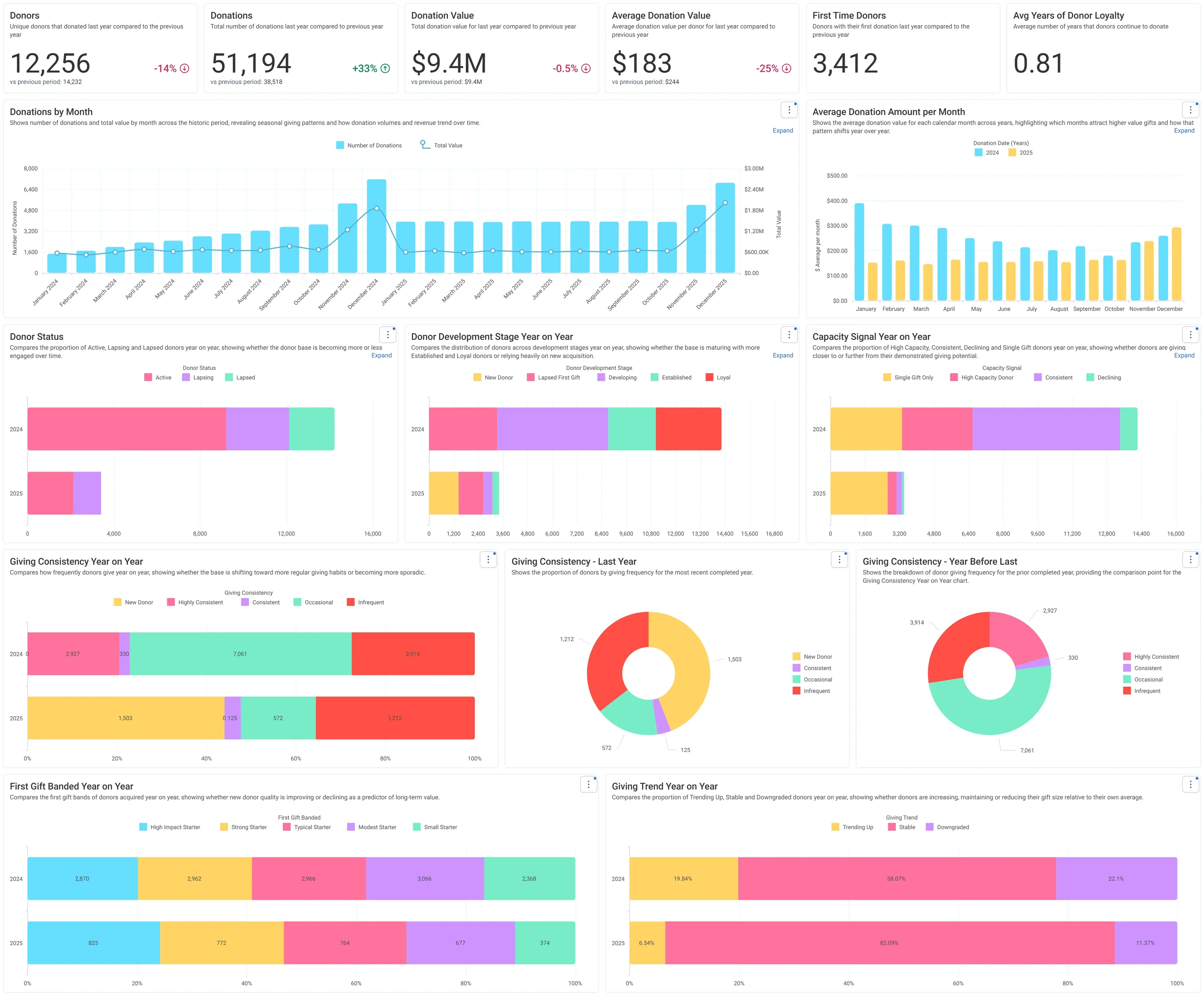
Apteco Mission and QuickBooks do different jobs. QuickBooks holds the totals your books need. Mission's Donation Analysis dashboard shows who gives, how often, how much, and whether that is changing. Mission sits underneath your CRM and the other places your supporter data lives, so a tool that already works for you does not have to go, and you can pick a donation platform for how it feeds your books and still see your donors clearly.
For most small teams, the cleanest shape is one deposit per payout, split by campaign or fund, so QuickBooks matches the bank. Zeffy's free link works that way. Donorbox and Givebutter send each transaction instead, mapped by campaign or fund, as paid add-ons. Either can work. Check that the link supports your QuickBooks, decide who fixes refunds, and keep the donor detail in your donor system.
One deposit per payout. Zeffy says its QuickBooks Online link creates one deposit per payout, broken down by campaign or fund. Individual transactions are not pushed. Past payouts don't sync, campaigns you haven't mapped land as "Uncategorized", and Zeffy emails you when a sync fails (Zeffy help). Zeffy's page says the link is free (Zeffy). This suits a team that wants QuickBooks to match the bank, with donors kept somewhere else.
Each transaction. Donorbox says its link syncs one-time and recurring donations and ticket sales into QuickBooks Online, as sales receipts or as invoices and payments. Its page lists the link as a $50 a month add-on (Donorbox). Givebutter says its link sends donations, ticket sales and recurring gifts to QuickBooks Online, mapped by campaign, fund or payment method, one way. It comes with Givebutter Plus, which its page says starts at $29 a month (Givebutter). These suit a team that wants each gift visible in QuickBooks.
Check your country and your version. Not every link works with every QuickBooks. Givebutter says its link doesn't work with QuickBooks Desktop (Givebutter). If you're in Canada, or on Desktop, ask the vendor before you sign up.
Test before your first busy month. Map every campaign to an account or class first. Run one real payout through. Does the QuickBooks total match the bank deposit? Where did the processing fee go? Then refund a small test gift and see what changes. Write down who fixes a mismatch, and when. A short monthly check, matching each payout to its deposit, keeps the two in step.
A CRM that works with QuickBooks. If you'd rather have donor records and a QuickBooks link in one CRM, Apteco hosts CiviCRM, which works with QuickBooks and Xero. A community extension, CiviQuickBooks, sends contacts to QuickBooks Online as customers and contributions as invoices. Its setup takes some technical work. If you keep your tools, Mission works beside them.