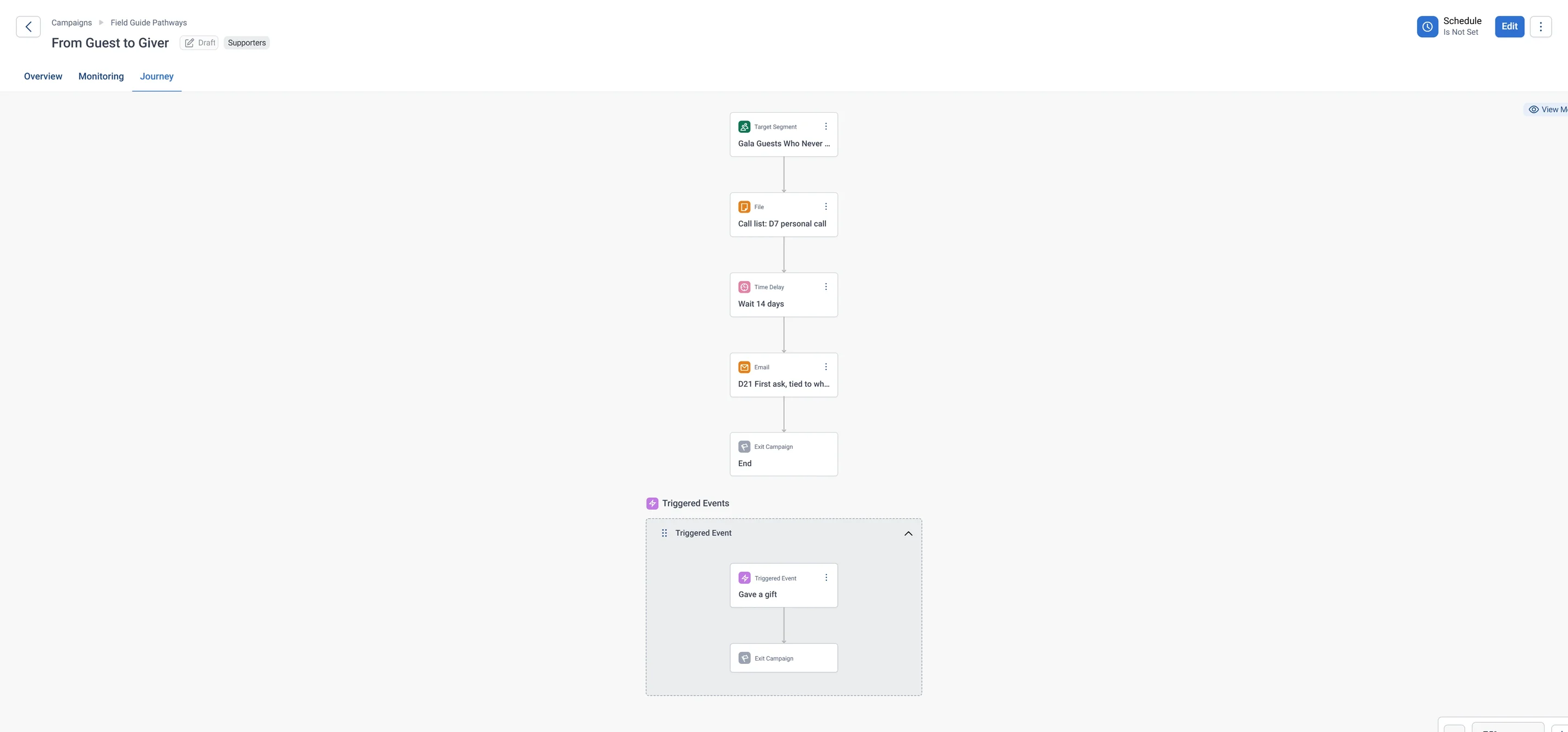
Apteco Mission joins your giving platforms, event lists and CRM into one record per person, beside your CRM. Its From Guest to Giver pathway then gives guests who have never given a personal call from their host, and a first ask tied to what they saw. That only works if each gift has a name on it. So the tap tool has to ask. Think of the tool as where you take the gift in, and Mission as where you ask questions about the people afterwards.
Use a tap-to-pay app that sits inside a fundraising platform and asks for the donor's name and email with each gift. Fundraise Up, Givebutter, Zeffy and Bloomerang all have one, and each asks a little differently. Turn those questions on before the event, and bring the gifts into your CRM within days.
Why a tap alone isn't enough. Zeffy says a tap-to-pay payment with no buyer details shows a blank name, and you can't look up the payer later from Zeffy alone (Zeffy help). Fundraise Up keeps gifts with no details in an "Awaiting supporter details" list until someone adds them (Fundraise Up). So the ask for a name has to happen at the table.
How four tools ask. Fundraise Up shows a supporter details screen before payment: first name, last name, email and an optional phone (Fundraise Up). Givebutter has you add or pick a contact for each gift, and needs an email to send the receipt (Givebutter help). Zeffy lets you add details to a payment later (Zeffy help). Bloomerang's app requires a first and last name, and its Tap to Pay needs Bloomerang Payments (Bloomerang help).
Check your phones too. These apps use the phone's own tap reader. Fundraise Up lists an iPhone XS or newer on iOS 16.4 or later, or an Android phone on Android 13 or later with NFC. It says an iPad always needs a separate card reader (Fundraise Up). Givebutter says its Tap to Pay doesn't work on an iPad (Givebutter help). Test with the phones you'll really use, a week before the event.
Set it up so the names come through. Make name and email part of every gift, not an extra step. Give volunteers one line to say: "Can I get your email for your receipt?" Add a box that asks if they'd like to hear from you. After the event, bring the gifts into your CRM, matched by email to people you already have. Then send a thank-you that names the event, within a few days.
Then bring it together. Giving platforms are one of the places a supporter's data lives. Mission takes data from your CRM and from the other places supporters show up, such as your giving platform and ticketing, and matches it into one record per supporter. Your CRM can stay.