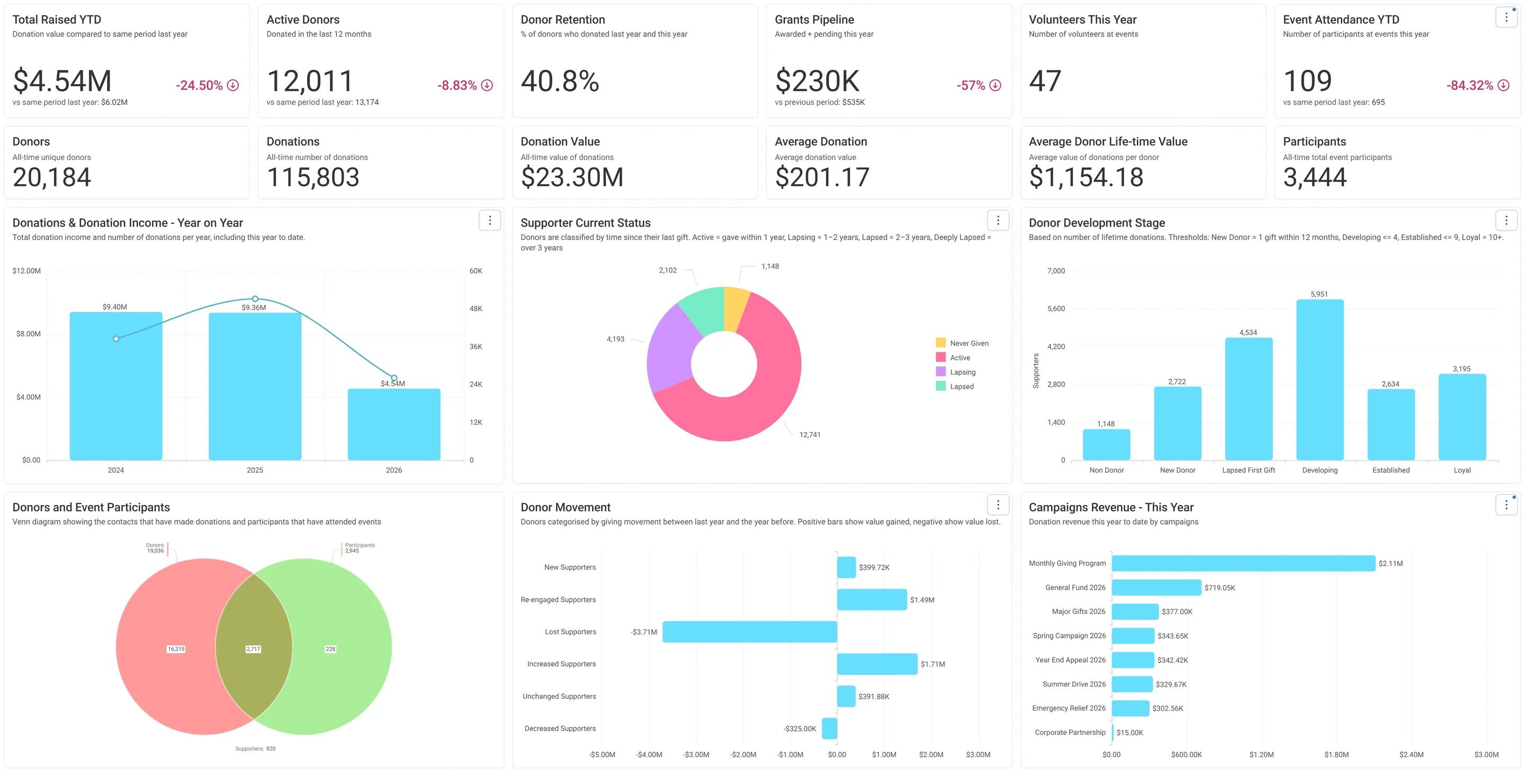
Apteco Mission's Charity Overview dashboard keeps the numbers a board asks for on three tabs, each set against last year, so no one rebuilds them by hand each time. The monthly match between DonorPerfect and QuickBooks is a separate job for your CRM and your books. It comes first, and you do not have to replace either tool to do it.
Teams that find this easy do the same steps every month. Development closes the month in DonorPerfect first. Then development and finance compare the same date range: gift totals by GL code, then each bank deposit and the gifts behind it. Every difference gets a reason and is fixed in the system where it went wrong. DonorPerfect's QuickBooks link can post the gifts for you, but a person still checks that the two match.
Map the codes once. DonorPerfect's QuickBooks link works with QuickBooks Online and Desktop. It sends data one way, from DonorPerfect to QuickBooks. It maps gifts to QuickBooks customers, classes, bank accounts and income accounts, and has quick filters for posted gifts, unposted gifts and gifts with missing codes (DonorPerfect). The accounting firm CLA suggests laying out every CRM code beside its GL code, to spot the ones that don't line up (CLA). Check the missing codes filter before every close, so no gift goes unmapped.
Pick single gifts or summaries. DonorPerfect can post each gift on its own, or a daily or monthly summary (DonorPerfect). A summary keeps QuickBooks short, and the donor detail stays in DonorPerfect. Single gifts make one gift easier to trace. Pick one way with your finance lead and keep it, so each month compares like with like.
Close DonorPerfect first. CLA says the CRM should ideally close on the first or second business day after month end, and aims for the financials to go out by the 15th (CLA). It also suggests a closing calendar that both teams agree on. Before the close, check that the unposted list holds nothing from last month. After the close, nobody adds a gift to last month without telling finance.
Match each deposit, not just the total. A month's total can match while two mistakes cancel each other out. So match each bank deposit to the gifts behind it. CLA suggests two clearing accounts, one for cash and cheques and one for card and bank transfer gifts. What is left in them at month end is money still on its way to the bank (CLA). For card gifts, it suggests one ID shared by the card processor and the CRM, and fewer card processors. If your processor takes its fee before it pays you, the deposit will be smaller than the gifts, so record the fee on its own line.
Give every difference a reason. Keep a short log each month: the gift, the amount, why the two systems differ, and who fixed it. Look for gifts entered after the close, gifts coded to the wrong fund, refunds, and gifts of stock or goods. Fix each one in the system where it went wrong, so the two agree next month too. If the same reason comes up every month, change the step that causes it.
Once the two systems agree, the next question is what the numbers mean. Apteco Mission sits underneath your CRM and the other places your supporter data lives, and joins them into one record per person. Its The Board Pack That Builds Itself pathway gathers the numbers your board asks for from every system, ready before every meeting. See Does Apteco Mission replace my CRM?