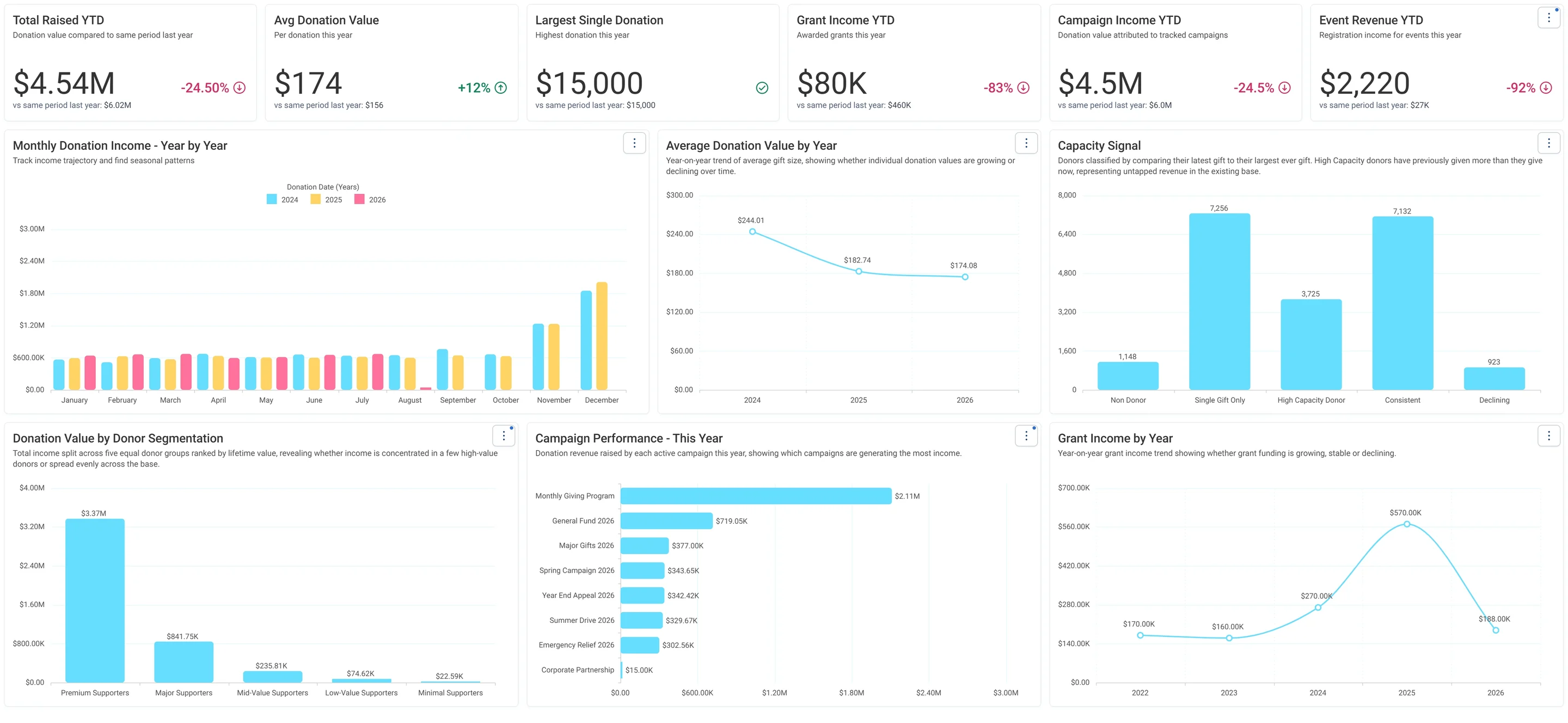
Apteco Mission gathers the numbers your board asks for from every system and has them ready before every meeting, in its The Board Pack That Builds Itself pathway. Board numbers are often rebuilt by hand from the CRM, the finance system and a grants spreadsheet. If the tools you have already work, keep them. That is the pain a DonorPerfect to Sage Intacct link tries to ease on the money side.
They are built to work together, and the link runs one way. Sage sells an add-on called Sage Intacct Fundraising powered by DonorPerfect. DonorPerfect says it moves donor and transaction data from DonorPerfect into Sage Intacct, through a one-direction API, in the US and Canada (DonorPerfect). Fundraisers keep working in DonorPerfect, and finance works in Intacct (The NonProfit Times). The public pages don't show the detail that decides how well it works for you: how gifts map to your accounts, how often it runs, and what happens to refunds and errors. Test those before you sign.
What the vendors say. Sage's help calls it an additional subscription, and sends you to your Sage Intacct account rep for details. Setup help sits in DonorPerfect's knowledgebase (Sage Intacct help). DonorPerfect says customers of either product buy the link through a Sage Intacct rep (DonorPerfect). Sage's blog says putting gifts from the fundraising side next to fundraising costs in Intacct shows your return on fundraising (Sage). We found no independent user reviews of the link itself, so ask for references.
Map it before you switch it on. A good link puts each gift in the right place without anyone typing it twice. Agree with finance how each DonorPerfect fund, campaign or GL code lands in Intacct. Intacct sorts transactions with dimensions, and you can add your own (Sage Intacct help). Decide which dimension carries a restricted fund or a program. Write the map down. Then enter a few test gifts in DonorPerfect and check exactly where each one lands in Intacct.
Ask six questions in the demo. Does each gift post on its own, or as one entry per deposit or batch? How often does it run? What happens to a refund, a changed gift or a pledge payment? When a gift fails to post, who finds out? Can finance still match each bank deposit to the gifts in it? And who supports the link when it breaks, Sage or DonorPerfect? Ask for a reference charity your size that uses it every month.
Who it suits. DonorPerfect says the bundle is built for nonprofits with complex financial needs (DonorPerfect). It fits a team already on Intacct, or moving to it, that wants gifts in the books without retyping. A smaller team with simpler books may not need the add-on yet. A monthly gift summary from DonorPerfect, entered in Intacct by finance and checked against the bank, can do the job while gift volume is low.
Whatever links your CRM and your books, the numbers a board reads come from more than the books. Apteco Mission sits underneath your CRM and the other places your supporter data lives, and joins them into one record per person. Its Charity Overview dashboard then keeps board numbers on three tabs, each set against last year. Your CRM can stay. See Does Apteco Mission replace my CRM?