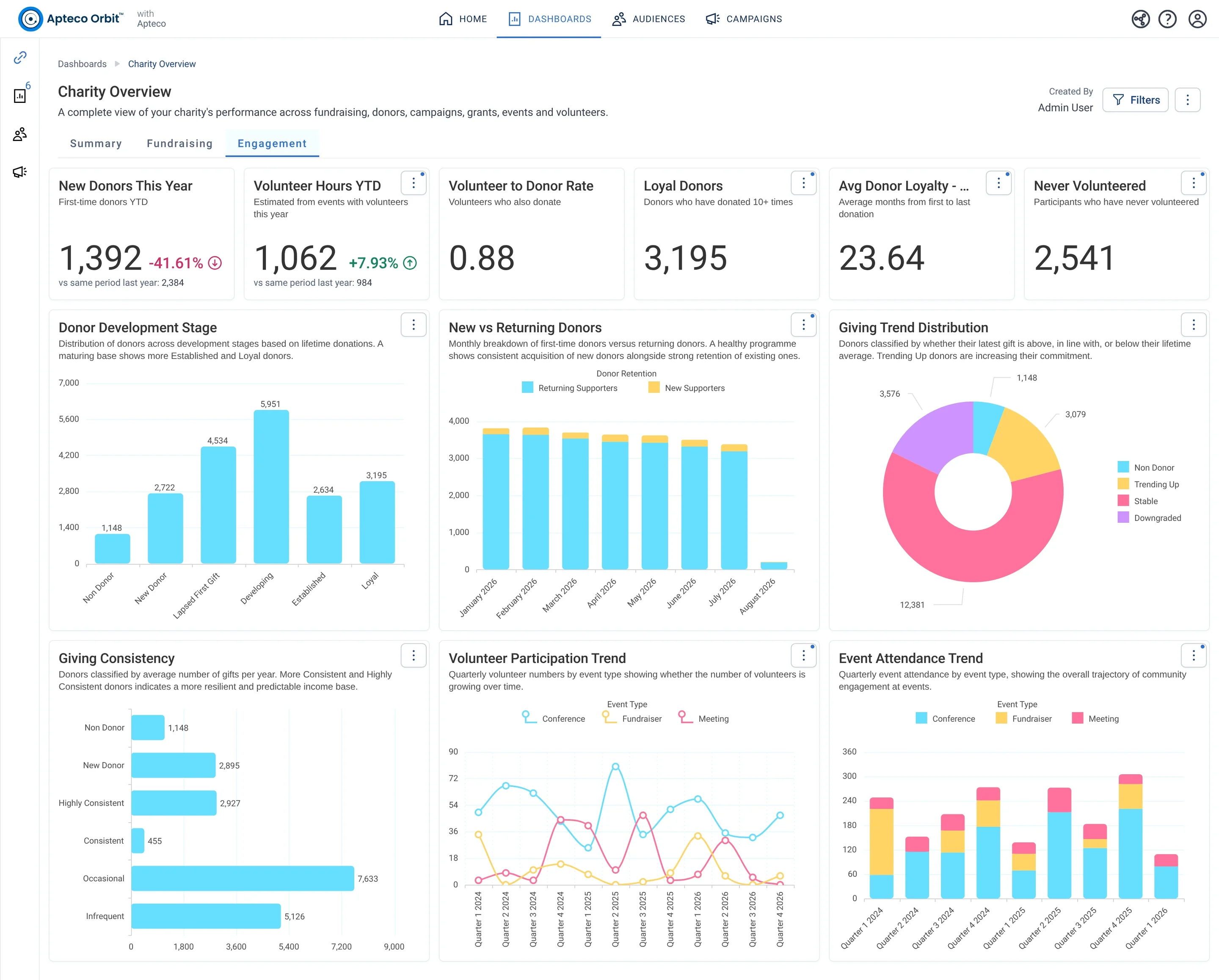
Apteco Mission takes some of the load off a one-person Salesforce team. It sits underneath your CRM, as the Mission and your CRM page says. The Charity Overview dashboard keeps board numbers on three tabs, each set against last year, so your admin need not rebuild them by hand before each meeting. That leaves your help hours for Salesforce itself.
The straight answer: start with the free help, then pay for a small, steady amount. Free: Salesforce's Trailhead lessons, its online Trailblazer Community, and local nonprofit user groups. Pro bono: platforms that match nonprofits with skilled volunteers, for one clear job. Paid: a Salesforce partner or freelance admin on a small, fixed block of hours each month. Keep one staff member as the owner, so the know-how stays with your team.
Know what you have. The free version is usually two things. Through its Power of Us program, Salesforce gives eligible nonprofits 10 Nonprofit Cloud licenses at no cost. Many charities also run the Nonprofit Success Pack, a free add-on for fundraising records. Salesforce says it is used by thousands of organizations and will continue to be supported. Know which setup you run before you ask for help, so you find people who know it.
Free help. Trailhead, Salesforce's learning site, has short lessons on the Nonprofit Success Pack. The Trailblazer Community is Salesforce's place to get answers and build skills. Trailblazer Community Groups run free events led by volunteers, including local nonprofit user groups. Go to one, and ask which admins and partners other charities your size use.
Pro bono, for one clear job. Taproot Plus matches nonprofits with skilled volunteers, at no cost. Its technology examples include Salesforce feature development, and one-hour sessions on getting the most from Salesforce. A volunteer suits a short task with an end: a report, a cleanup, a review of your setup. The weekly running of the system needs someone you can call every week.
Paid help, small and steady. Salesforce lists consulting partners on its AppExchange. Ask partners and freelance admins for a small, fixed block of support hours each month, not an open-ended contract. Ask for nonprofit references your size, on the same setup you run. Ask what happens to hours you don't use. If you later buy paid licenses, Salesforce says its Premier Success plan, with 24/7 support and expert coaching, is switched on with a nonprofit's first paid purchase.
Keep an owner on staff. Outside help goes further when one person on your team owns the system. They collect requests, test changes and keep a log of what changed and why. Give them a few hours a week to learn. If they leave, the log means the next person doesn't start over. Apteco's article on the Salesforce skills gap says the gap lands on an overworked admin, and that when an admin leaves, they take their understanding of the donor histories and workflow logic with them. A one-person team can burn all its energy pulling data out of the system and have none left to use it, so keep the list of regular reports short and have each one built once.
If Salesforce works for you, keep it, and Mission sits beside it. If running Salesforce costs more than it gives back, Apteco hosts CiviCRM, a CRM made for nonprofits. The software has no license fee. Hosting and system admin is $5,000 a year, and everyone on your team can log in.