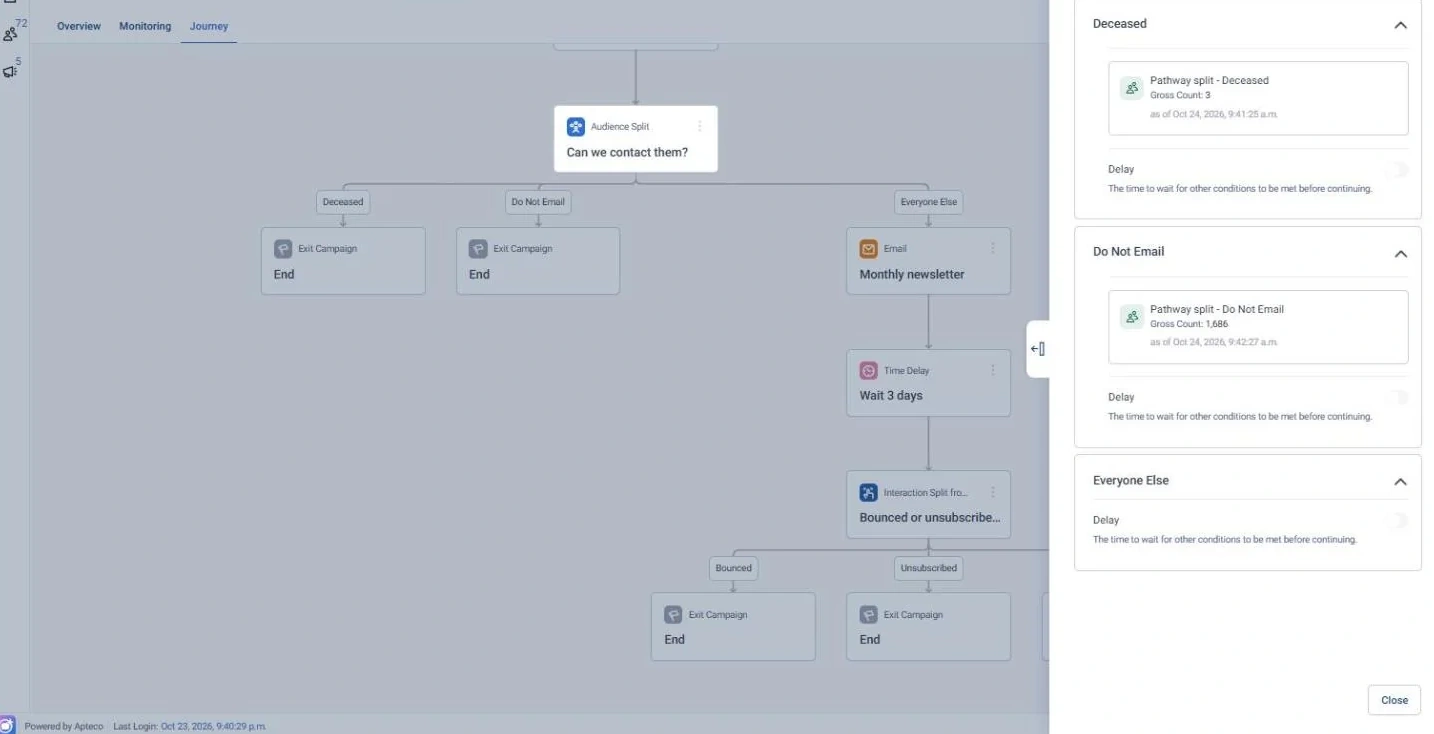
Apteco Mission is built for the worry behind this question: someone says no in one place and still gets email from another. Its Clean and Considerate Communications pathway says an opt-out recorded in one system doesn't reach the others on its own. Mission joins them into one record per person, and removes opted-out and do-not-contact supporters before anything goes out. Salesforce stays your CRM. If your email tool already works, keep it: what matters is that the do-not-contact list reaches it.
Now the platforms. The best one is the one whose link keeps Salesforce right. Unsubscribes come back, email activity lands on the supporter's record, and it fits the Salesforce you run. Salesforce's own Marketing Cloud Growth and Advanced editions are built on the Salesforce platform. Mailchimp connects through apps listed on its site that sync both ways. Constant Contact's own sync runs one way. Choose on the link, not on the templates.
The test that matters most: does a no come back? If someone unsubscribes in your email tool and Salesforce never hears, Salesforce still shows them as happy to get email. Constant Contact says its Salesforce sync is one-way, and that data, including unsubscribes and contact activity, isn't sent back into Salesforce (Constant Contact). That can still work if Constant Contact is your only sender, and someone records unsubscribes in Salesforce on a set day each week.
Mailchimp. Mailchimp lists Salesforce apps on its own site. Beaufort 12's Salesforce Integration is a paid app. Its listing says it syncs both ways and tracks email interactions inside Salesforce (Mailchimp). SyncApps by Cazoomi says it maps unsubscribes both ways, and supports NPSP and Nonprofit Cloud (Mailchimp). Salesforce says the Mailchimp app needs its Professional, Enterprise, Unlimited, Developer or Performance edition (Salesforce).
Salesforce's own email tools. Mission in Motion, a Salesforce consulting firm, says the Marketing Cloud Growth and Advanced editions are built on Salesforce's core platform. It also says person accounts are not fully compatible with them (Mission in Motion). That matters, because Nonprofit Cloud stores each supporter as a person account (Fundraise Up). Ask Salesforce how your version handles it before you buy.
Check the version, then test. Ask each vendor whether its link supports NPSP or Nonprofit Cloud, by name. Then test four things with a few staff email addresses. Does an unsubscribe reach Salesforce? Do opens and clicks land on the right record? Can you build a segment from giving data, like the date of the last gift? Does a new sign-up in the email tool match an existing supporter, instead of making a new one?
Why Mission helps here. A good link moves unsubscribes between two tools. Mission works across the places your contact preferences live, such as your CRM and email platform. The pathway also sets up a weekly list of email addresses on hold for your team to fix, and a quarterly check-in on which channels people want.