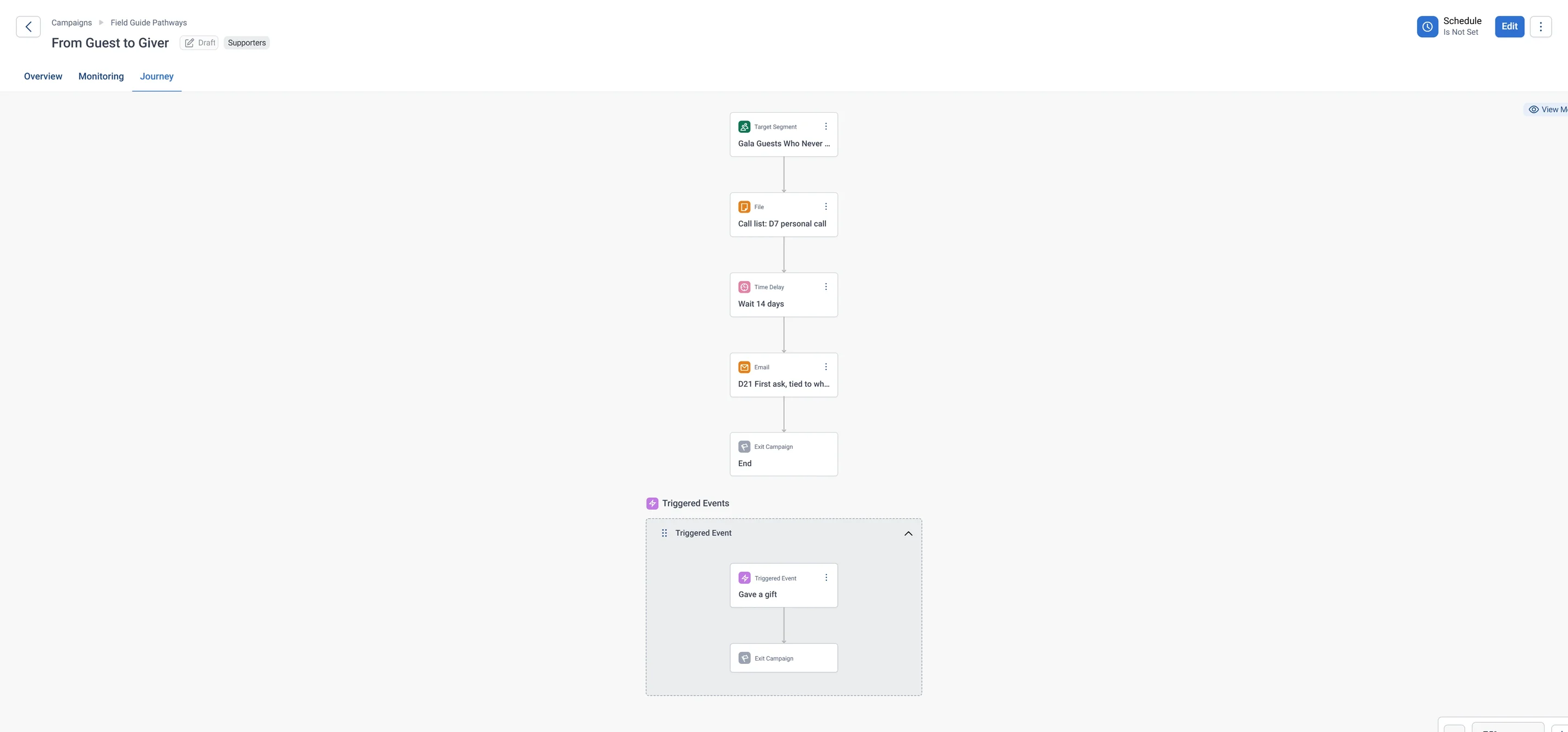
Apteco Mission's From Guest to Giver pathway thanks event guests the day after, and gives guests who have never given a personal call on day 7. It reads event attendance from where it usually lives, like a ticketing tool or a box office, and joins it to gifts in one record per person. Whatever you choose, your CRM is where you enter things, and Mission is where you ask questions of it. So the question to ask any events tool is how every guest gets back to one record.
It depends on what LiveImpact would sit beside. LiveImpact sells itself as an all-in-one software platform built for nonprofits, with donors, fundraising, events, volunteers and case management in one system. Its site doesn't name links to other donor CRMs. So as an add-on to the CRM you keep, it could leave you with two donor databases. It fits best when it becomes your main system, or when the vendor can show how every guest and gift gets back to your CRM.
What LiveImpact offers. Its event management page lists ticket types, including sponsorship tickets and member pricing, seating charts, online and live auctions, reminders, acknowledgements and receipts sent in bulk. Its donor management page lists donor profiles, segmentation, moves management, personal thank-you messages and autoresponders. Its site says pricing depends on which applications you need, and that its team cleans and imports your old data.
Who it suits. LiveImpact's FAQ says it works best for nonprofits with annual revenue above roughly $500,000, especially those running case management programs. If you serve clients and raise money, one system for both can help. If you only want better events, a full platform may be more than you need.
The add-on question. Stewardship needs the whole picture: every gift, every event and every touch, on one record. If events and thank-yous run in one system and gifts in another, someone has to join them by hand. A guest who already gives can get a stranger's welcome. Before you add any events or stewardship tool, ask three things. How does each guest match to a donor record? Which way does the data flow, and how often? Who fixes it when a match fails?
Check your CRM first. Many donor CRMs sell events as a module, so turning on what you already have may beat running a second system. Ask your own CRM vendor for a demo of its events and stewardship tools before you shop elsewhere.
Test it before you sign. Ask LiveImpact for a live demo of your next event, start to finish: invitations, tickets, check-in, an auction, thank-yous and receipts. Then ask to see a guest who already gives, and how the system shows that. Ask for two customers your size who use it for events, and call them.
Keep the tool your team likes. The pathway's day-after thank-you and day 7 call list can follow a ticketing tool, a box office or paper sign-in sheets. If you'd rather run gifts and events in one CRM, Apteco hosts CiviCRM, which keeps gifts, events, volunteers and grants in one place. Apteco Mission works beside a CRM, so yours can stay.