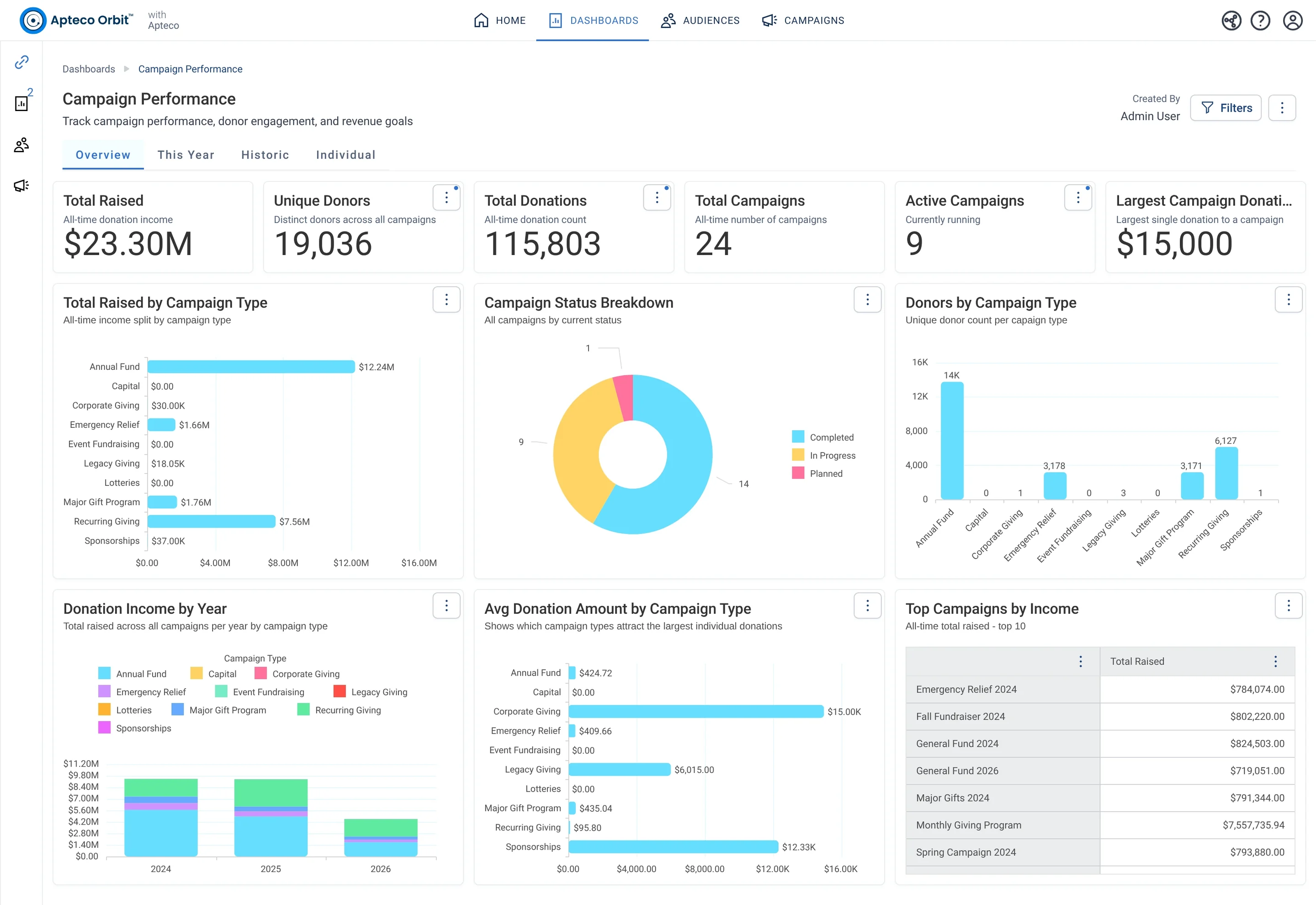
Apteco Mission's Campaign Performance dashboard links each gift to its campaign, so each appeal has a result. That works best when your giving form sends the campaign along with the gift. So the form you pick matters, and it should connect to your donor database instead of standing apart. A direct connection is usually smoother than passing the gift through extra steps on the way.
The closest fit is usually the giving form your CRM vendor makes, because each gift lands on the donor's record with no re-keying. DonorPerfect, Raiser's Edge NXT and CiviCRM all offer one. If you prefer a separate form tool, pick one with a direct link to your CRM, and test it. Either way, the test is the same: does each gift reach the right person, with the right fund and campaign, and do the two stay matched when someone edits a gift?
Forms made by your CRM vendor. DonorPerfect says every transaction from its forms flows into DonorPerfect in real time (DonorPerfect). Raiser's Edge NXT matches gifts from its donation forms to records and groups them into batches. You approve a batch to create the gift records, and you can choose to review gifts before they reach a batch (Blackbaud help). In CiviCRM, a contribution page records each gift. If the donor is already in the database, the gift goes on their record (CiviCRM guide). Apteco hosts CiviCRM for charities that want it.
Linked, not built in. Some giving tools sit beside the CRM and send gifts across. Bloomerang Fundraising sends donations to Bloomerang CRM automatically or on demand. A change made after a gift is sent doesn't reach the CRM until the next export, and changes made in the CRM don't flow back (Bloomerang help). Donorbox says it syncs donation, supporter and campaign data to CRMs including Salesforce, Blackbaud, Bloomerang, Little Green Light and Neon One, in near real time (Donorbox). A linked tool suits a team that wants a form or giving feature its CRM doesn't have.
Test it in the demo. Give a test gift as someone already in your database, and check whether it landed on their record or made a new one. Give again with a different email. Check that the fund, campaign and appeal came across. Set up a monthly gift and check the second payment, not just the first. Then edit a gift in one system and see whether the other changes.
Watch for duplicates. A form matches people by what they type. CiviCRM's guide warns that people with more than one email address, or who share one, can have gifts credited to the wrong contact, and suggests adjusting its duplicate matching rules (CiviCRM guide). Whatever form you choose, check new records each week for people you already know, and merge them.
A connected form fixes one gap. Supporters still show up in other places, like events, email and volunteering. Apteco Mission sits underneath your CRM and those places, and joins them into one record per person. It doesn't replace your CRM. If you'd rather replace it, Apteco hosts CiviCRM. Your Campaign Performance dashboard then reads the gifts and supporters.