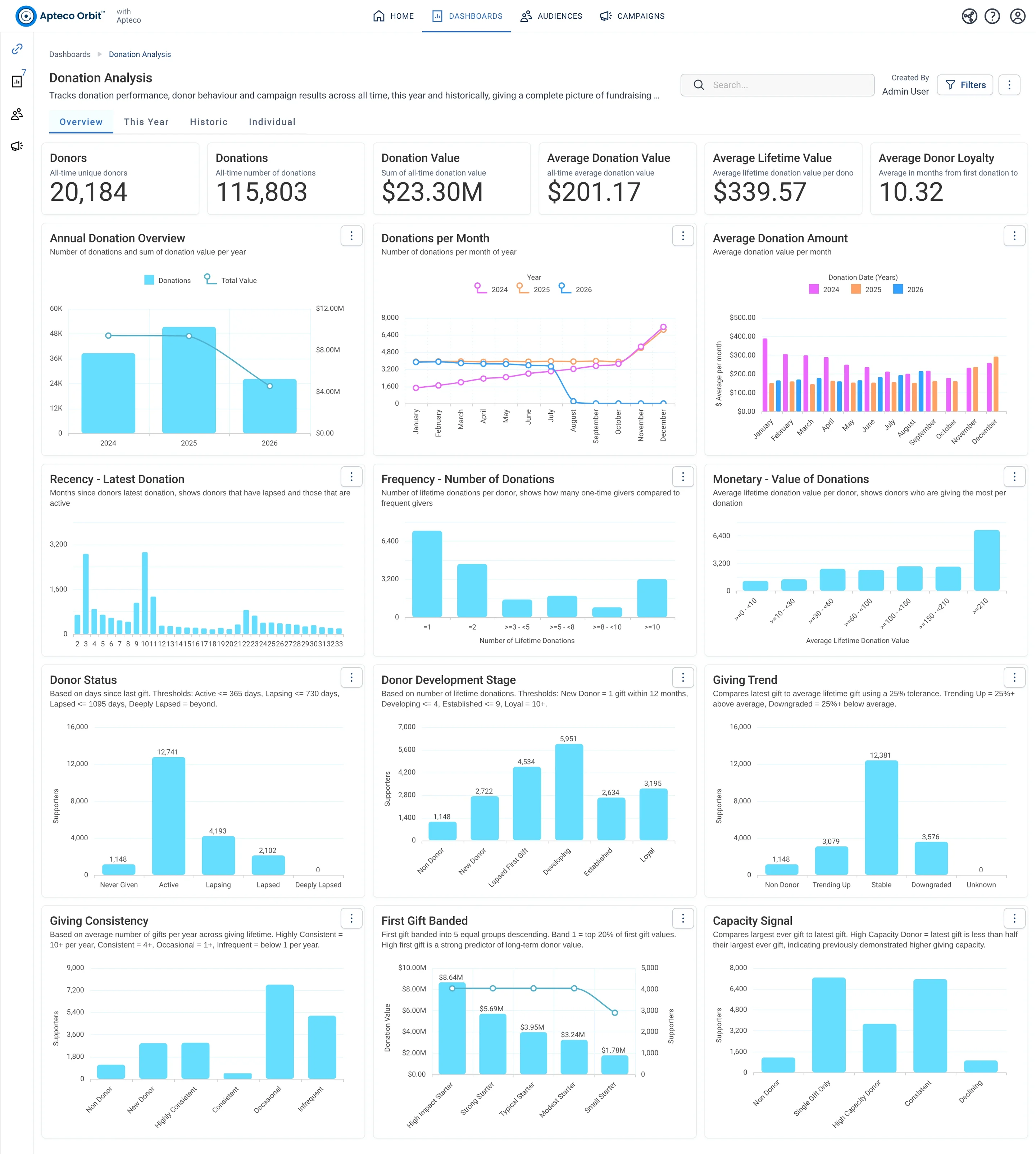
Apteco Mission builds one record per supporter, whichever donation or event platform you choose. It sits underneath your CRM and the other places your supporter data lives, and joins them into one record per person. Salesforce stays your CRM, and a platform that already works for you can stay too. Its Donation Analysis dashboard then shows who gives, how often and how much. Platform links still matter, so here is how to pick one.
First, check which Salesforce you have. Nonprofit Cloud is Salesforce's newer nonprofit product. The Nonprofit Success Pack (NPSP) is the older one. They store people and gifts differently, so a connector built for one may not fit the other. Ask each platform for its Nonprofit Cloud connector by name. Fundraise Up and GoFundMe Pro both say they connect to Nonprofit Cloud, and Blackthorn's event apps run inside Salesforce itself.
Why the version matters. Fundraise Up's NPSP connector writes contacts, opportunities and recurring donations (Fundraise Up NPSP). Its Nonprofit Cloud connector writes person accounts, gift transactions and gift commitments instead (Fundraise Up Nonprofit Cloud). RSM, a consulting firm, says moving from NPSP to Salesforce's newer product still takes a new implementation (RSM). So "works with Salesforce" isn't enough. Ask which one.
Donation platforms with a Nonprofit Cloud link. Fundraise Up says that, with automatic sync on, its link sends each donation as a gift transaction and each recurring plan as a gift commitment. It asks you to turn on Salesforce's person account matching and duplicate rules first (Fundraise Up). GoFundMe Pro says it works with NPSP, Nonprofit Cloud and Education Cloud, and that donations, supporter profiles and recurring plans sync in near real time (GoFundMe Pro).
Events inside Salesforce. An event tool that lives inside Salesforce avoids a second database. Blackthorn calls its apps native Salesforce applications for events. It says event data, whether your org runs NPSP or Nonprofit Cloud, writes directly to your existing account and household structure (Blackthorn). An outside ticketing tool can work too. Ask it the same question: which Salesforce does its connector support?
Test before you switch it on. Run a few test gifts and one test event. Does a returning donor match their existing record, or make a new one? Does a monthly gift land as one plan with its payments? Does a refund reach Salesforce? Does the campaign come through? Fundraise Up notes a daily limit on Salesforce API requests, and says busy periods may need a temporary increase from Salesforce (Fundraise Up).
If data still sits in several places. A connector moves one platform's gifts into Salesforce. It does not bring email, volunteering and events to the same person. Our article on what your donation page knows explains how each system holds only part of a donor's story. Mission is the layer that puts those parts together beside Salesforce.