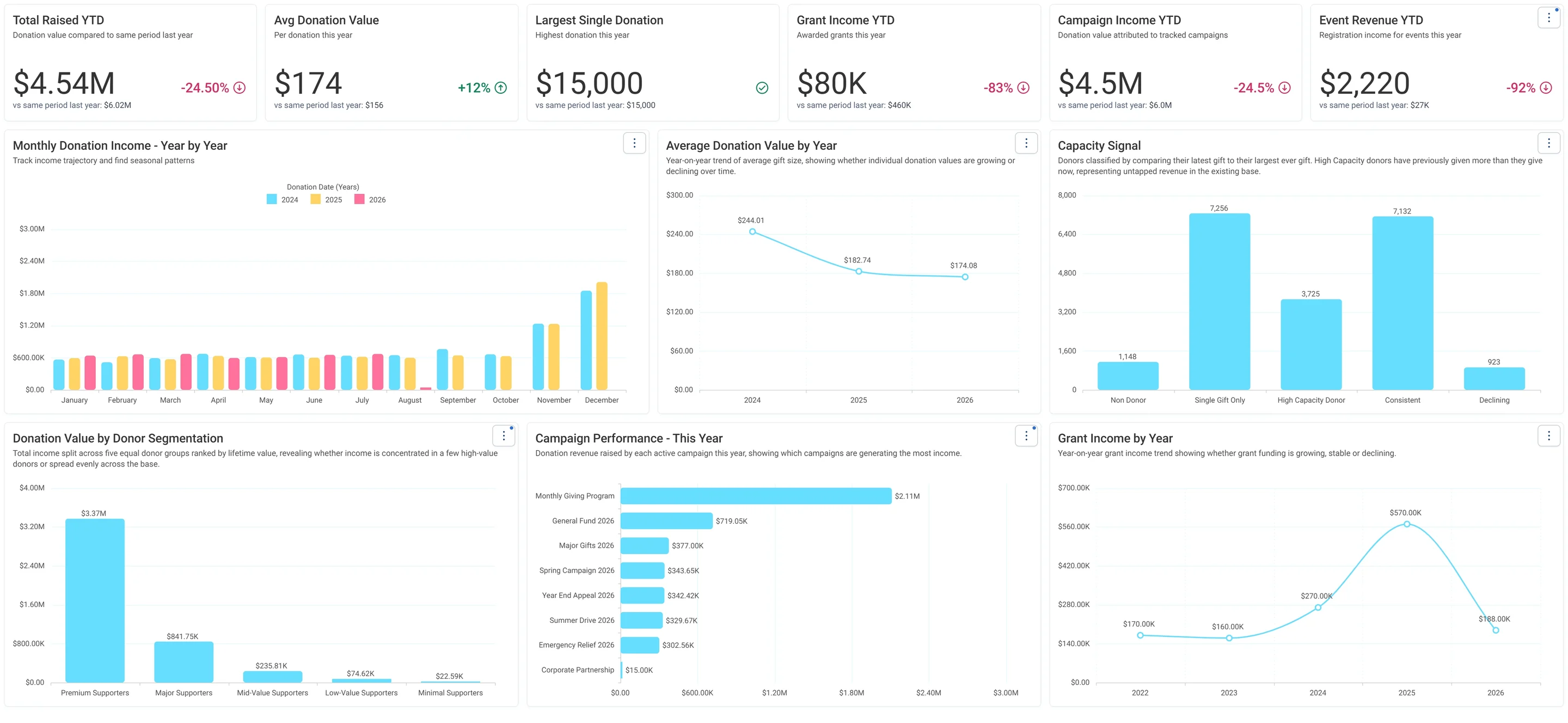
Apteco Mission sits underneath the CRM you have and leaves it as it is (Does Mission replace my CRM?). Its Charity Overview dashboard keeps board numbers on three tabs, so they are not rebuilt by hand from the CRM, a grants sheet and staff counts.
Start with your fundraising, not with Salesforce. Write down how you really raise money, then check your Salesforce against that list. A system set up before anyone wrote that down won't match your work. Find out which nonprofit setup you have. Fix the few things your team uses every day first. Bring in a partner with nonprofit experience for the rest, and train one person to own it.
Write down how you fundraise. List every kind of gift you take: one-time gifts, monthly gifts, pledges paid over time, gifts split across funds, event tickets, grants and gifts in wills. Note how each one is thanked and reported. In Salesforce's newer nonprofit setup, a promise to give is a gift commitment, each payment is a gift transaction, and where the money goes is a gift designation (Trailhead, fundraising records). Your list tells a partner what each one must hold.
Find out what you have. One nonprofit setup is the Nonprofit Success Pack, a free package added on top of Salesforce. It adds households, record types for gifts and grants, and tools for monthly giving (Trailhead, Nonprofit Success Pack). The newer Nonprofit Cloud, now called Agentforce Nonprofit, brings fundraising, programs, volunteers and outcomes together in one place (Salesforce). Some charities run plain Salesforce with neither. The fix depends on which one you have, so ask your admin or partner to check.
Fix what your team uses every day first. Gift entry. Thank-you letters. The report your board reads. Get those right before anything else, and change one thing at a time, so your team can keep working while you fix it. Then remove the fields and steps nobody uses. A simpler system that matches your work beats a bigger one that doesn't.
Find the right partner. Salesforce lists consulting partners on its AppExchange. Ask each one to walk through your list. Ask for two nonprofit clients your size you can call. Ask who looks after the system when the project ends. Salesforce also runs the Nonprofit Trailblazer Community, where you can ask other charities who they used (Salesforce).
Train an owner. Someone on your team needs to own the system after the partner leaves. Give them time to learn it. Trailhead, Salesforce's learning site, has short modules on the Nonprofit Success Pack and on fundraising records. Write down each change you make, and why.
If the fix is too big. If fixing Salesforce would cost more than the system is worth to you, Apteco hosts CiviCRM, a CRM made for nonprofits. The software has no license fee. Hosting and system admin is $5,000 a year, or $15,000 a year with Mission (Can Apteco host our CRM?).