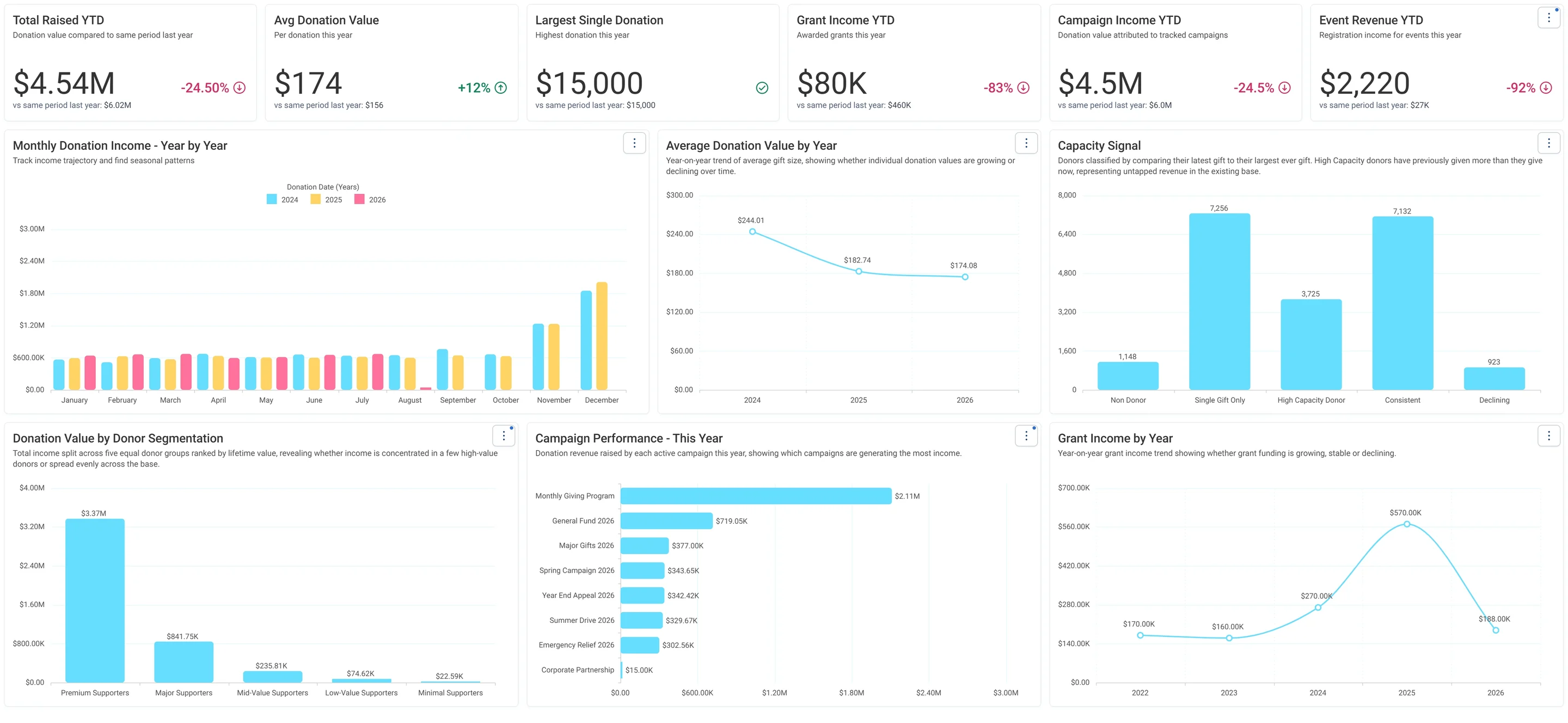
Apteco Mission sits beside your CRM, so you don't have to fight its report tool. It joins your CRM and the other places supporter data lives into one record per person. Modules such as the Charity Overview dashboard then show the numbers, set against last year. Your team keeps its CRM and its skills (Apteco FAQ). You have more options than replacing the CRM.
The straight answer. First, write down the handful of questions you need answered every month. Then get each one built once, as a saved report, by someone who knows the tool: the vendor's support team, a consultant, or a trained colleague. Use the vendor's training and the templates it already ships. If reports still take too long, add a reporting layer beside the CRM. Replace the CRM last, and only if it can't hold the data you need.
Start with the questions, not the tool. Much of the pain comes from building each report from scratch. List the questions that come up every month. What did we raise? Who gave for the first time? Who lapsed? How did the last appeal do? That list is your brief, whoever ends up building the reports.
Use the templates, and save everything. Many CRMs come with reports already built, such as LYBUNT and SYBUNT: the donors who gave last year, or some year, but not this year. Copy a template, change one thing, and save it under a name you will recognize. Next month, you just run it.
Get training from the source. Ask your vendor what training comes with your plan, and join its user community, where someone has often built the report you need already.
Pay for it once, not every month. If a report is hard to build, have the vendor's support team or a consultant build it once, save it, and show you how to run it. Keep a short list of your saved reports, what each one answers, and where it lives, so the knowledge doesn't leave with one person. Then pick a fixed date each quarter when the key numbers go out, for example ahead of the board meeting. A set date turns the report into a habit, and a small team isn't pulling numbers by hand at the last minute.
Know when exports stop working. Some teams export to a spreadsheet or a business intelligence tool. That can work. But someone has to repeat the export, fix the formulas when fields change, and join in data from other systems by hand. If that person leaves, the reports stop.
Add a layer built for this. A good fundraising system answers the regular questions without a report builder: one record per supporter, with the measures already worked out. That is what Apteco Mission does beside your CRM (see the board pack pathway). Instant Insights on three columns of your own data is free for life (Apteco FAQ).