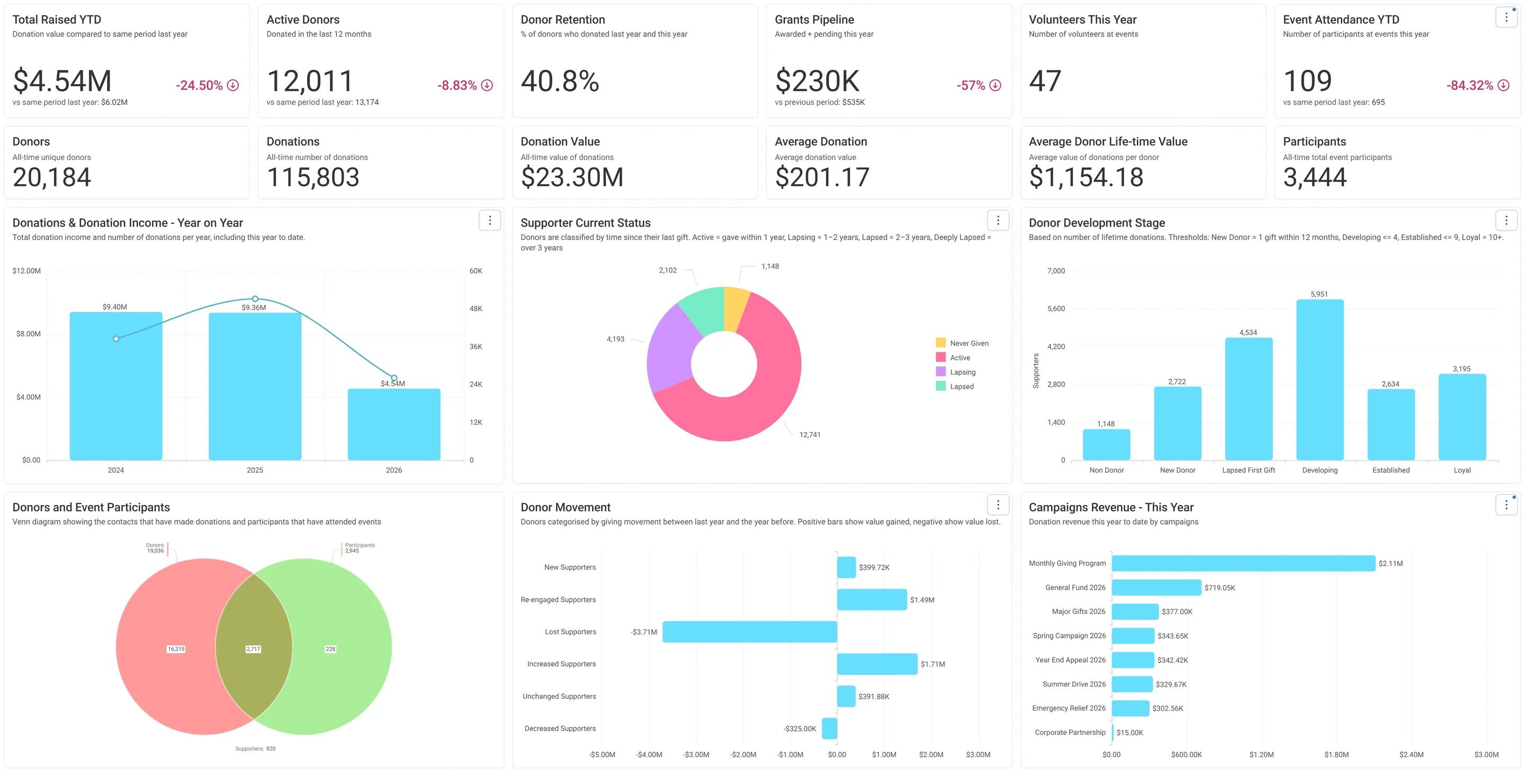
Apteco Mission sets this year's giving next to the same period last year, so the comparison is there when you open it. Many donor systems only show one point in time, which makes weeks, quarters and years slow to compare. Mission's Charity Overview keeps three tabs, each set against last year. The The Board Pack That Builds Itself pathway says some CRMs only report one month at a time, so a year-on-year comparison becomes a manual job. Mission's Donation Value Same Period Last Year asks how much each supporter had given by this same date last year.
Gift totals for any period. Every gift has a date, so you can total any past period. Use a gift date filter, not a this-month or this-year button that only shows today's view. Save the report, then copy it and change only the dates, so both runs count the same way. Some systems also have a report that puts two date ranges side by side.
Compare like with like. Six months ago may be a different season. For many charities, year-end appeals make some months much bigger than others. So compare this period with the same period last year as well, and look at the trend month by month, not one pair of numbers.
Know what changes after the fact. A report you run today for last spring may not match the one you ran last spring. Late entries, refunds and gifts moved between funds all change past totals. Note the date each report was run, and agree with your finance team when a month counts as closed.
Status at a moment needs a snapshot. Fields like donor status, membership level or segment often show only today's value. Your system may not remember what they said six months ago. You can rebuild some from gift dates. For example, the The Board Pack That Builds Itself page says donor retention is the people who gave last year and again this year, divided by everyone who gave last year. For the rest, export the counts you care about at each month's end and keep them.
Who gave more, less or stopped. Mission's Donor Movement compares each supporter's gifts last year with the year before. The The Board Pack That Builds Itself page says to use it for a donor movement chart: new, re-engaged, up, same, down, lost. That is a comparison across years you can read without a spreadsheet.
When it takes too long. Ask how the numbers get used once they leave the system. If the same comparison is rebuilt by hand for the board, for a funder and for the team, each in its own format, that is the work to take away first. Pick one way to count a donor, and use it in every period, so the comparison stays fair.