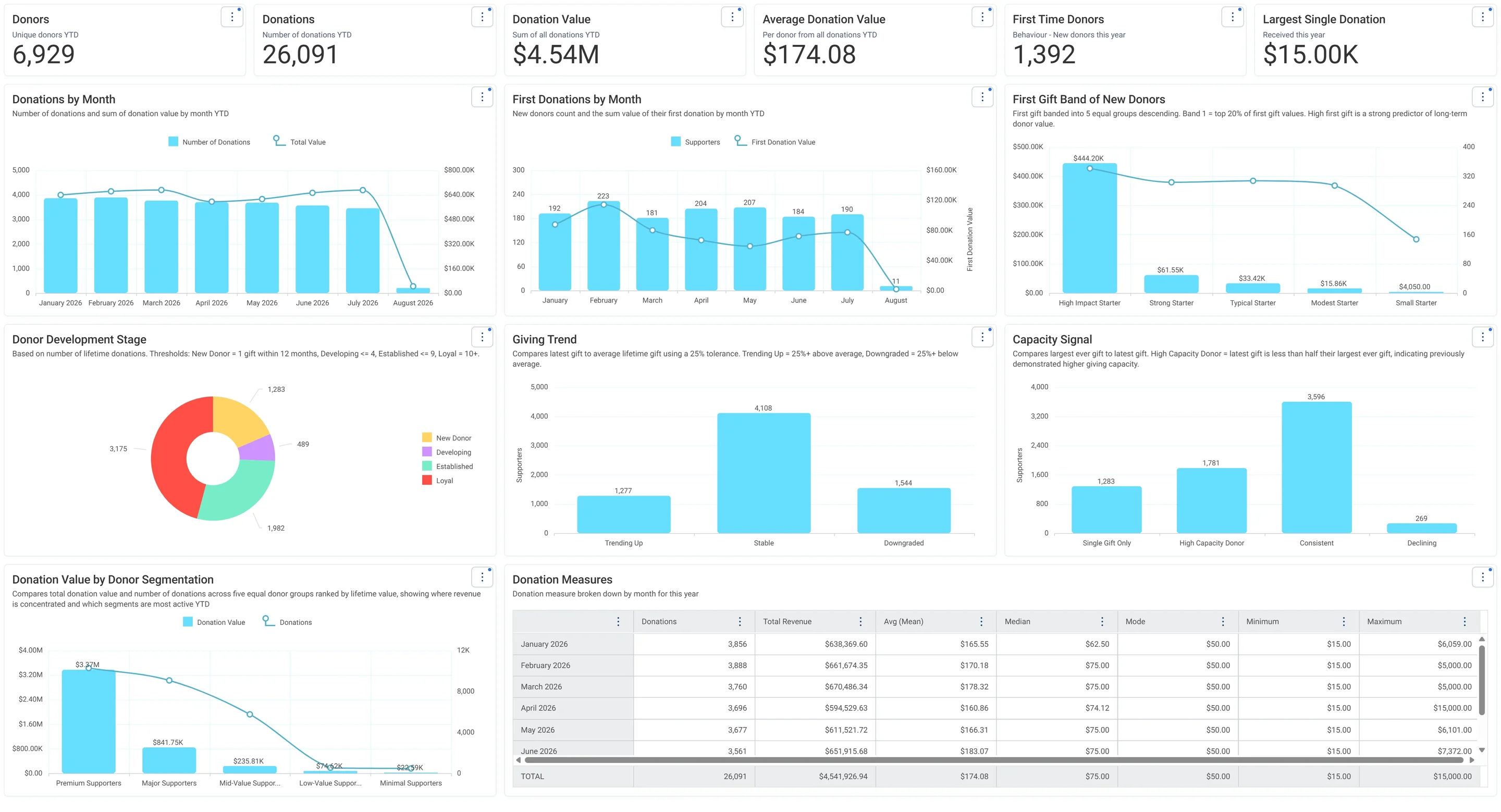
Apteco Mission and QuickBooks do different jobs. QuickBooks holds the totals your books need. Mission holds the donor side: its Donation Analysis dashboard shows who gives, how often, how much, and whether that is changing. So you don't need a sales receipt in QuickBooks for every donor to know your donors. Mission sits underneath your CRM and leaves it as it is, so the tools that already work for you can stay.
For the books, put totals in QuickBooks Online. Your CRM holds each donor, each gift and each tax receipt. Your books need to know how much came in, when, and for which fund. So record one bank deposit for each real deposit or payout, split into lines by fund, under one general customer such as "CRM donations". Then match the two systems each month. Little Green Light's help page describes the same approach: each gift in the CRM, lump sums in QuickBooks, one generic customer, and a regular match between the two.
Why a receipt per donor gets heavy. Many built-in links send each gift on its own. Bloomerang's link from its CRM to QuickBooks Online sends donations as sales receipts, invoices and payments. It matches each person to a QuickBooks customer by name and email (Bloomerang's setup guide). Bloomerang also says its CRM doesn't connect to QuickBooks Online Canada (Bloomerang). Your donors then end up as customers in QuickBooks too. That is a second donor list for someone to keep clean.
Set up the summary with your accountant. Decide the lines. Little Green Light suggests matching each gift category in the CRM to an income account, and each fund or campaign to a class (LGL). Make one customer in QuickBooks for all CRM gifts. Then, for each bank deposit, add one line per fund. Intuit says a deposit can combine several items into one record that matches your bank statement. It also says to enter a processing fee as a negative line (QuickBooks help).
Match the two every month. Run a gift report in your CRM by deposit date. Little Green Light says that date best matches your accounting dates (LGL). For online gifts, group them by payout. In Bloomerang, a transaction report grouped by payout ID shows the gifts and the fees in each payout (Bloomerang). Each group's total should equal one deposit in QuickBooks. When it doesn't, look for a gift missing from one side, a refund or a fee.
If supporter data sits in more places. Giving platforms, ticketing and email each hold part of a supporter's story. Mission takes data from your CRM and those places, by file or direct connection, and matches it into one record per supporter. If you would rather have a CRM that works with QuickBooks, Apteco hosts CiviCRM, which works with QuickBooks and Xero.