
From Guest to Giver
5 steps · SMS, Email, Phone, Meta
Turn the night of the event into the start of a relationship.
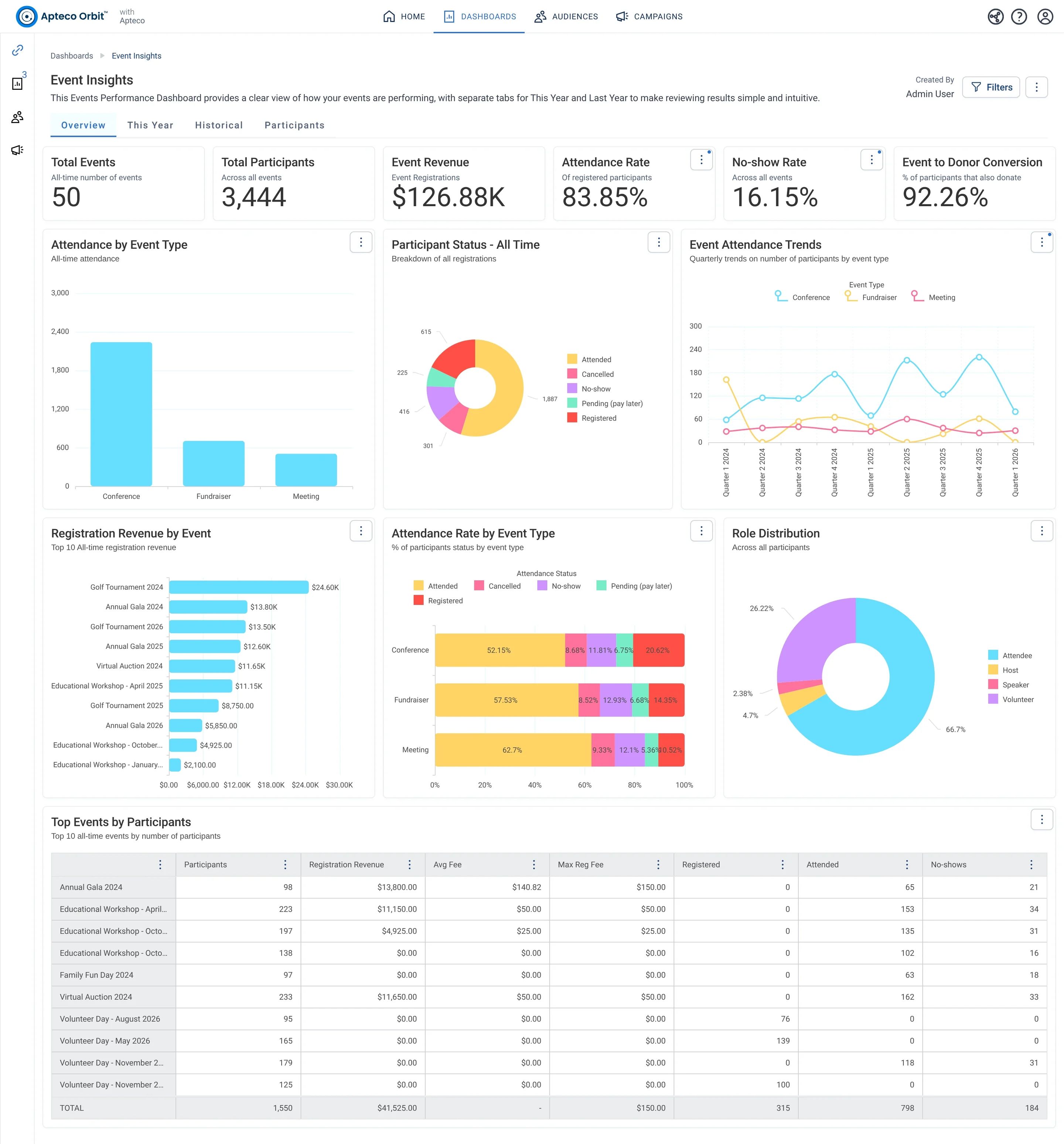
Sample charity: the people and numbers in these screens are made up, so the picture shows the tool, not a result.
5 steps · SMS, Email, Phone, Meta
Turn the night of the event into the start of a relationship.
Sample charity: the people and numbers in these screens are made up, so the picture shows the tool, not a result.
Event guests followed up while it matters.
Why your CRM misses this. Attendance often lives in a ticketing tool, a box office or a paper sign-in sheet that gets tallied into totals. The names stay on the sheet, so the CRM never learns which guests came.
Data
2 of its 2 sources usually sit outside the CRM
Signals
it reads 4 of them
Reach
4 channels: sms, email, phone and more
Journey
5 steps, start to finish
Mission joins these into one record per person, beside your CRM.
Dashboard: Events
Supporters who came to one or more events but have never made a gift. They showed up for your mission. They just haven't been asked the right way yet.
What to do: Follow up personally after the next event. Reference what they experienced and make the first ask easy and specific.
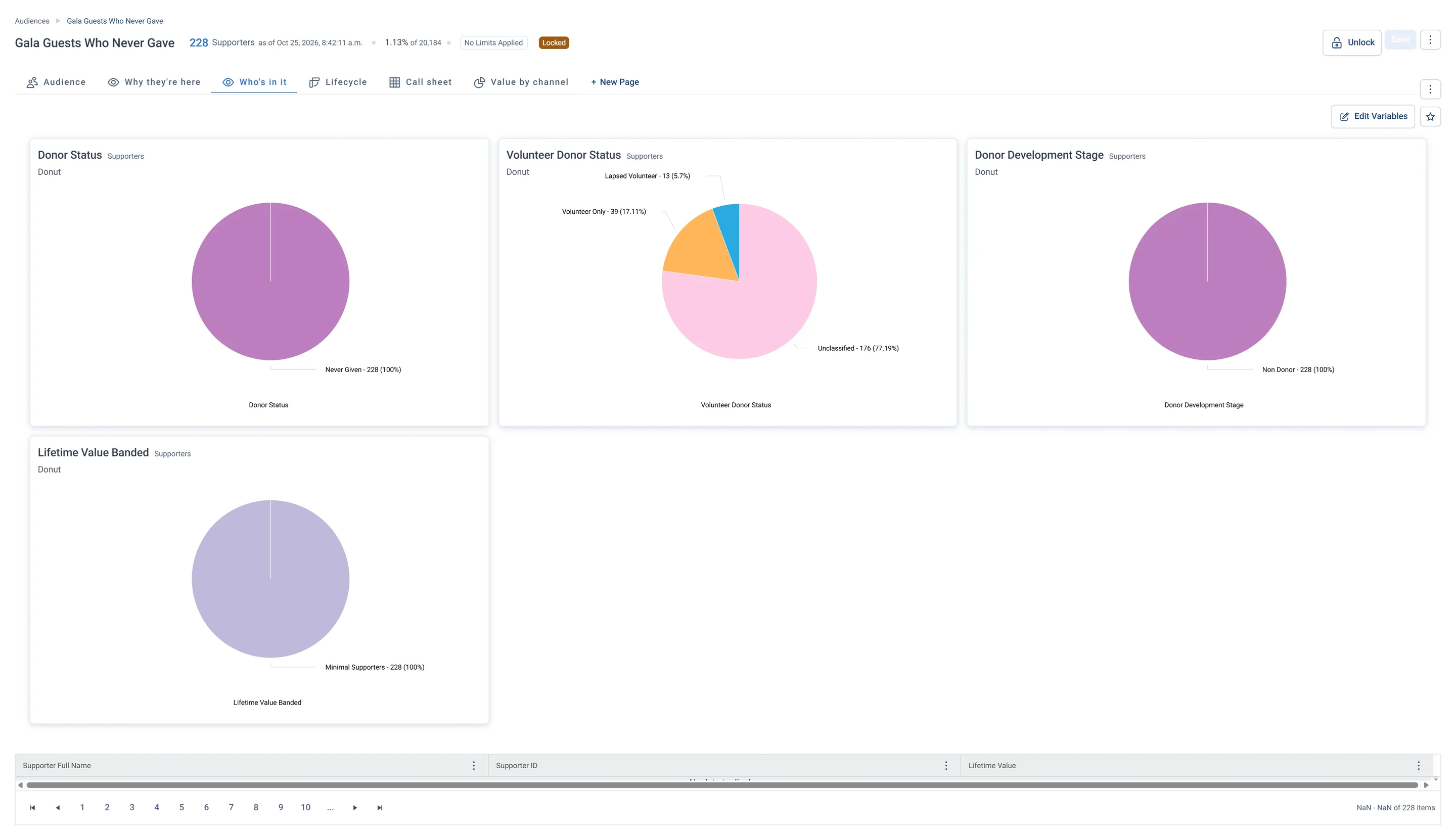
Each step names when it happens and the channel it uses. Under the steps is the campaign as it is built in Orbit.
7 days before
SMS + email
Reminders by text and email, timed from Days Until Event.
Day after
Attended: a thank-you with photos. No-show: a “sorry we missed you” with the highlights.
Day 7
Call list
Guests who have never given get a personal call from their host.
Day 21
A first ask tied to what they saw.
Day 21
Meta Ads
A lookalike audience of your best guests finds more people like them.
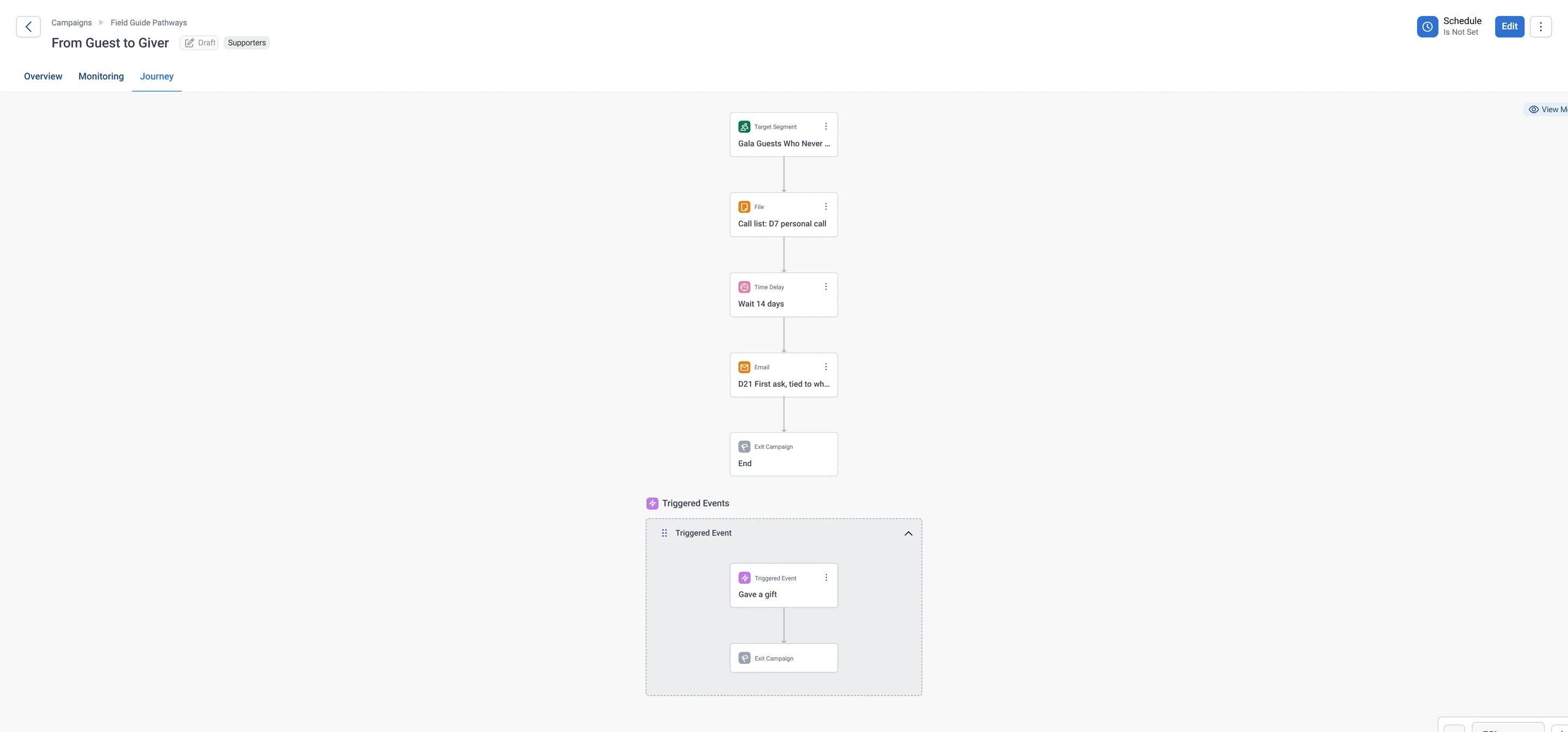
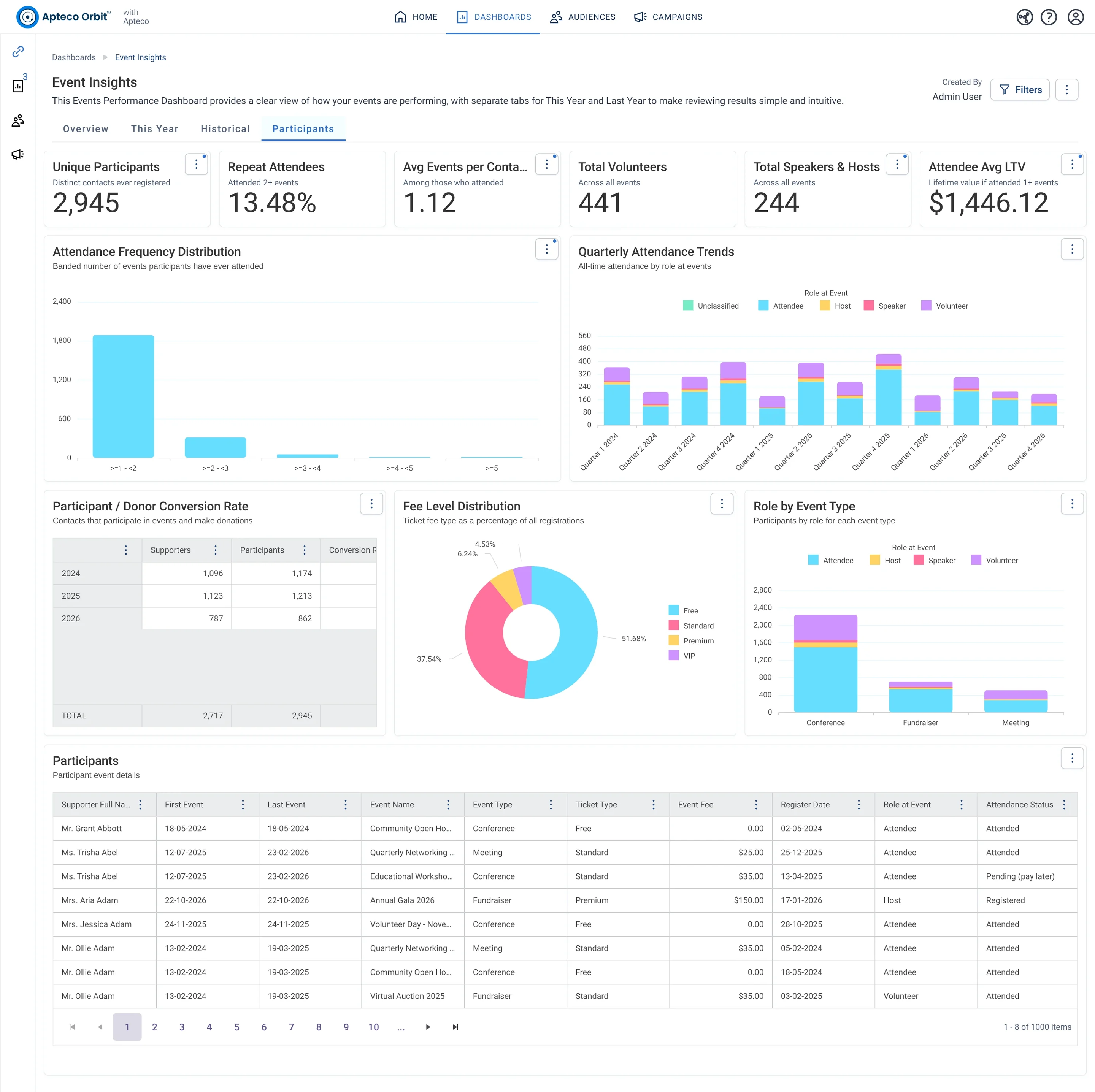
Their first gift shows up in First Event, First Gift and flips the Donor & Participant Flag. Compare conversion event by event.
Results land on the same supporter record, so the next run starts from what just happened.
Proven. Community fundraisers get their good-luck email the day before their event and the thank-you the day after, on their own. Conversion rose from 28.5% to 39.6% year on year, 81 more events were booked, and the team has about 10 hours a week back. See a similar use case
Event guests followed up while it matters. Turn the night of the event into the start of a relationship.
Gala Guests Who Never Gave: Supporters who came to one or more events but have never made a gift. They showed up for your mission. They just haven't been asked the right way yet.
Participants: event, attendance status, role, ticket type; Donations: supporter ID, gift amount, gift date
Attendance often lives in a ticketing tool, a box office or a paper sign-in sheet that gets tallied into totals. The names stay on the sheet, so the CRM never learns which guests came.
SMS, Email, Phone, Meta. 7 days before: SMS + email Then Day after: Email Then Day 7: Call list Then Day 21: Email.
Events.
This pathway is one of the four in the capstone of Learn Mission, a free course.
You build the audience, the email, the schedule and the guardrail in Orbit, one stop at a time.
Open the capstone