Apteco Mission Field Guide Schedule Time with an Apteco Architect Play with a Live System

Right Month, Right Ask

4 steps · Email, Google, Meta

Ask people in the month they usually give, and leave them alone in months they never do.
Watch the pathway · about a minute
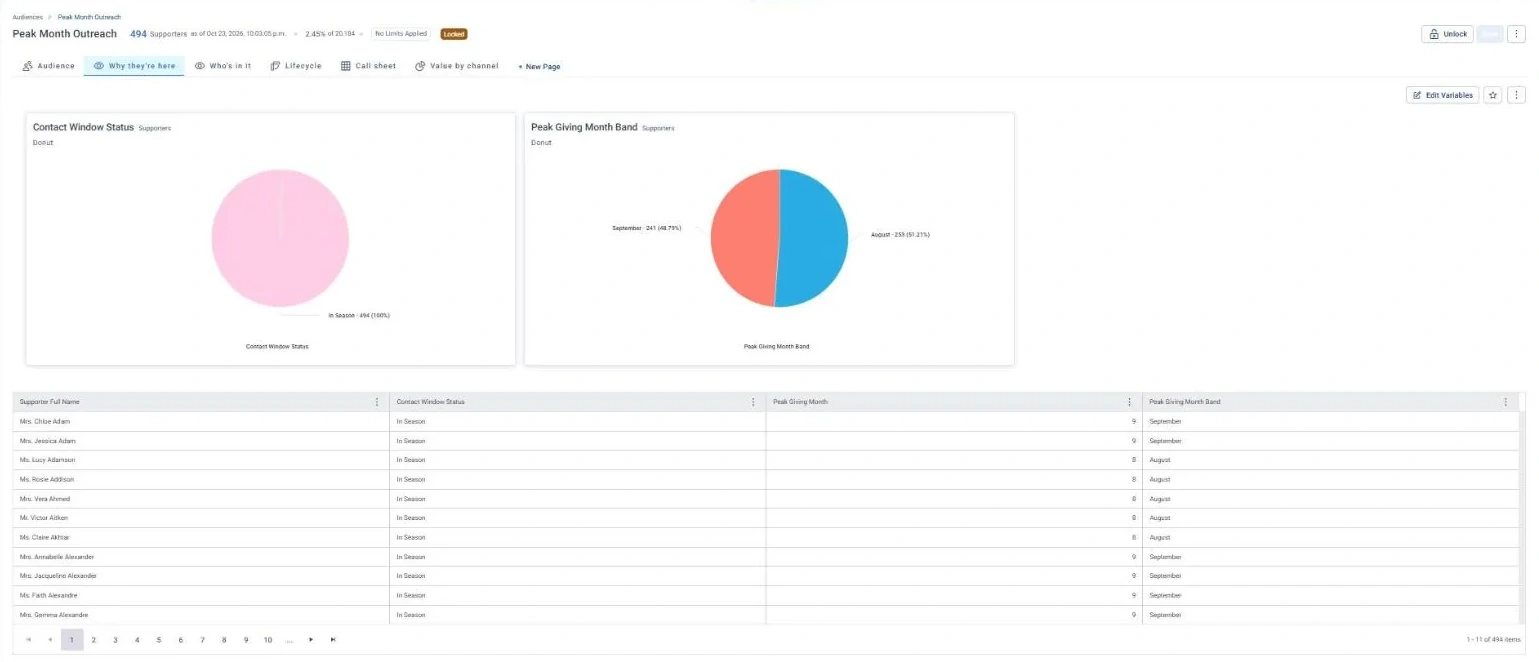
Peak Month Outreach · Why they're here, in Apteco Orbit: The Why they're here tab: donuts of Contact Window Status and peak giving month, with a table of each person's month.
Peak Month Outreach · Why they're here The Why they're here tab: donuts of Contact Window Status and peak giving month, with a table of each person's month. Everyone is In Season, so a fundraiser can time each ask to land in that person's usual month.

Sample charity: the people and numbers in these screens are made up, so the picture shows the tool, not a result.
The problem it solves

Asks timed to each person’s month.

Why your CRM misses this. Finding each person’s best month means looking across every gift they’ve made, through every platform they’ve used. Gifts split across systems, and reports that run one month at a time, hide the pattern.

Data

1 of its 1 source usually sit outside the CRM

Signals

it reads 3 of them

Reach

3 channels: email, google, meta

Journey

4 steps, start to finish

Connect: the data it draws on

Mission joins these into one record per person, beside your CRM.

Sources

Analyze: who it finds

  • Contact Window Status Is right now a good time to reach out to this supporter? Check it before you reach out, since it reads each donor's own giving season.
  • Peak Giving Month In which month does this supporter most often give? Time asks to land in each donor's peak month, where they convert better than off-season.
  • Cold Month Flag Has this supporter ever given in the current month of the year? Hold back contact during a donor's cold months and put the effort into their warm ones.

Audience: Cold Month Suppression

Supporters who have never given in the current calendar month, across their whole history. An ask right now is likely to be ignored.

What to do: Hold them out of this month's appeals and put the effort into supporters whose peak month is now.

Read the audience, tab by tab

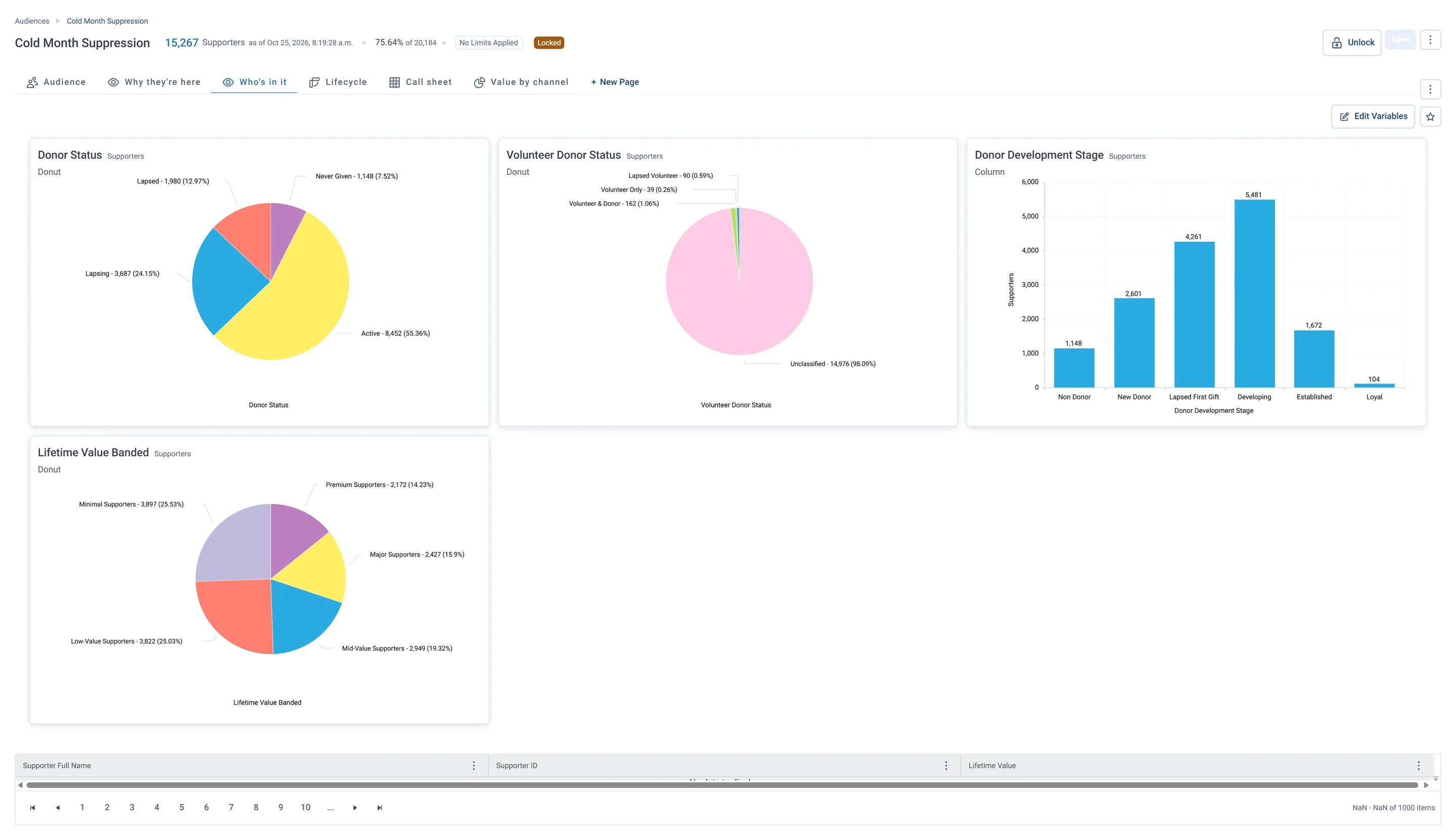
Cold Month Suppression · Who's in it, in Apteco Orbit: The Who's in it tab: charts of donor status, stage and value band, with most Active and very few volunteers.
Cold Month Suppression · Who's in it The Who's in it tab: charts of donor status, stage and value band, with most Active and very few volunteers. It is a big, mixed group, so holding it back for a month touches most of the database.

Activate: the journey

Each step names when it happens and the channel it uses. Under the steps is the campaign as it is built in Orbit.

  1. 1st of each month

    Journey logic

    The journey runs on a repeating schedule as each supporter’s window changes.

  2. In Season

    Email

    An appeal timed to their personal peak month.

  3. Approaching Season

    Email

    A warm-up impact story, no ask.

  4. Cold Month

    Google + Meta Ads

    Held out of appeals and added to ad exclusion lists.

  • Audience split by Contact Window Status decides each path every month.

The campaign in Orbit

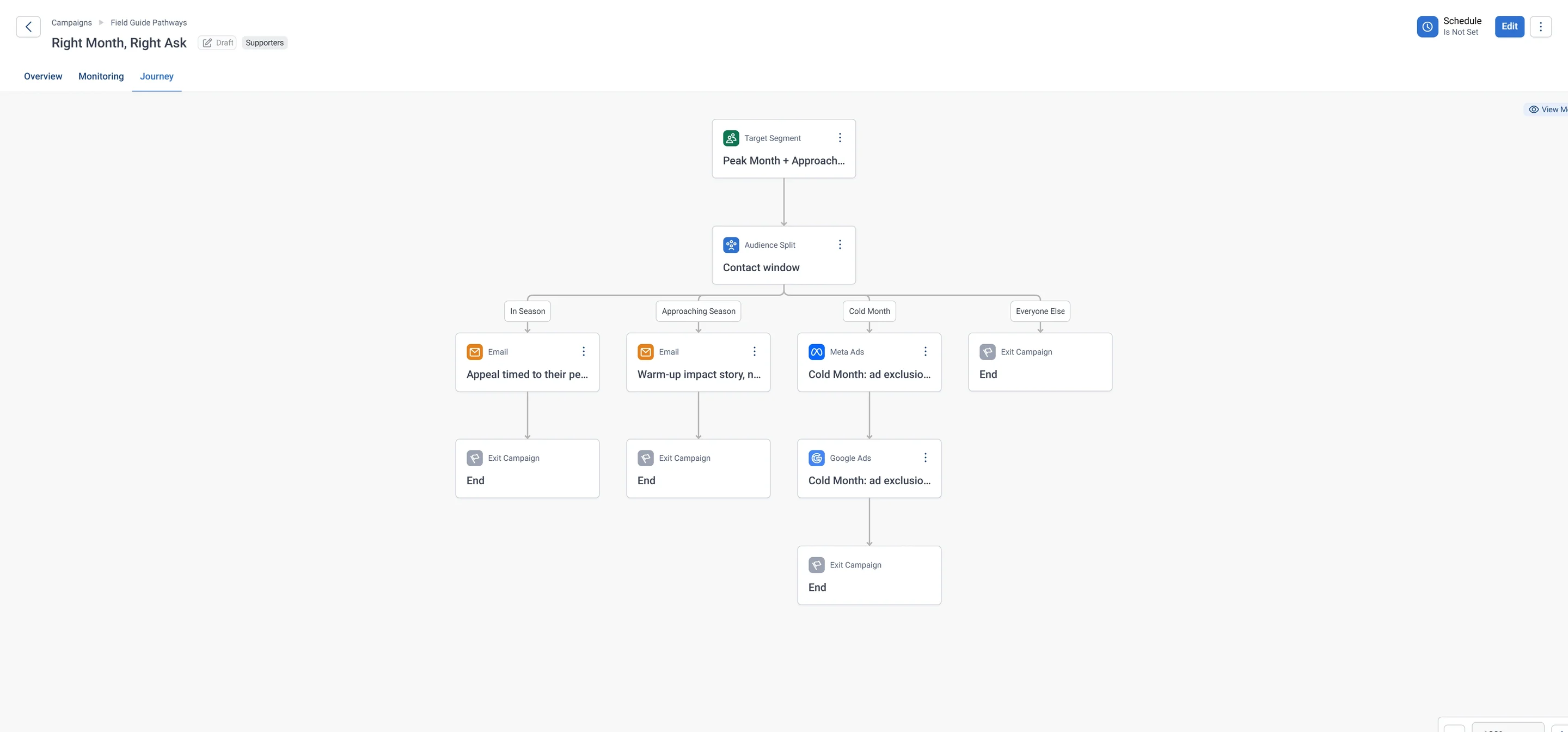
Right Month, Right Ask · the whole journey, in Apteco Orbit: The whole journey for the Peak Month, Approaching Season and Cold Month audiences: a split by contact window, an appeal email, a warm-up story email, and ad exclusion lists.
Right Month, Right Ask · the whole journey The whole journey for the Peak Month, Approaching Season and Cold Month audiences: a split by contact window, an appeal email, a warm-up story email, and ad exclusion lists. Donors get asked in their giving month, then get a rest.

Learn: what flows back

Peak Giving Month and Cold Month Flag update as new gifts arrive, so each supporter’s calendar keeps itself current.

Results land on the same supporter record, so the next run starts from what just happened.

Where you see it in Orbit

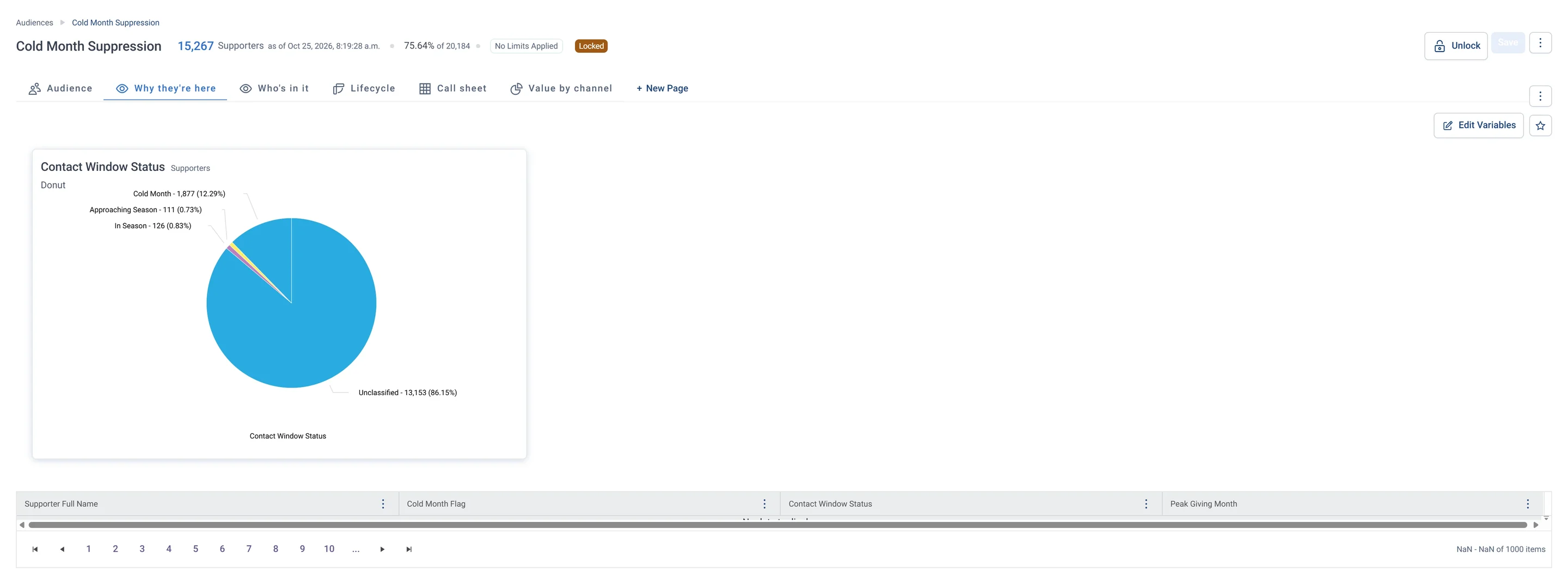
Cold Month Suppression · Why they're here, in Apteco Orbit: The Why they're here tab: a Contact Window Status donut, mostly Unclassified, and a table of each person's contact window and peak giving month.
Cold Month Suppression · Why they're here The Why they're here tab: a Contact Window Status donut, mostly Unclassified, and a table of each person's contact window and peak giving month. Fundraisers hold these people back now and reach them when their giving season comes.

Questions people ask

What problem does Right Month, Right Ask solve?

Asks timed to each person’s month. Ask people in the month they usually give, and leave them alone in months they never do.

Who does Right Month, Right Ask reach?

Cold Month Suppression: Supporters who have never given in the current calendar month, across their whole history. An ask right now is likely to be ignored.

Which data does it need?

Donations: supporter ID, gift amount, gift date

Why can't my CRM do this on its own?

Finding each person’s best month means looking across every gift they’ve made, through every platform they’ve used. Gifts split across systems, and reports that run one month at a time, hide the pattern.

Which channels does it use?

Email, Google, Meta. 1st of each month: Journey logic Then In Season: Email Then Approaching Season: Email Then Cold Month: Google + Meta Ads.

Who runs it?

Fundraising.

Every pathway in the Field Guide runs on Apteco Mission, beside your CRM.

See it with your own data

An Apteco Architect walks you through this pathway on your own data.

Schedule Time with an Apteco Architect