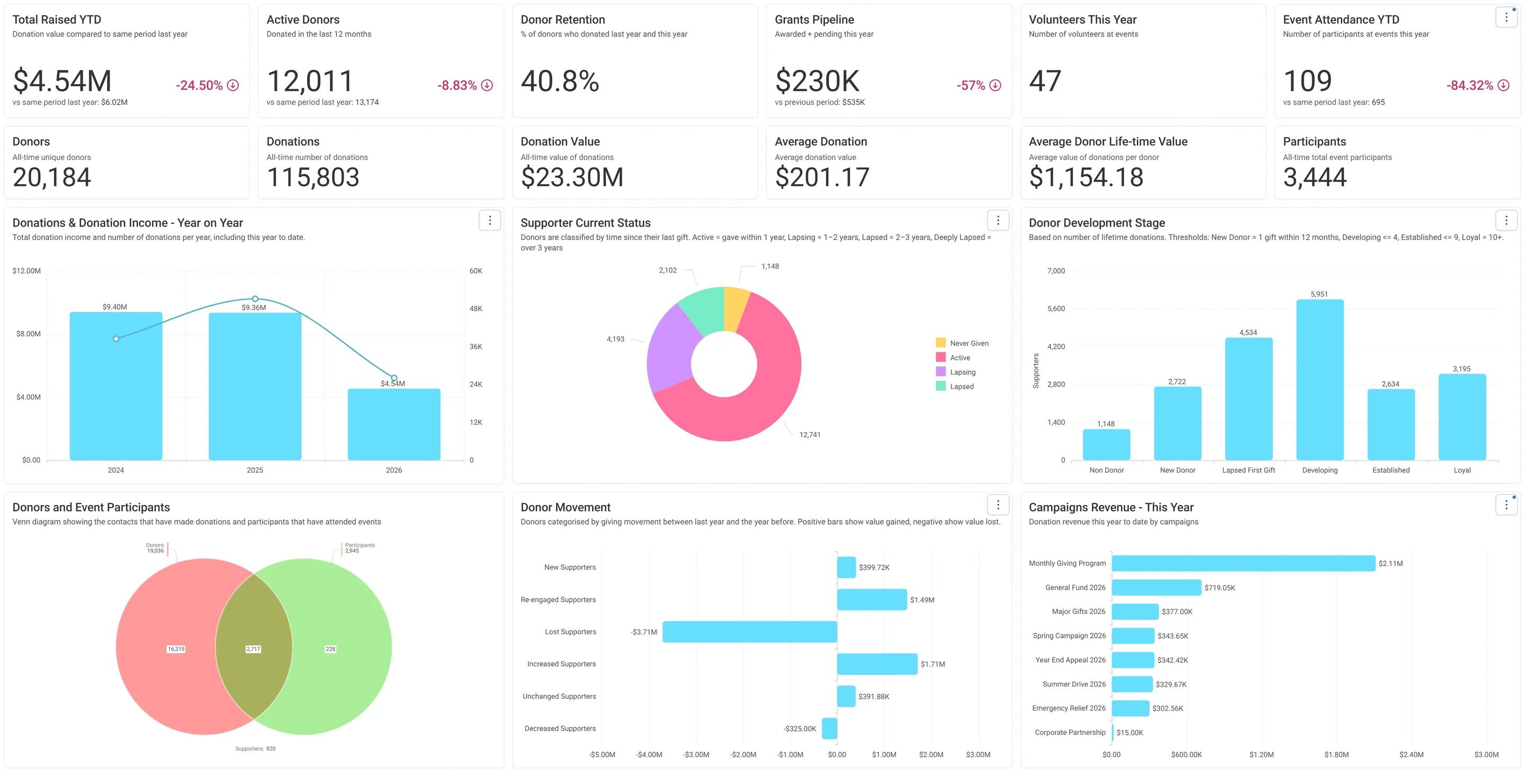
Apteco Mission sits underneath whichever CRM you pick: your CRM is the filing cabinet where you enter what you know about supporters, and Mission is where you ask questions of that data. It reads the other places your supporter data lives too, and builds the insight your CRM can't (see Does Mission replace my CRM?). Its Charity Overview dashboard keeps board numbers on three tabs, each set against last year. The page says those numbers are often rebuilt by hand from the CRM, a grants sheet and staff's own counts.
There is no single best CRM for every mid-sized Canadian charity. The right one does the Canadian basics well, fits how you raise money, and is one your team can run. Start with three tests. Can it issue receipts the CRA accepts, one at a time and once a year? Does it work in French if your donors need it? And where is your data stored? Then test your shortlist on your own everyday jobs.
Receipts come first. The CRA lists what an official donation receipt must show. That includes a unique serial number, your registration number, the donor's full name with middle initial, the eligible amount of the gift, and the CRA's name and website (CRA receipt rules). Ask each vendor to print a sample receipt from your own data. Check it line by line against that list. Then ask about yearly receipts, gifts in kind, and how to void and reissue a receipt.
Know your email rules. Canada's anti-spam rules have an exception for a message sent by a registered charity when its primary purpose is raising funds for the charity. A message with another main purpose may not be covered. A good CRM records consent for each person, so your team can see who you may email and why, without guessing.
Look for Canadian basics. Shortlist systems that say plainly how they handle CRA receipts, French and where data is stored. Ask each for a sample receipt and a written answer on where your data lives, and call a Canadian charity your size that uses it.
CiviCRM, hosted by Apteco. CiviCRM is a CRM made for nonprofits, with no license fee. Its Canada Tax Receipts extension issues single or annual receipts, by email or print. Its makers say each charity must check that its receipts meet CRA rules (see Can CiviCRM send CRA tax receipts?). Running it yourself takes skill, so Apteco hosts it, runs the updates and supports your team (see Can Apteco host our CRM?). Everyone on the team can log in. Other platforms serve Canadian charities too. Test their receipts the same way.
Where your data is stored. Ask every vendor where your supporters' data lives and who can see it. Apteco Canada hosts Mission, and your supporters' data can stay in Canada. Mission reads data from your CRM and other places by file or through a direct connection, and it never needs to be your system of record. So your CRM keeps the receipts, the addresses and the history it holds today.
How to pick. Write down your ten most common jobs: enter a cheque, send a monthly donor's yearly receipt, find lapsed donors, log a major gift visit. Ask each vendor on your shortlist to show them live, with a sample of your own data. Ask where your data is stored and who can see it. Call a Canadian charity your size that uses it. Then compare five years of cost, with the data move.