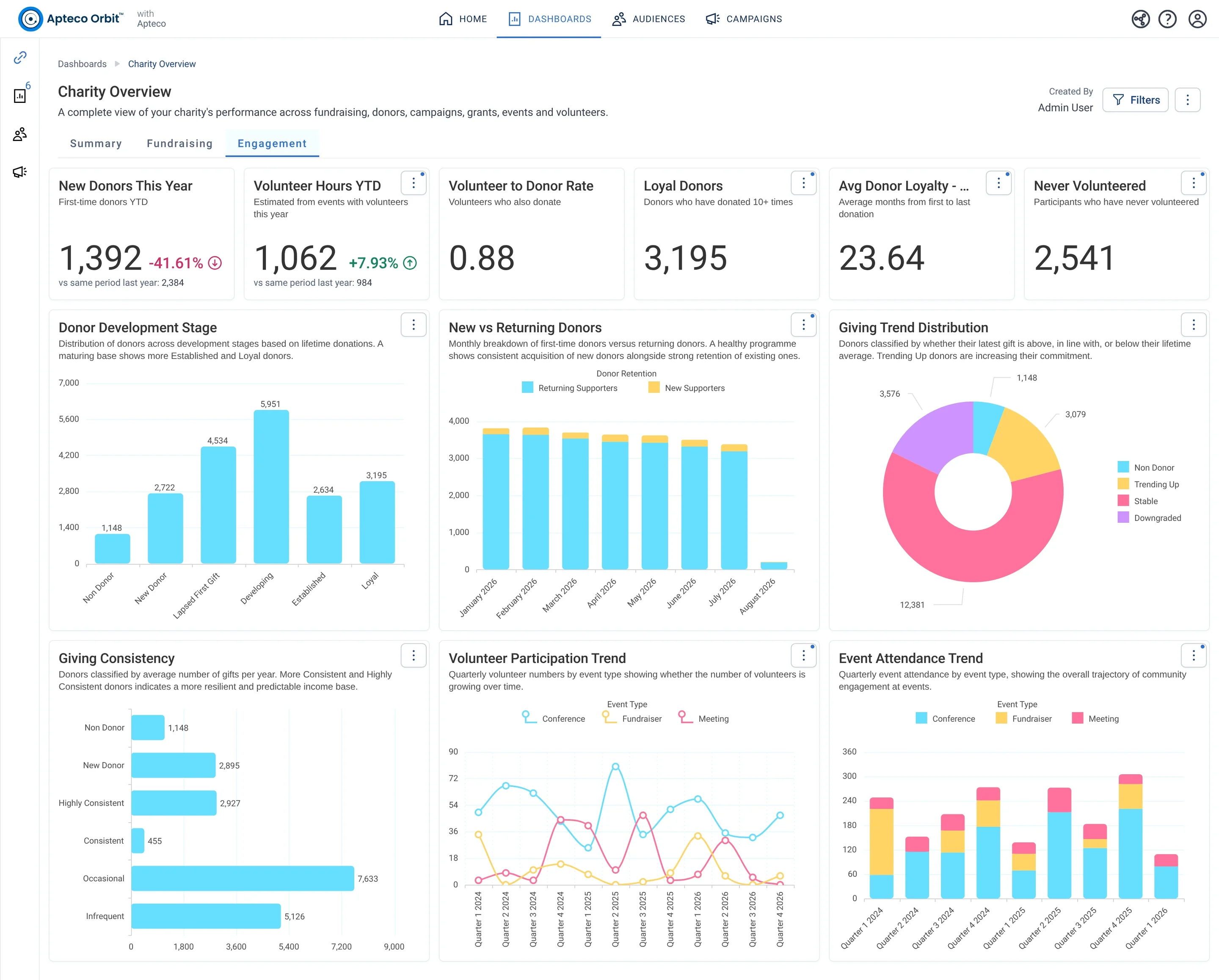
Apteco Mission is built for this. It takes data from your CRM and from the other places supporters show up, such as giving platforms, ticketing, email, volunteer apps and spreadsheets, and matches it into one record per supporter (Does Mission replace my CRM?). The pathway The Board Pack That Builds Itself shows it in use: the numbers a board asks for, gathered from every system. The page says 4 of its 5 sources usually sit outside the CRM.
Three kinds of tools do this. An all-in-one platform keeps your CRM, online giving and events in one system. Integrations copy records from each tool into your CRM. A data layer sits underneath your tools and joins every source into one record per supporter, while the tools stay as they are. Think of your CRM as the filing cabinet: it keeps the records. A data layer is where you look across everything while the cabinet stays as it is. Which one fits depends on how many tools you use, and whether you are ready to move off them.
All-in-one platforms. Some CRMs have their own giving forms and events. Bloomerang says its Giving Platform brings fundraising, CRM, volunteer engagement and donor intelligence together (Bloomerang). Neon One says Neon CRM keeps one supporter profile with giving history, emails, notes, events and volunteer hours (Neon One). Salesforce describes Nonprofit Cloud as fundraising, programs, volunteer management and outcomes together in one place (Salesforce). This suits a charity ready to move its giving and event tools into one system.
Integrations. If you want to keep your event or giving tool, check whether it connects to your CRM. Neon One, for example, lists links with tools like QuickBooks, Mailchimp and Eventbrite, plus an open API for custom links (Neon One). Ask what each link copies, how often it runs, and what happens when the same person signs up with a new email. This suits a charity with a few tools and a CRM that has room for what they send.
A reporting layer. Some charities send every source to one reporting tool. Such a tool is a blank canvas: someone has to build every chart and keep it working (How is Mission different?). Someone also has to match the same person across sources. This suits a charity with an analyst, or a partner who will act as one.
The hard part is the person, not the tool. One supporter can be a donor in your CRM, a ticket buyer in your event tool and a different email on your giving page. Whatever you choose, ask how it decides two records are the same person, and what it does when it is not sure. If you also have members, start with the gifts and add the members as a second step, once the first view works.
Mission is not a CRM. Your CRM can stay. If it has no place for events or volunteers, you can send those records from where they live now, by file or a direct connection (My CRM has no place for events, volunteers or grants). If you would rather replace your CRM, Apteco hosts CiviCRM too (Can Apteco host our CRM?).