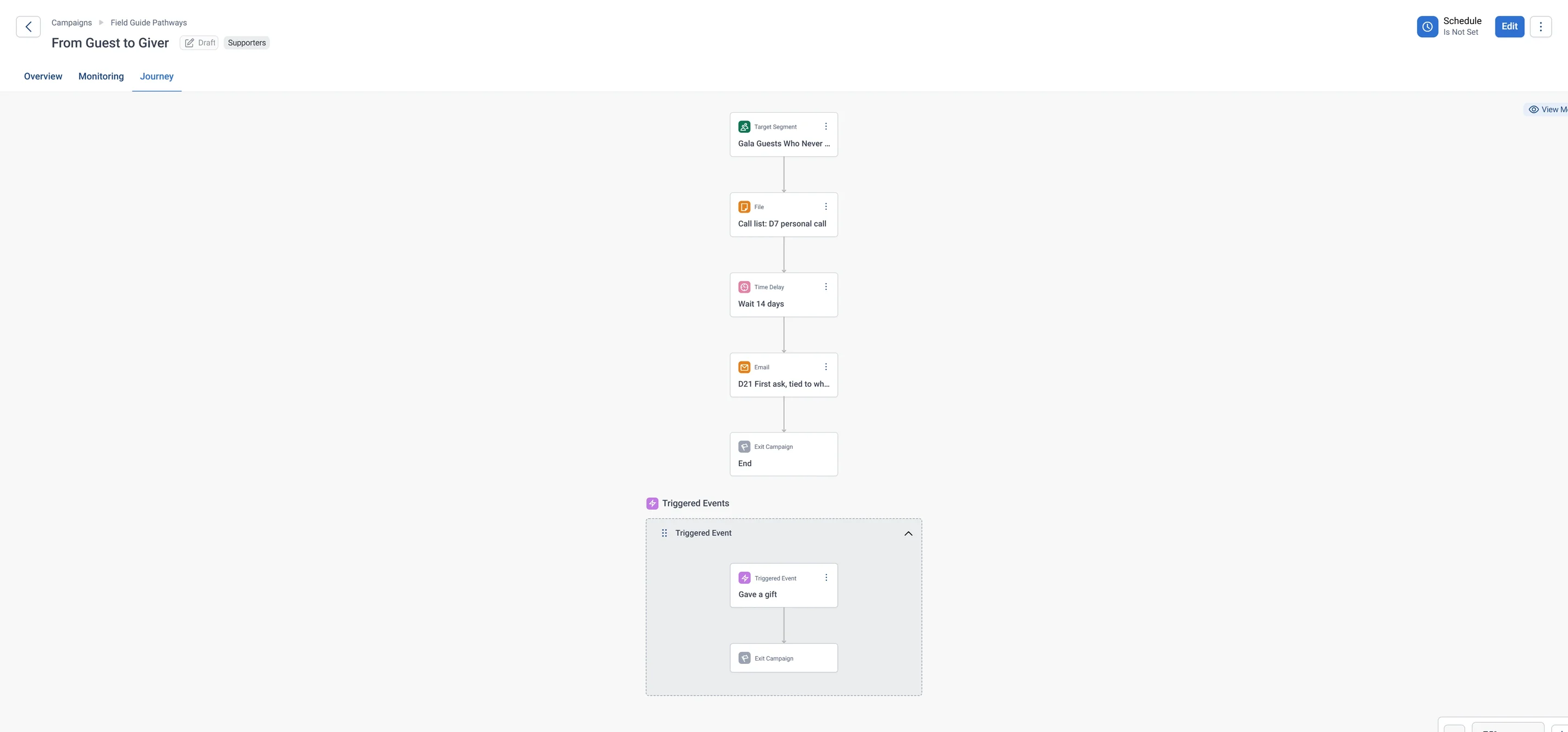
Apteco Mission's From Guest to Giver pathway starts from the gap behind this question. Attendance often lives in a ticketing tool, a box office or a paper sign-in sheet that gets tallied into totals. The names stay on the sheet, so the CRM never learns which guests came. Mission joins event data and gifts into one record per person. It works beside your CRM and does not replace it.
The straight answer. A guest recorded only as guest of a table buyer is not a donor record yet. It is a lead. The safe way to handle it is to keep it, link it to the host who brought them, and ask for the name after the event. Do not merge it with anyone, and do not delete it. A nameless row cannot be matched to a person, so any merge would be a guess.
First: make the host the anchor. The table buyer is a known donor. Give the guest a clear link to that donor, such as a relationship or a soft credit. Then the guest shows up when you look at the host, and the host's table gets credit for the people it brought.
Second: flag the row. Add one flag or status, such as name needed. Do not type the host's name into the guest's name field. That is how five records called guest of the same person end up in your system, and nobody can tell if they are one person or five.
Third: ask after the event. Send the host a short note the next day. Thank them, and ask for the names and emails of their guests so you can send a thank-you. Most hosts are glad to help. When the name arrives, fill in the flagged row and clear the flag. The Mission pathway follows the same rhythm: a thank-you the day after, and a personal call a week later to guests who have never given: see the pathway steps.
Fourth: collect the name next time. Put a guest name line on the table registration form, and make it part of the ticket. A name collected at sign-up costs nothing. A name chased a month later usually never comes. With a name, Mission's pathway can then tie a first ask to what the guest saw.