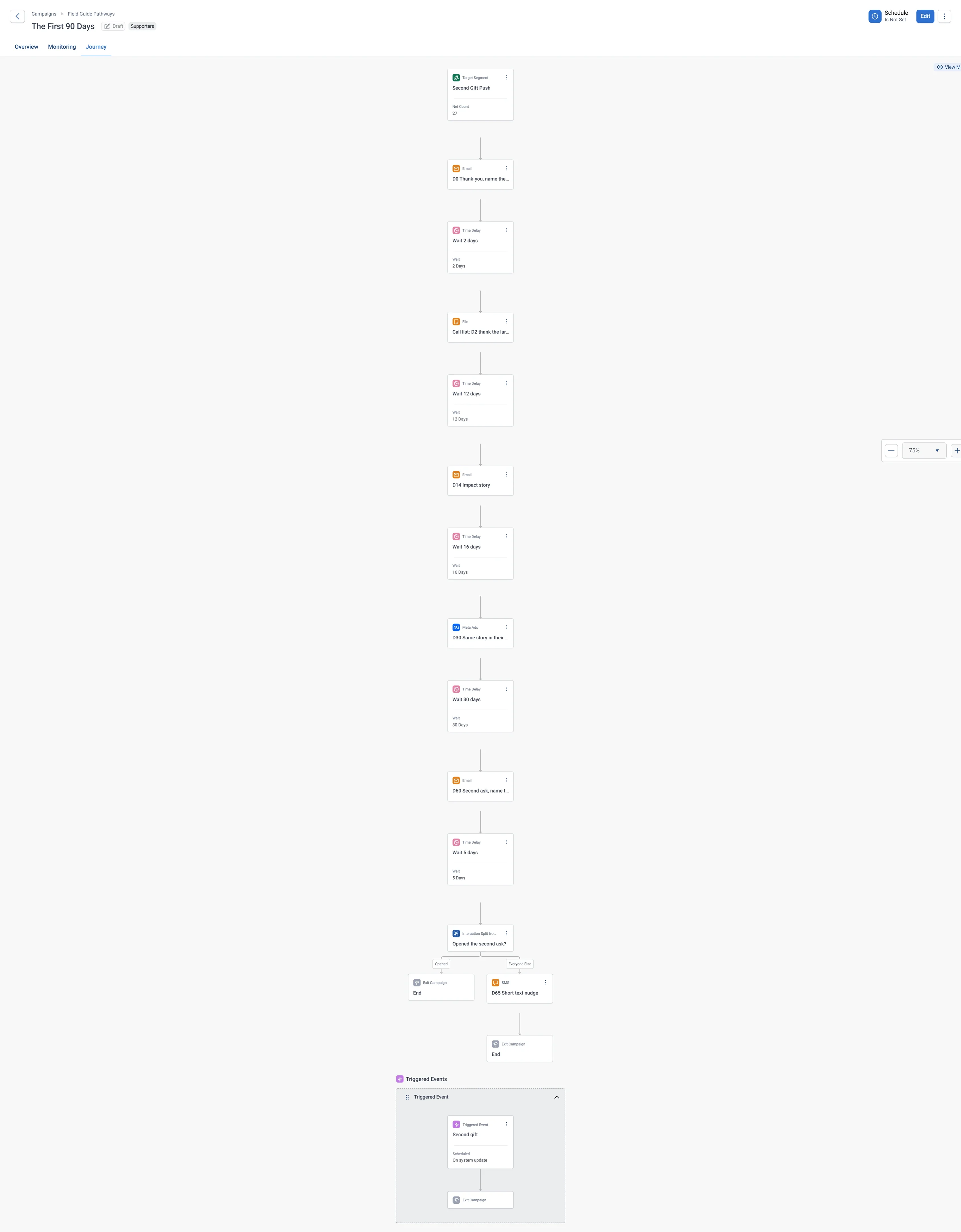
Apteco Mission's The First 90 Days pathway names a problem giving platforms leave behind: first gifts that arrive in a batch, so the thank-you waits. It sends a thank-you when a first gift lands, then asks for a second gift. Your giving platform and your books can stay as they are. Before any of that, you have to record the day's gifts the right way.
Record the money and the people separately. Your books record what the host actually paid you, deposit by deposit, matched to the host's report. Your CRM records the people who gave. Either put each donor's gift on their own record, coded to the giving day, or record one gift from the host with a soft credit to each donor. Before you thank anyone, check who sent the tax receipt, so no donor gets two. Prize or match money from the host or a sponsor goes on its own line, credited to whoever gave it.
Start with the host's rules. Ask three things before the day. Who sends the tax receipt? When and how does the money arrive? What report comes with it? Hosts differ. North Texas Giving Day, for example, pays by electronic transfer and gives each charity a disbursement report, a detailed breakdown of the funds it deposited (North Texas Giving Day). The foundation behind the Big Day of Giving pays in one payment and sends a grant letter. The payment's memo line carries the grant number from that letter (Big Day of Giving).
In your books. Record each deposit as received from the host, not from each donor. Use the host's report to split it into donor gifts, prize or match money, and any fees the host kept. Then ask your accountant two things. Do you record the full amount donors gave, with the fees as a cost, or only what you received? And is this a gift from each donor, or a grant from the host? The answer can depend on the host's terms. Write it down, so next year's giving day is recorded the same way.
In your CRM, pick one of two ways. One: put each donor's gift on their own record, with the giving day as the appeal and the host as the source. Then the people who chose you show up as donors in your reports. If the host sent the tax receipt, mark the gift so your system doesn't send another. Two: record one gift from the host, and add a soft credit to each donor. Bloomerang suggests a soft credit when someone gives through a third party, like a donor-advised fund or United Way. It says soft credits don't add to revenue totals on their own (Bloomerang help). That way the CRM matches the deposit. Check how your reports count soft credits before you choose.
Match people before you import. The host's report lists who gave. Many of them may already be in your CRM. Match on email and name first, so a regular donor doesn't become a new one. Some donors may choose to stay anonymous to you. Put those gifts on one anonymous record, so the totals still match the deposit. Then thank each donor in your own voice, soon after the day.
A giving day donor may also give online, or buy a ticket to your gala. If those gifts sit in multiple places, Apteco Mission sits underneath your CRM and those places, and joins them into one record per person. Your CRM can stay. Then a giving day donor who also came to your gala shows up as one person, not two.