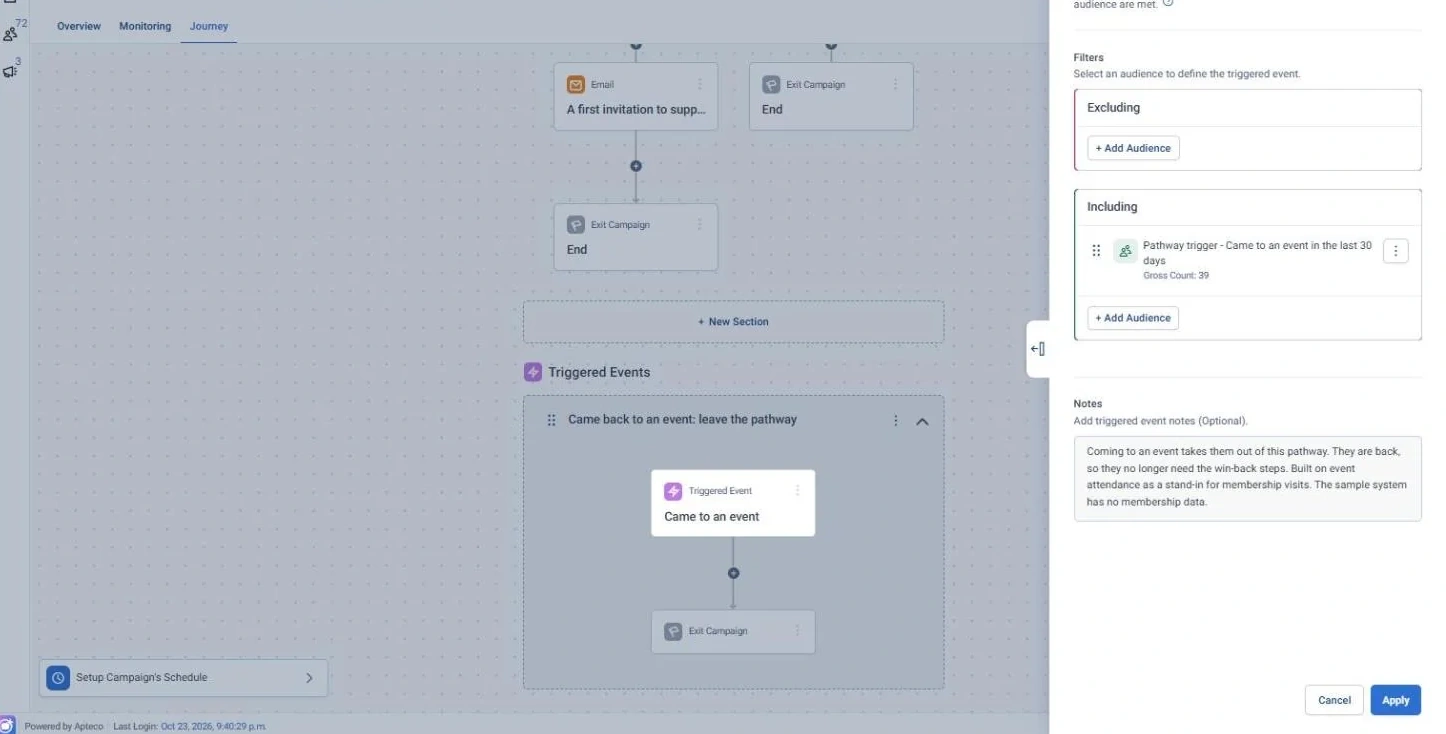
Apteco Mission joins memberships, visits and check-ins, events attended, donations and email addresses into one record per person, beside your CRM. Its Members Who Stopped Showing Up pathway works out each member's usual gap between visits from their own check-ins, and flags anyone well past it. Staff who know them get a check-in call list. Even without Mission, the first steps are the same. List every place member data lives now. Pick one home for it. Give each person one ID. Bring each source in, and name one person to keep it current.
Map what you have. Make a simple table: each source, who owns it, what it holds, and how you get the data out. A parent organization may send a roster. A payment tool holds dues. An event tool holds who came. An email platform holds who opened what. For each one, note the field you could match on: a member number, an email, or a name and postal code. That map tells you how hard the join will be.
Pick one home. Choose what fits your size and your volunteers' time. It can be a membership tool, a CRM with a membership module, or one shared spreadsheet if you are very small. CiviCRM's CiviMember handles membership types, online sign-up and renewal, and scheduled reminders, with each membership tied to a contact. Whatever you pick, ask for a demo with a few of your own members.
Bring it together carefully. Start with your most trusted source, like the official roster. Clean each file before you import it: one person per row, emails in lower case, dates in one format. Then add the next source and match on member number first, then email. Check the maybes by hand. Keep a column for where each record came from. CiviCRM's import guide gives good advice for any system: test with a small sample first. If a source is messy, leave it for a second version. A first version that works beats a perfect one that never ships.
Keep it current. A one-time cleanup goes stale as people join, move and leave. Set a schedule: the roster each month, payments each week, event lists after each event. Name one owner and a backup, so it survives a change of volunteers. Write the steps on one page. Decide who can see member data, and give each person their own login, not a shared one.
Use it. Once it is in one place, simple questions get fast answers. Who is due to renew? Who has not come to anything this year? Who comes to events but never joined? Members who sit apart from your fundraising are the ones nobody asks about. Those are the people to call first. For a very small group, a membership tool or a well-kept spreadsheet may be all you need. Mission takes the data from your CRM and the other places supporters show up, by file or through a direct connection (Does Apteco Mission replace my CRM?). Its pathway sends members with few visits a reminder of what membership includes, 60 days before renewal.