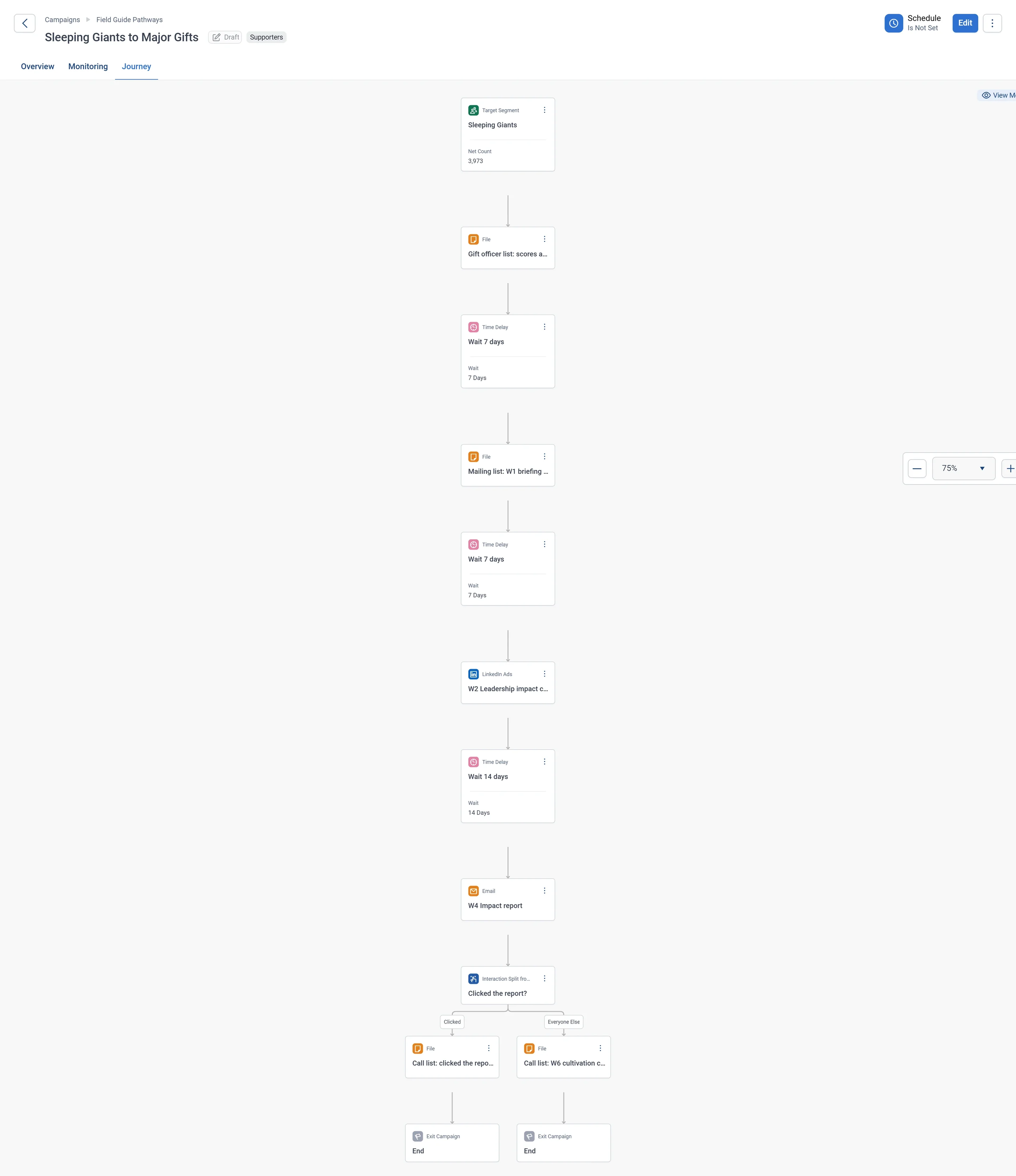
Apteco Mission's Sleeping Giants to Major Gifts pathway finds the supporters already behaving like major donors, using gifts, events and volunteering together. A small team can't screen and call everyone, so the first question is where your time should go: look at what you hold before you pay for a screen. A wealth screen adds outside data on top of that.
For a small or mid-size team, the best fit is usually the tool that already works with your CRM, because results only help where your team works each day. Start with what your CRM includes or connects to. Then compare two or three vendors on four things: where their data comes from, whether they cover your country, how results reach your CRM, and what you keep if you leave. Screen a sample of donors you know before you screen everyone.
What screening tells you. A screen matches your donors to outside records. It estimates what someone could give, and how they give to causes now. Use it to choose who to meet next, not to set an ask on its own. Apra, the association for prospect researchers, asks its members to use only information that is legally obtained and publicly available from reliable sources, and to record only what is appropriate for fundraising (Apra).
Check what your CRM already has. Bloomerang shows a free Generosity score from DonorSearch. A batch screen that brings 13 wealth markers into Bloomerang is a paid add-on (Bloomerang help). Neon One chose Windfall as its preferred wealth and prospect screening partner (Neon One). Blackbaud sells Prospect Insights Pro to organizations in the United States that use Raiser's Edge NXT (Blackbaud). If your CRM has a partner, start your comparison there.
Ask these before you sign. Where does the data come from, and how often is it refreshed? Does it cover the country most of your donors live in? Do results land in your CRM as fields you can search, or only on the vendor's site? Bloomerang's help notes that ProspectView data stays on the DonorSearch site, while a batch screen is imported (Bloomerang help). What can you keep if you stop paying? Then screen a sample of donors you know well, and see if the results match what you know.
Who each suits. If you use Bloomerang, Neon CRM or Raiser's Edge NXT, start with the option your CRM already works with. If most of your donors live in Canada, ask each vendor to show its Canadian coverage on your own sample. If you have one person doing research, pick the tool whose results they will actually open each week. A simpler tool that gets used beats a deeper one that doesn't.
A wealth score shows what someone could give. Your own records show who is ready: gifts, event visits, volunteer shifts. Apteco Mission sits underneath your CRM and joins those places into one record per person. Its Look-alikes pathway finds the people already on your file who most resemble your best supporters. Its Upgrade Ask pathway asks for what a donor has already shown they can give.