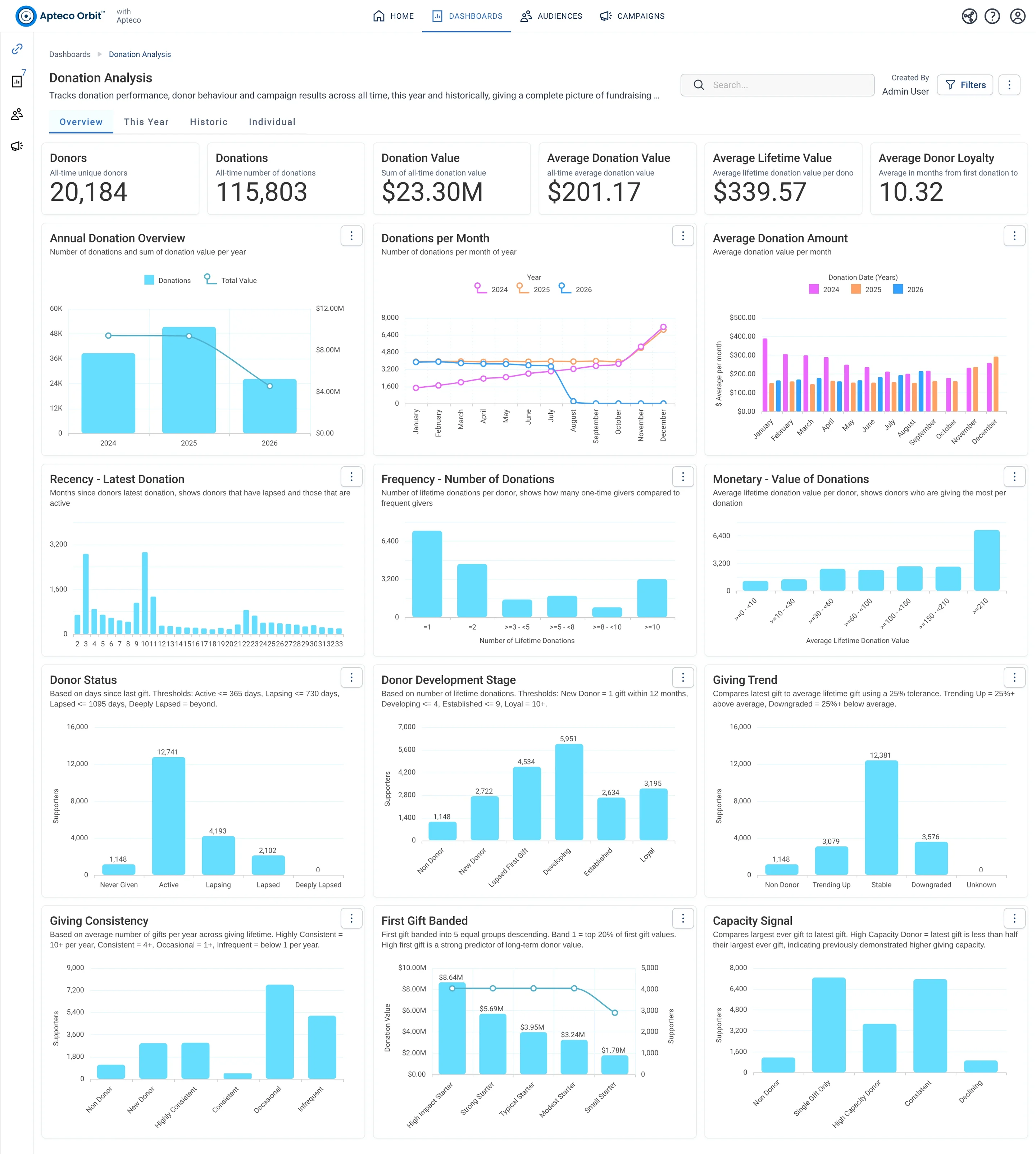
Apteco Mission sits beside your CRM. Its Donation Analysis dashboard reads four tables: Addresses, Donations, Email Addresses and Supporters. It uses fields like supporter ID, first and last name, postcode, province, gift amount and gift date. So the records you set up now are the ones your insights will be built from. Set the rules before the data goes in. Keep one record per person, and link couples into households instead of merging them. Write a short data guide. Keep each record's old ID. Import a small test batch first.
One person, one record. Give a separate record to anyone with a name and a way to reach them, and join couples in a household rather than merging them, so you always know who gave, who came and who you contacted. Companies and foundations get records of their own. Link people to them with a relationship, such as "works at" or "board member of".
Write the data guide. Keep it to one page. How to enter names: first, last, and the name they go by. How to write addresses: follow the postal standard. Canada Post asks for the postal code in capitals, with one space and no hyphen, and the street type abbreviated after the street name. In the US, USPS Publication 28 sets the addressing standards. Then dates and phone numbers, each in one format. And who may add a new gift type or appeal code. Then name one person who owns the guide and the data. A system with nobody at the wheel drifts.
Choose lists over free text. Free text breeds spellings nobody can report on. Use drop-downs for gift type, appeal, payment method and contact preference. Make a few fields required, like last name and one way to reach the person. Keep the field list short. Every extra field is one more thing to keep up.
Keep the old IDs and the history. CiviCRM's import guide advises mapping each old ID to an external ID field, so later imports find the right person. It also says to import contacts before their activities, and to always test with a small set of records first. That advice fits any CRM. Bring the gift history across in full, with dates, amounts and appeals, so your first reports aren't blank.
Record consent and preferences. Note how and when each person agreed to email, and every request to stop. Add fields for recognition name, do not mail, do not call and deceased. Set up duplicate checking before the first import, not after, and run it again after every import.
If you are still choosing. Apteco hosts CiviCRM for nonprofits. We host it, run the updates and support your team, and moving your records from the system you use now is included in the price (Can Apteco host our CRM?). Mission works the same either way, and it is not a CRM (Does Apteco Mission replace my CRM?).