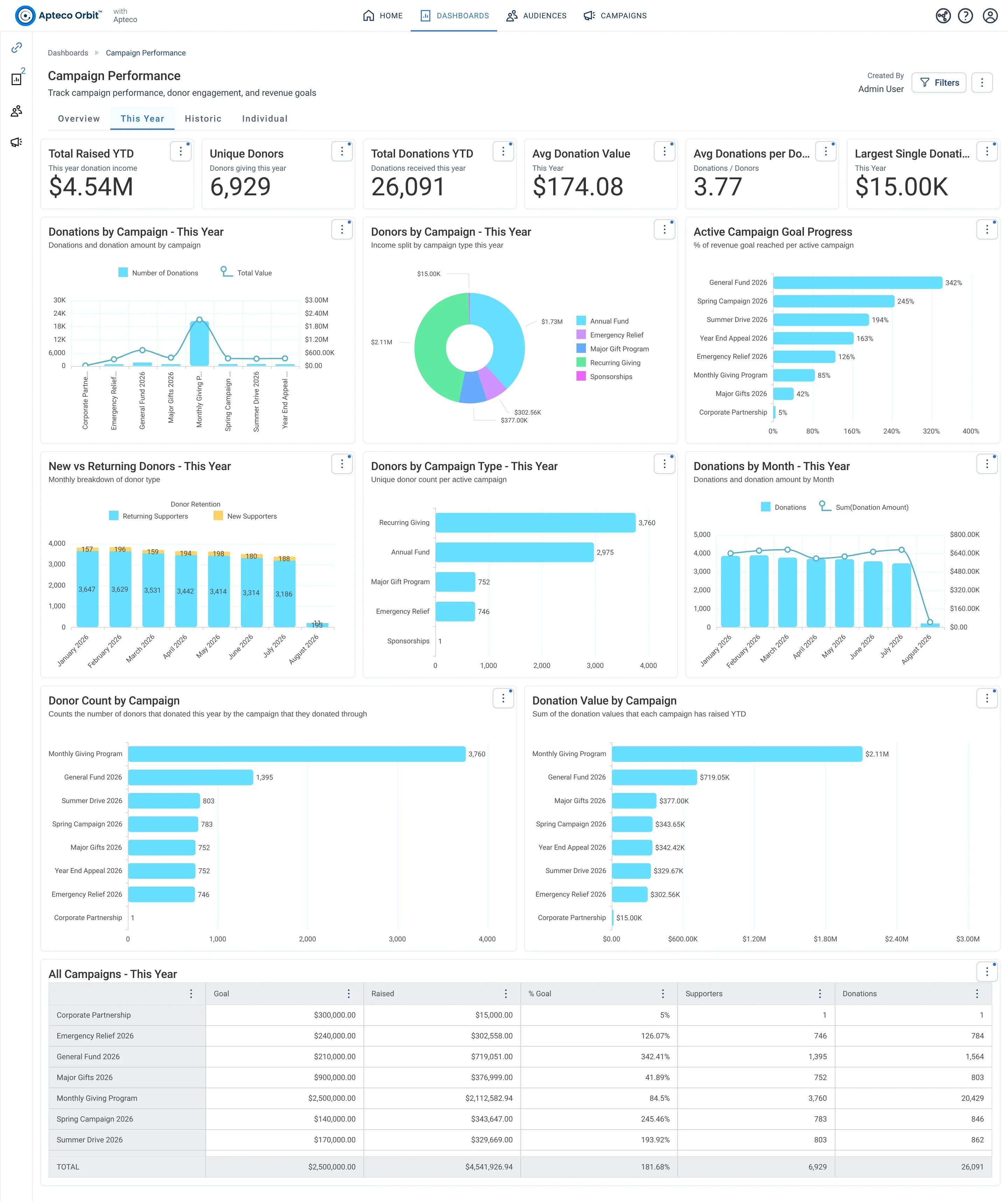
Apteco Mission's Campaign Performance dashboard links each gift to its campaign and splits money and donors by campaign type. The fix itself still belongs in your CRM. Start with a one-page list of your gift types, with a plain rule for each. Then look for gifts whose type doesn't fit the facts around them: who gave, whether a receipt went out, and which event or appeal it came from. Fix those in batches, newest first, and keep a note of what you changed.
Why it matters. The type drives your reports, and often your receipts. A sponsorship coded as a donation can get a receipt it shouldn't. In Canada, the CRA says the value of an event's benefits must come off the gift before you receipt it, and that a lot of recognition can turn a company's gift into advertising. In the US, the IRS says a charity must give a written disclosure to a donor who pays more than $75 and gets something back. A wrong type also hides how much really came from people, events or grants.
Write the list first. Put each type on one line with its rule. Donation: a gift with nothing back. Event ticket: the price of a seat, apart from any gift part. Sponsorship: a company paid for recognition. Grant: money from a foundation or government, often with a report due. In-kind: goods or services, not cash. Add pledge payments, matching gifts and gifts in wills if you track them. CiviCRM's guide puts the rule simply: you generally need one financial type for each kind of income you receive.
Find the misfits. Run one report of this year's gifts, with type, donor type, amount, receipt, appeal and event side by side. Then sort it and look for gifts that disagree with themselves. A sponsorship from a person, not a company. A grant on an individual's record. A donation at the exact price of a gala ticket, with the gala's appeal code. A full receipt on an event ticket. A gift with no type at all. Each one is a question to check, not always a mistake. On the first pass, only flag them. Change nothing until you have looked at the list.
Fix in batches. Start with this year, while its receipts and reports are still open. Back up first. Use your CRM's bulk update tool, and fix one kind of mistake at a time. Write down what you changed, how many gifts and why. Talk to your finance lead before you change any gift that is already in your accounts. Older years can often wait.
Stop new mistakes. Cut the list of types on the entry screen to the ones you use. Set the type on each online form and each batch, so staff don't choose it gift by gift. In CiviCRM, each option in a form's price set can be linked to a different financial type, so one event form can split a ticket from a donation. Each month, check a few new gifts against your list. Your CRM is the filing cabinet where gifts are entered. Mission sits beside it, so your CRM keeps the gift records (Does Apteco Mission replace my CRM?). If you want a new CRM, Apteco hosts CiviCRM, and it can send Canadian tax receipts with its extension (Can CiviCRM send CRA tax receipts?). Its makers say each charity must check its receipts meet CRA rules.