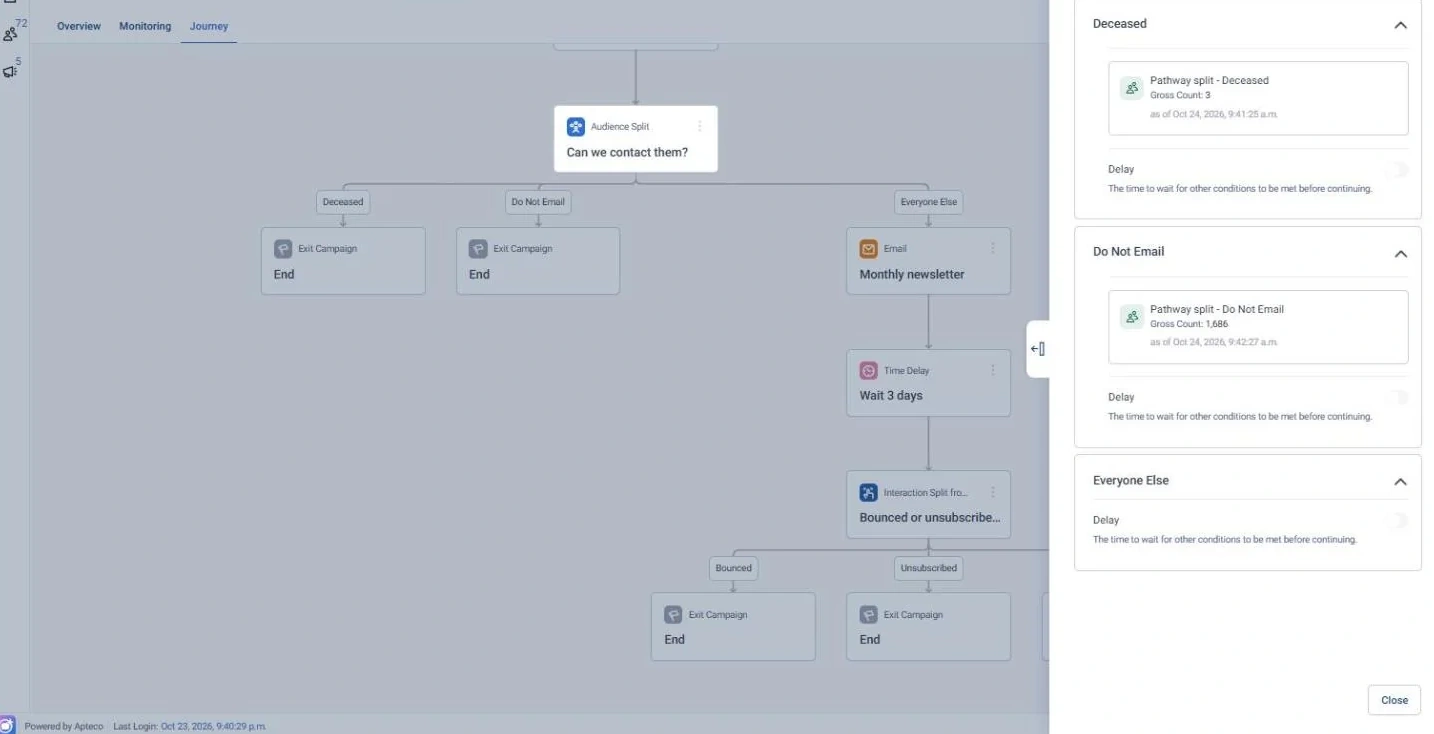
Apteco Mission's Clean and Considerate Communications pathway uses the flags you already hold. An audience split removes deceased, opted-out and do-not-contact supporters before anything goes out. Mission does not find out who died or moved. For that, there are two kinds of service, and most charities need both. For donors who moved, run your list through a licensed change-of-address service. In the US, that is the Postal Service's NCOALink. In Canada, it is Canada Post's NCOA Mover Data. For donors who died, use a deceased screening service, plus the ANA's Deceased Do Not Contact list.
Moves in the US. NCOALink is a dataset of about 160 million permanent change-of-address records. The Postal Service gives it only to licensed companies. A full service provider gets 48 months of moves each week. A mailer with its own end user license gets 18 months. So ask a provider how far back its data goes. Run it before each large mailing, not once a year.
Moves in Canada. Canada Post licenses its NCOA Mover Data only to approved service bureaus. You accept Canada Post's terms of use first. Then you give your terms of use ID to the bureau you choose, and it runs your list. Canada Post says the service is designed only to update addresses for people already on your list.
Deaths. Companies and charities can subscribe to the ANA's Deceased Do Not Contact list. Families add names to stop mail, and the list goes to subscribers each month. The ANA says it is no substitute for your own do-not-contact list. The full US death file is harder to get: NTIS limits it to certified subscribers with a fraud prevention or legal purpose, for a $2,930 certification fee each year. So a small charity will usually find it simpler to screen through its CRM or a data provider.
Check what your CRM already does. Some CRMs build in change-of-address and deceased checks, often from US sources only. If yours does, make sure the check is turned on before you pay for another. Ask any vendor how often it runs and whether it covers Canadian addresses. Whichever system holds the flags, Mission joins your CRM and the other places supporters show up into one record per person (Does Apteco Mission replace my CRM?).
Use the results with care. Back up your data first. A match is a strong sign, not proof, so check close friends and major donors by hand before you change their record. Mark people as deceased or moved. Don't delete them. Set them aside instead, out of your mailing lists and reports, so you can bring one back if you were wrong. Their giving history still matters, for their family and for gifts in wills. If one spouse dies, update the household and keep writing to the other. Record returned mail as it comes back, between services.