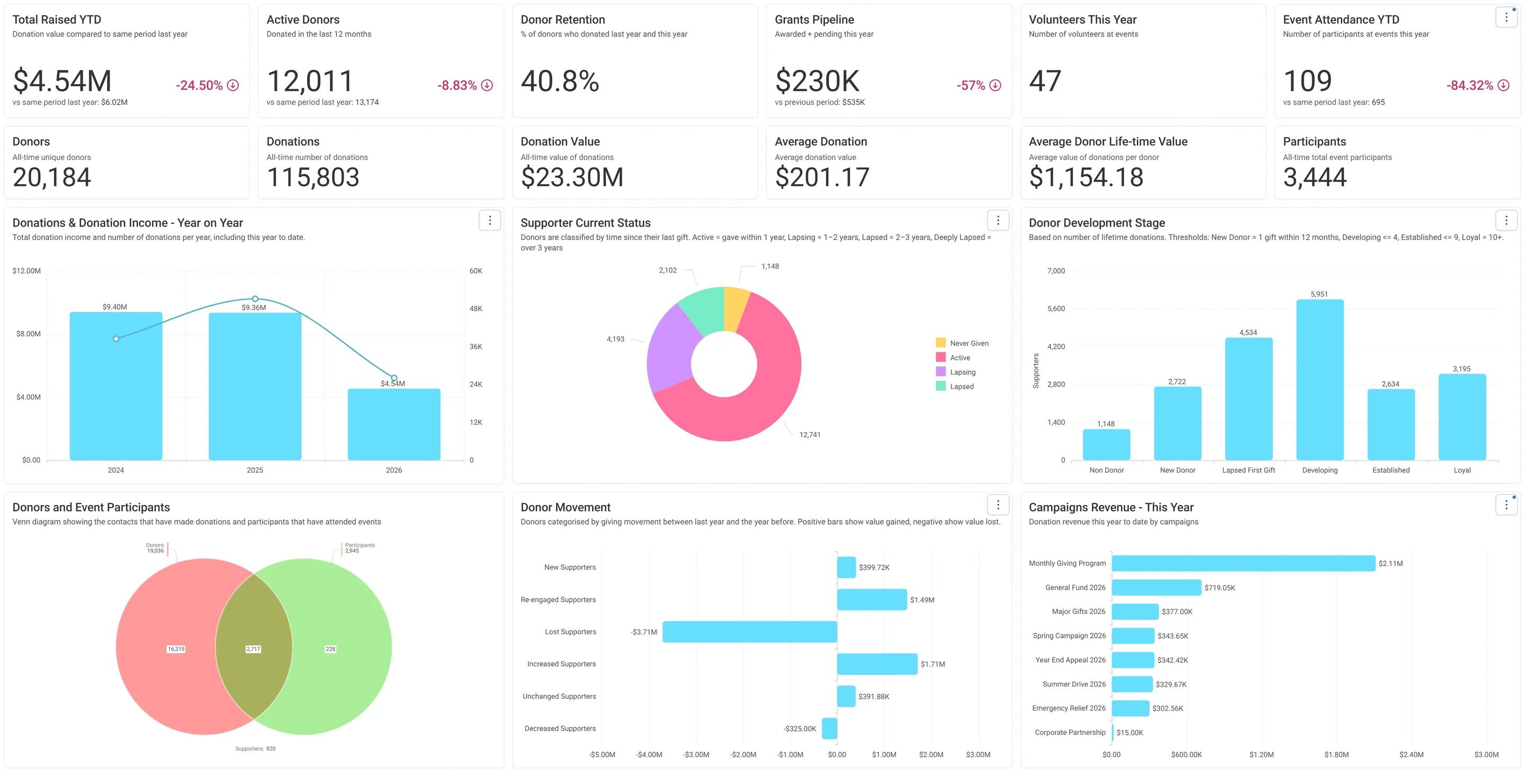
Apteco Mission joins your CRM and the other places supporters show up into one record per supporter, so two fundraising teams work from the same person. Your CRM is where you enter things, and Mission is where you ask questions across all of them. Its Charity Overview dashboard keeps board numbers on three tabs, Summary, Fundraising and Engagement, each set against last year. And your board, staff and volunteers see the same numbers, with no seat fees.
Choose one system that both teams use, with one record per supporter. Two teams in two systems means the same donor can get two asks, and nobody sees the whole relationship. Before you look at any product, agree the shared rules: what a record is, how gifts are coded, and who speaks to whom. Then write one list of needs, watch the same demos and choose together. After that, one person owns the system.
Why one system. A donor may give to both teams, say to the spring appeal and to the gala. If each team keeps its own list, you can't count your real number of donors. You also can't see that someone who stopped giving to one team still gives to the other. Charity Digital's guide to choosing a CRM says to involve as many end users as possible at the early stages. With two teams, that means both of them, from the first meeting.
Agree the rules first. Sit the two teams down and agree three things. How you code a gift: fund, campaign and appeal, used the same way by everyone. Who leads each relationship, so a major donor isn't asked by both teams in the same month. And what each team must be able to see and report on its own. Write these down. They become the core of your requirements.
Write one list of needs. Charity Digital suggests a simple user requirement document: each person's needs, marked essential or desirable, kept in one shared spreadsheet. Ask each team to add its own. Mark the needs both teams share. Those decide the shortlist. Send the same document to every vendor and ask what they can and can't do.
Give every vendor the same test. Write one demo script and give it to every vendor. Add your own jobs: a gift both teams touch, a donor who moves from one team's list to the other's, and a report for each team plus one for the board. Call a few of each vendor's customers. Score each demo straight after, while it is fresh.
Name one owner, and count the whole cost. Pick one person to own the system, with a backup from the other team. Charity Digital says to check the full cost, including setup, training and support. Plan the move too. Clean and merge your two lists before they go in, so each donor arrives as one record.
Beyond the CRM. Each team may also have supporters in other places, like an event platform or a giving page. Apteco Mission reads those by file or through a direct connection, and your CRM keeps the receipts, the addresses and the history it holds today. Both teams then work from the same picture of each person.