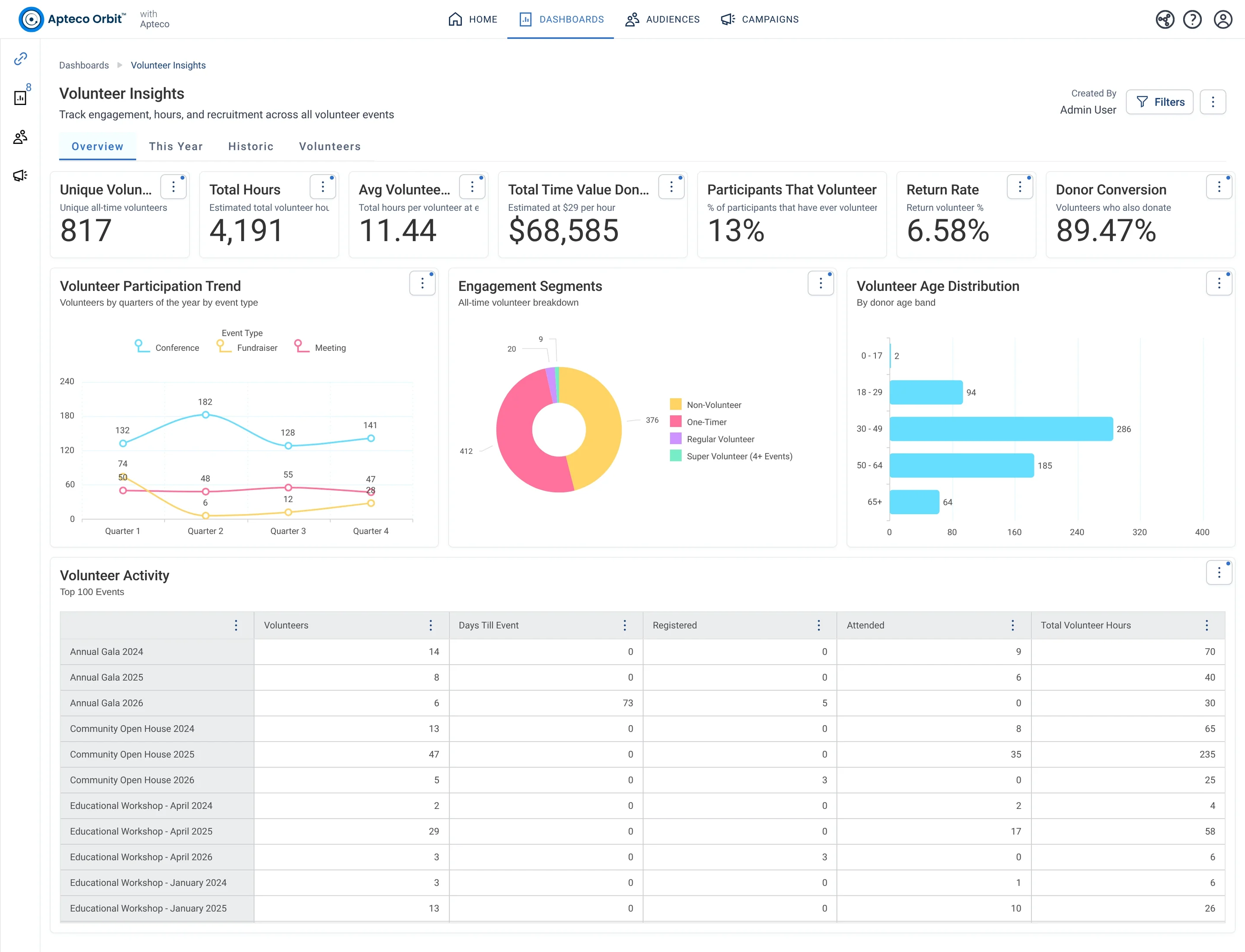
Apteco Mission matches your volunteer list and your donor list into one record per person and gives each person a Volunteer Donor Status: volunteer, donor, both or neither. Its Volunteer Insights dashboard shows how many volunteers return and how many also give, with a circle diagram of donors who volunteer. Its Volunteers Who Have Never Given pathway then thanks the volunteers who have never given before it asks. To see your overlap by hand, match on email first, then on first name, last name and postal code, and label each person.
Why the overlap matters. It gives you three groups to treat in different ways. Volunteers who have never given need a thank-you for their time before any ask. Donors who have never volunteered may welcome a chance to see your work up close. People who do both are some of your closest supporters, and should be thanked for both. Time and money often go together. In a 2020 Fidelity Charitable survey of American donors who volunteer, 53 percent said they give to a charity before they volunteer there, and 39 percent said they are more likely to volunteer first.
First, export both lists. From your volunteer system or spreadsheet, take each person's name, email, phone, postal code, first and last shift, and total hours. From your donor database, take name, email, phone, postal code, first and last gift, and total given. Keep the ID each system gives the person. You will need it later, to send the answer back to each system.
Next, match people, not rows. Clean the emails first: all lower case, no spaces. Match on email. Then match the rest on first name, last name and postal code. Check close calls by hand, like Bob and Robert at the same address. Most donor databases have a tool for this. CiviCRM, which Apteco hosts, has dedupe rules that flag likely matches. Once two records are matched, save each system's ID on the other, so the next match is quick.
Then label, count and use it. Give each person one label: volunteer only, donor only, or both. A simple circle diagram of the three groups shows the overlap at a glance. Then pull the lists you will act on: volunteers who have never given, and donors who also volunteer. Use them to thank, to invite and to ask, in that order.
Last, keep it current. A one-time spreadsheet is out of date the next time someone gives or signs up for a shift. Either keep volunteers inside the donor database, or connect the two systems so they share an ID. Apteco Mission reads your volunteer system beside your donor database, so each person's status comes from both.