Apteco Learn Mission Schedule Time with an Apteco Architect Play with a Live System

Build it

Stop 57 of 58 · about 20 minutes

Can you take a pathway from the Field Guide and make it real in Orbit? This is the whole course in one stop. Audience, email, schedule, guardrail, test.

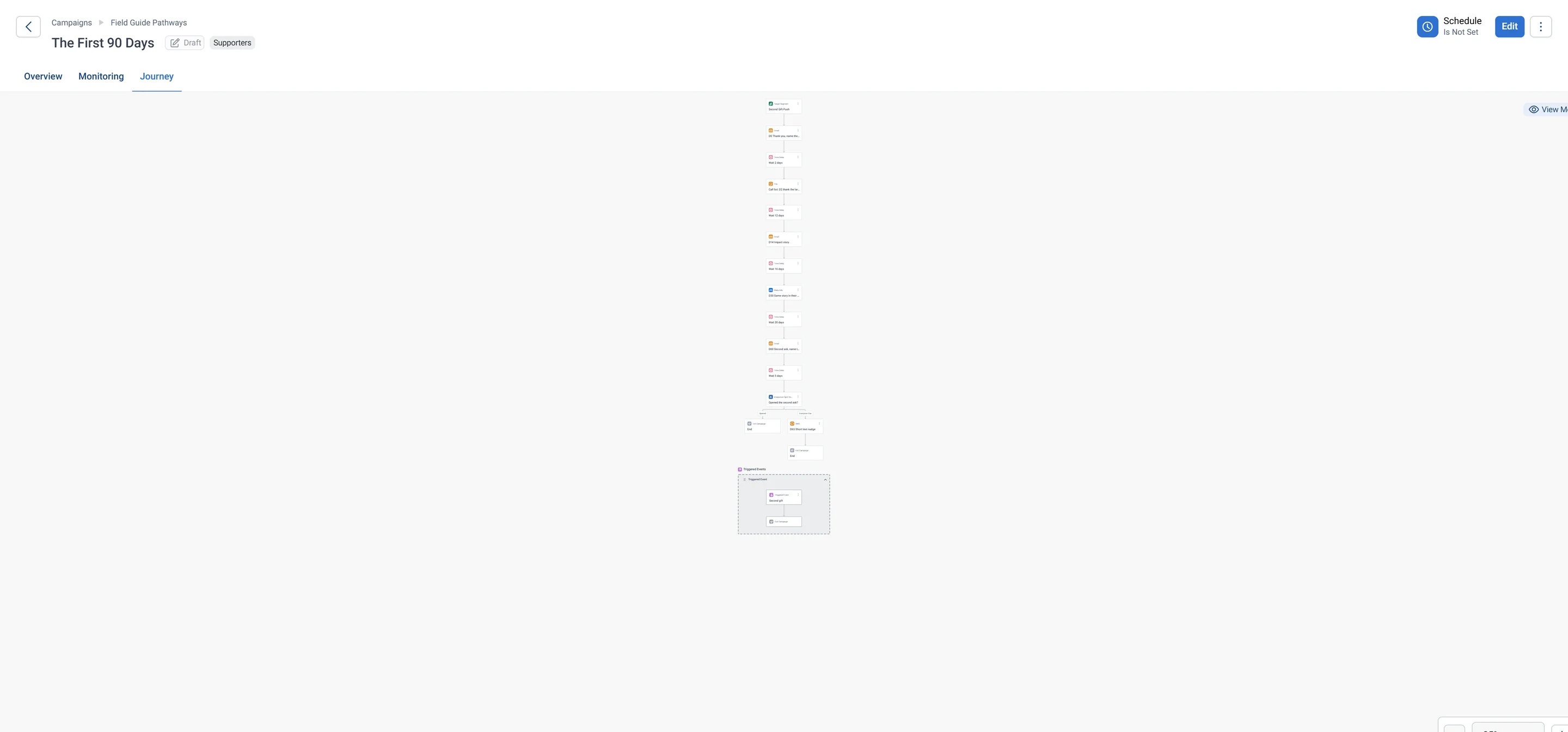
The start of The First 90 Days, up close: the Second Gift Push audience as the Target Segment, the day-0 thank-you email, a 2-day wait, the call list for the largest first gifts, a 12-day wait and the day-14 impact story.
The start of The First 90 Days, up close: the Second Gift Push audience as the Target Segment, the day-0 thank-you email, a 2-day wait, the call list for the largest first gifts, a 12-day wait and the day-14 impact story. Open full size

Sample charity: the people and numbers in these screens are made up, so the picture shows the tool, not a result.

The lesson

Use the campaign you started in the Apteco Email part, or make a new one from a Predefined template. Then work down the pathway's steps.

  1. Target audience: the pathway's audience from the Field Guide, or your own version of it from the Audiences part.
  2. First step: the Day 0 email. Marketing template, first name with a default, one specific thank-you, one button.
  3. Schedule: set it to repeat, so new people enter as the data refreshes.
  4. Guardrails: a contact strategy, and Manual Approval Stop on the first send.
  5. Exit rule: read the pathway's rule. A gift, a completed form or a second gift ends the journey and starts the next one.
  6. Test: send the email to yourself and a colleague.

Save and Exit Edit Mode. Publish only when your team has cleared it. A built draft is the deliverable here.

The four pathways

Watch this stop · about a minute

More of it in Orbit

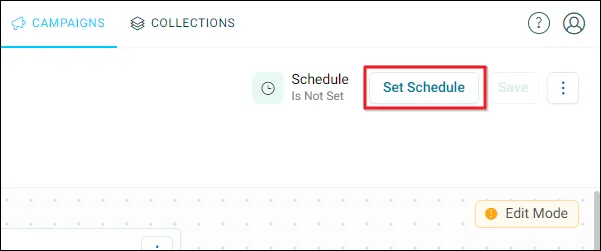
Set Schedule in the journey builder: run once, or on repeat so new people enter as the data refreshes.
Set Schedule in the journey builder: run once, or on repeat so new people enter as the data refreshes. Help Hub: Setting a schedule

Your turn, in Orbit

  1. Set the target audience.
  2. Build or attach the Day 0 email with a first-name variable and a default value.
  3. Set the schedule to repeat.
  4. Set a contact strategy and tick Manual Approval Stop.
  5. Send a test email to yourself and read it on your phone.
  6. Save and Exit Edit Mode.

Quick check

Tell the story of your journey in three lines

Write your answer in the course; it stays in your browser.

Who enters it, and from which data?

Write your answer in the course; it stays in your browser.

What do they receive, and when?

Write your answer in the course; it stays in your browser.

What ends the journey, and what comes next?

Write your answer in the course; it stays in your browser.

Need a hint?

Audience, email, schedule, guardrail, test. The exit rule is in the Field Guide pathway.

Why it matters

You started with data in several places. You have a journey that reaches real people on time.

Learn Mission is a free course. You read a little, do it yourself, then answer one quick check. Orin, the assistant in Orbit, walks with you. Your progress stays in your browser.

Do this stop yourself

It is stop 57 of 58. Open it in the course, or start from the beginning.

Open this stop in the course