Apteco Mission Field Guide Schedule Time with an Apteco Architect Play with a Live System

Program Impact

Dashboard in Apteco Orbit · 3 tabs

What did the money do? How many were served, at what cost, with what outcome? Impact stops being a story you assemble once a year and becomes a page you can open any day.

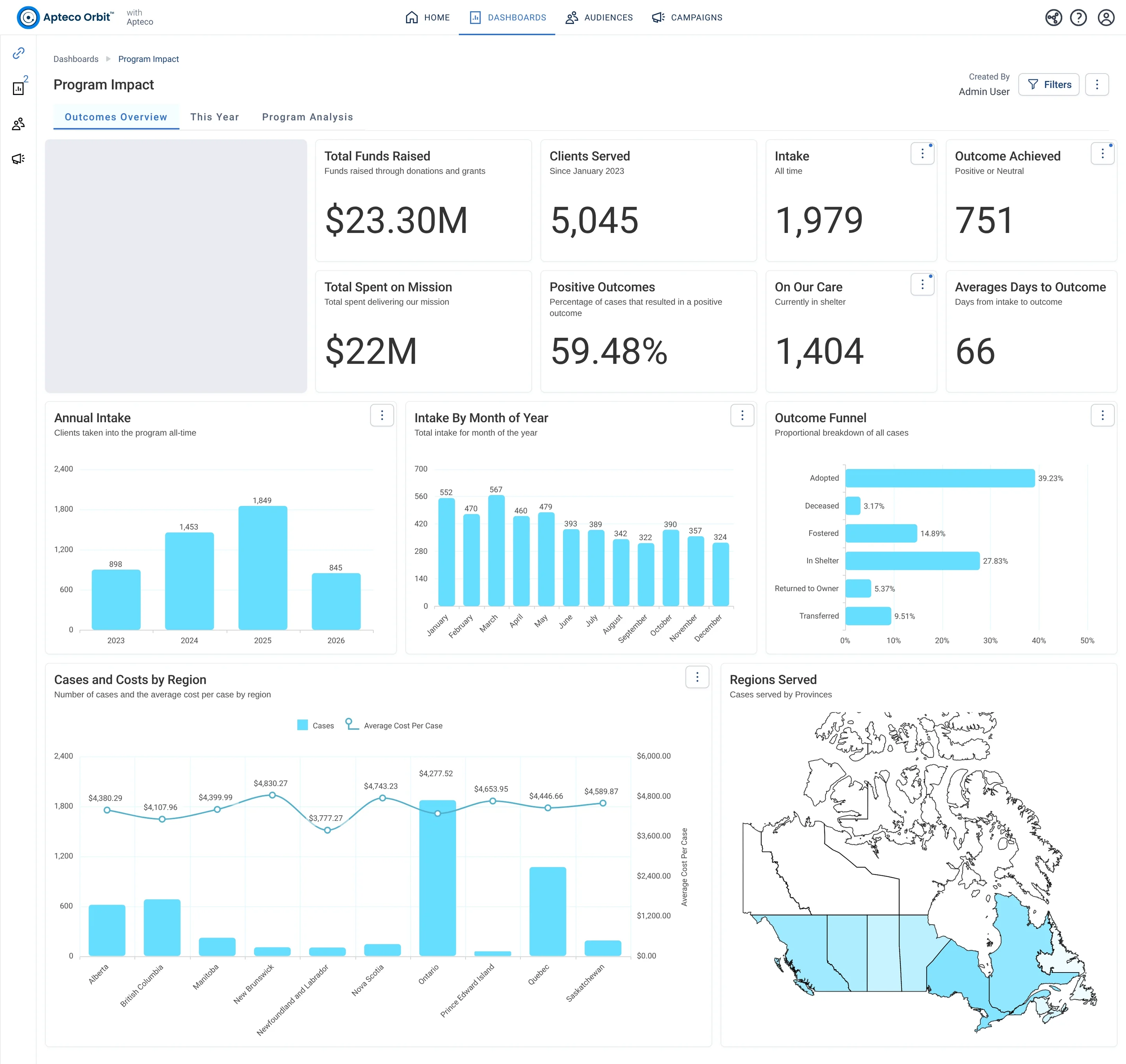
Program Impact · Outcomes Overview, in Apteco Orbit: The Outcomes Overview tab, with cards on money raised and spent, dogs taken in and cases ending well, then charts of intake, outcomes and a map of regions.
Program Impact · Outcomes Overview The Outcomes Overview tab, with cards on money raised and spent, dogs taken in and cases ending well, then charts of intake, outcomes and a map of regions. A board member uses it to show donors what their money does.
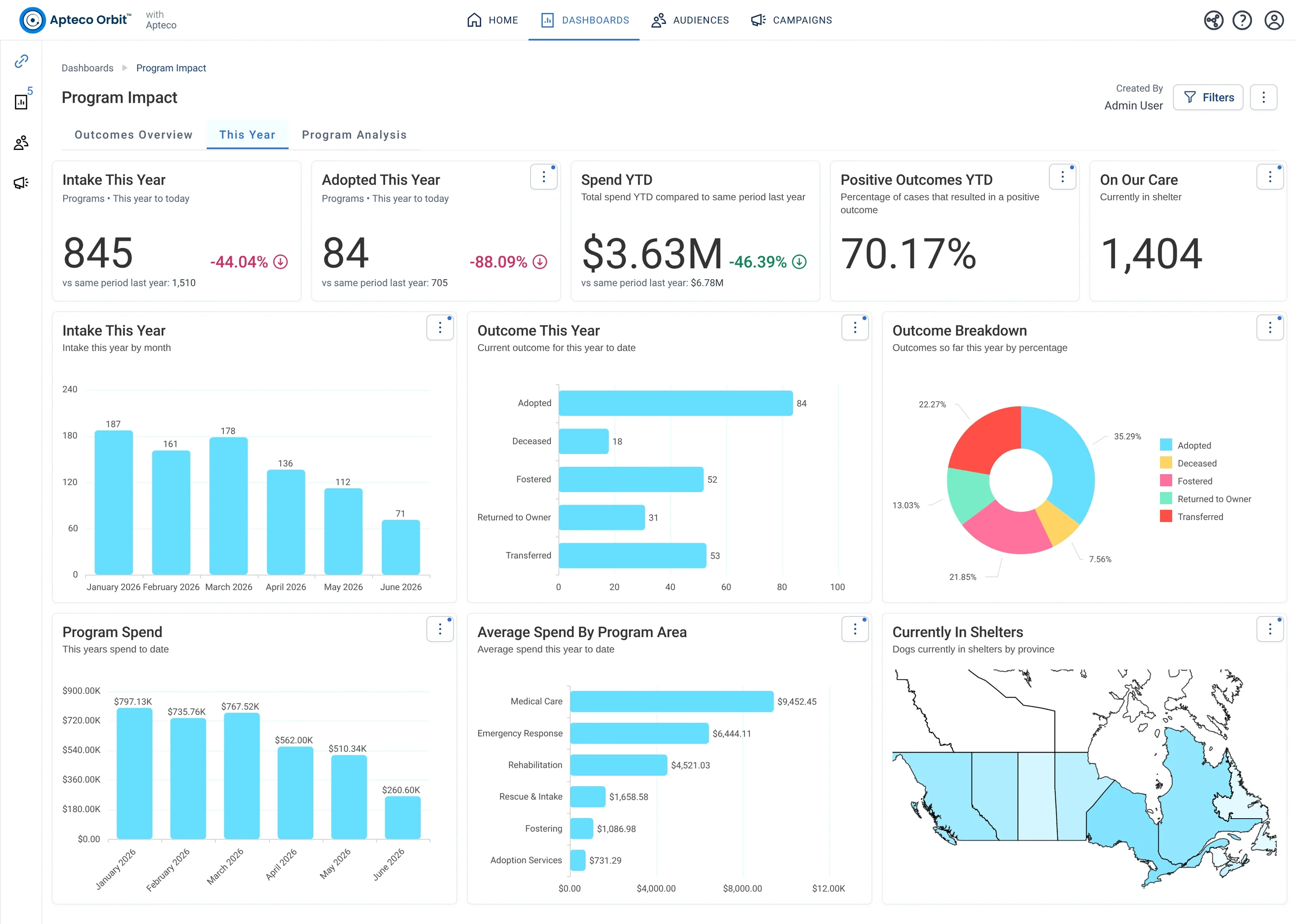
Program Impact · This Year, in Apteco Orbit: The This Year tab, with cards comparing intake, adoptions and spending with last year, then charts of intake and spending by month, outcomes and a map by province.
Program Impact · This Year The This Year tab, with cards comparing intake, adoptions and spending with last year, then charts of intake and spending by month, outcomes and a map by province. A program lead checks how this year compares with last year.
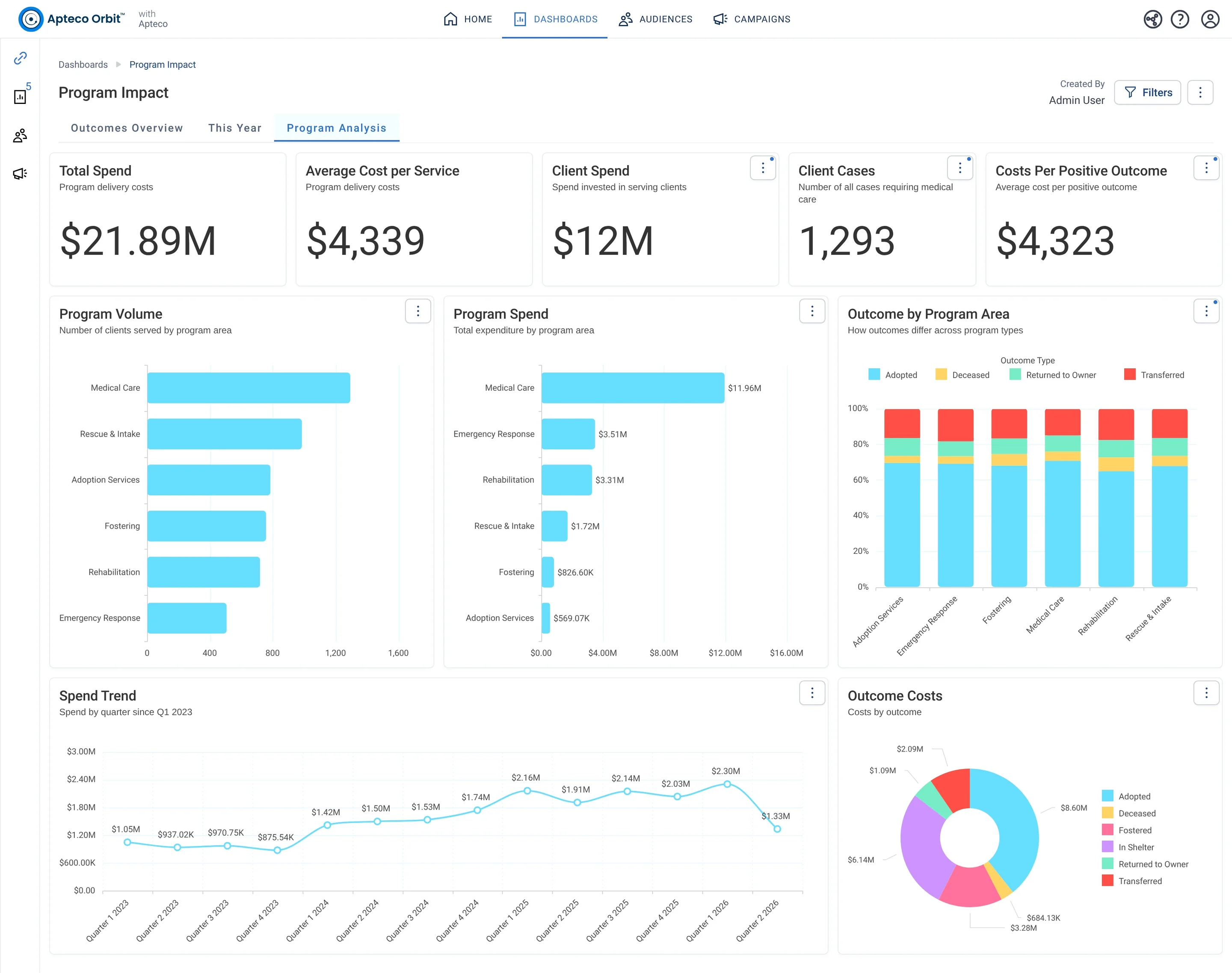
Program Impact · Program Analysis, in Apteco Orbit: The Program Analysis tab, with cards on total spend and cost per service, then charts of spending by program area, outcomes by program and cost by outcome.
Program Impact · Program Analysis The Program Analysis tab, with cards on total spend and cost per service, then charts of spending by program area, outcomes by program and cost by outcome. A board or funder sees where money goes and what each result costs.

Sample charity: the people and numbers in these screens are made up, so the picture shows the tool, not a result.

What it answers

Funders and boards ask for impact, and the answer usually comes from the program team's own records, months after the fact. Program Impact puts service, spend and outcomes on one page, next to the fundraising that paid for them.

Program Impact is built from a programs table. On the demo charity's system the program rescues, cares for and rehomes dogs, so the tiles talk about intake, shelter and adoption; yours would use your own program's words.

3

tabs, each with its own cards and charts

Learn to use it

For an impact report, read Outcomes Overview top to bottom: served, outcomes, cost, regions. For a funder's question about one program area, use Program Analysis and the Costs Per Positive Outcome card. Put Total Spent on Mission and Total Funds Raised in the same sentence: that is the sentence a board remembers.

Learn Mission: Program Impact

Watch the lesson · about a minute

Questions people ask

What does the Program Impact dashboard show?

Funders and boards ask for impact, and the answer usually comes from the program team's own records, months after the fact. Program Impact puts service, spend and outcomes on one page, next to the fundraising that paid for them.

Program Impact is built from a programs table. On the demo charity's system the program rescues, cares for and rehomes dogs, so the tiles talk about intake, shelter and adoption; yours would use your own program's words.

How do I use it?

For an impact report, read Outcomes Overview top to bottom: served, outcomes, cost, regions. For a funder's question about one program area, use Program Analysis and the Costs Per Positive Outcome card. Put Total Spent on Mission and Total Funds Raised in the same sentence: that is the sentence a board remembers.

How do I get the Program Impact dashboard?

Send a request with the form on this page. An Apteco Architect gets in touch to set it up with you. To learn it first, open the course stop.

Request this dashboard

Tell us who you are and what you need. An Apteco Architect gets your request and gets in touch to set it up with you.

Clients, partners and Apteco offices are all welcome.

We use what you send only to reply to you. Privacy