Apteco Mission Field Guide Schedule Time with an Apteco Architect Play with a Live System

Event Insights

Dashboard in Apteco Orbit · 4 tabs · 14 insights

Who comes to our events, do they come back, and do they ever give? An event is also a list of people who said yes once. This dashboard shows who said yes twice.

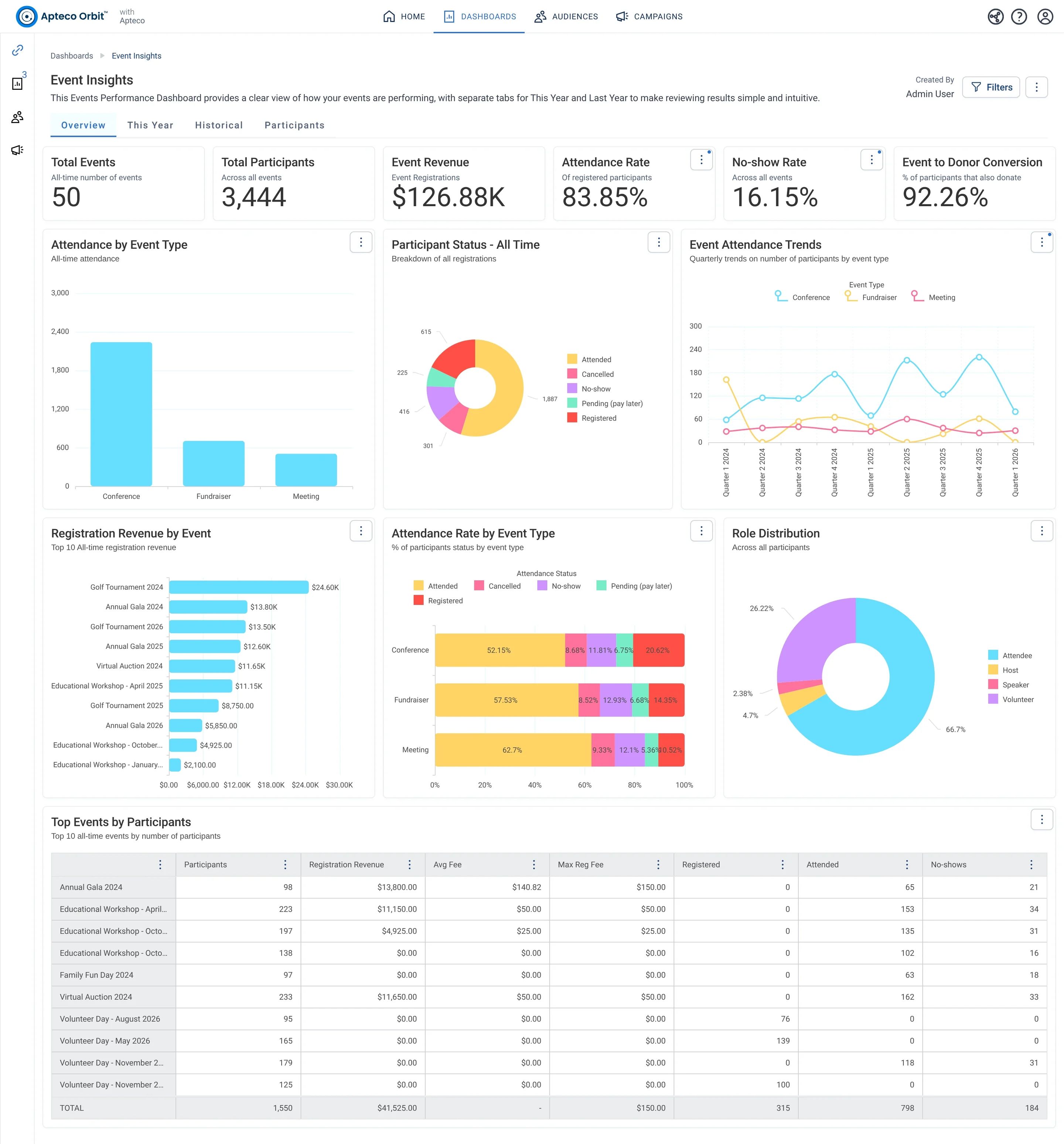
Event Insights · Overview, in Apteco Orbit: The Overview tab, with cards for all events ever, charts of attendance by event type, roles and revenue by event, and a top events table.
Event Insights · Overview The Overview tab, with cards for all events ever, charts of attendance by event type, roles and revenue by event, and a top events table. A board member sees which events draw people, earn money and turn guests into donors.
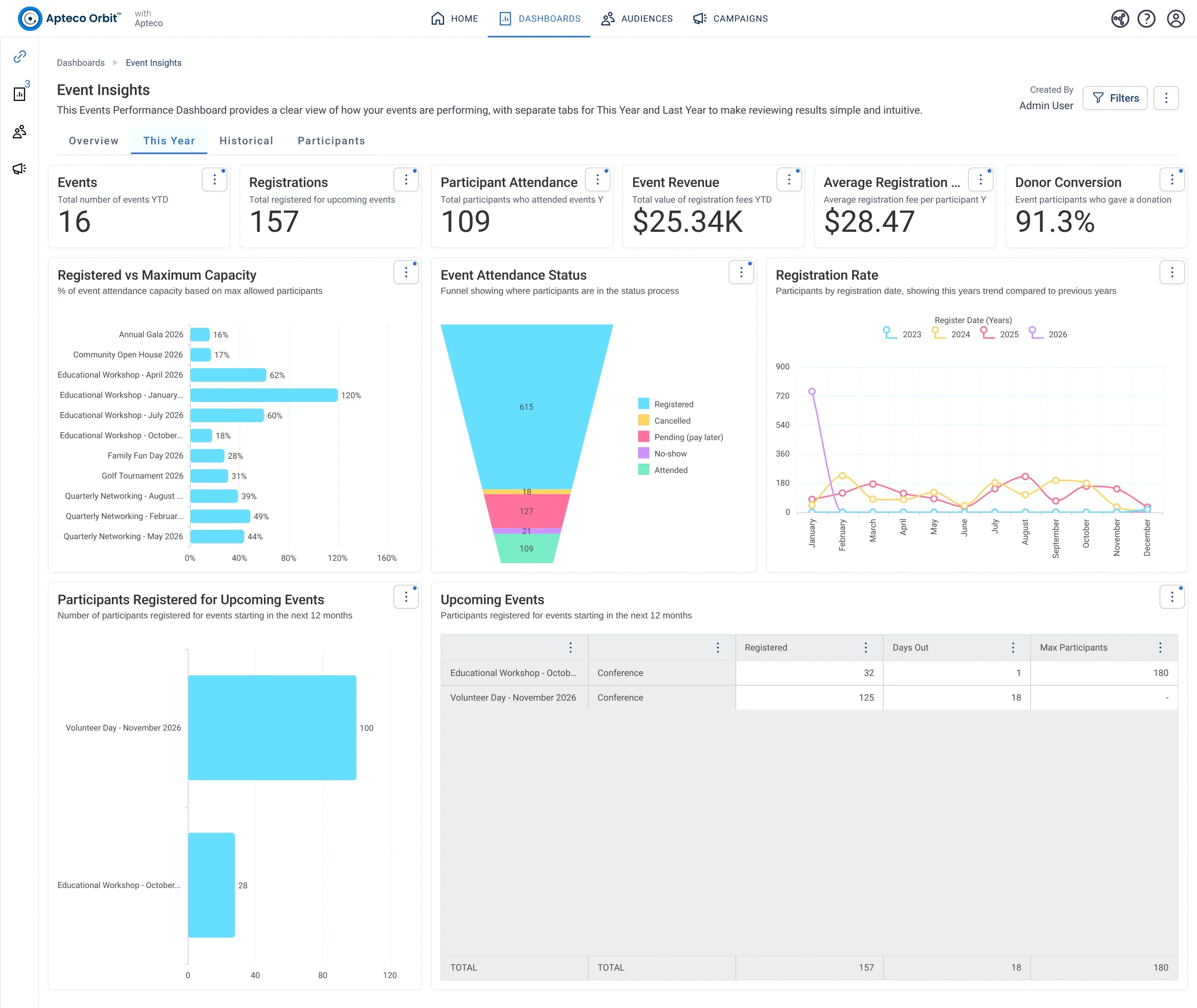
Event Insights · This Year, in Apteco Orbit: The This Year tab, with cards for events so far, charts of how full each event got and sign-ups by month, and upcoming events.
Event Insights · This Year The This Year tab, with cards for events so far, charts of how full each event got and sign-ups by month, and upcoming events. An events team spots events that need more sign-ups and follows up with guests.
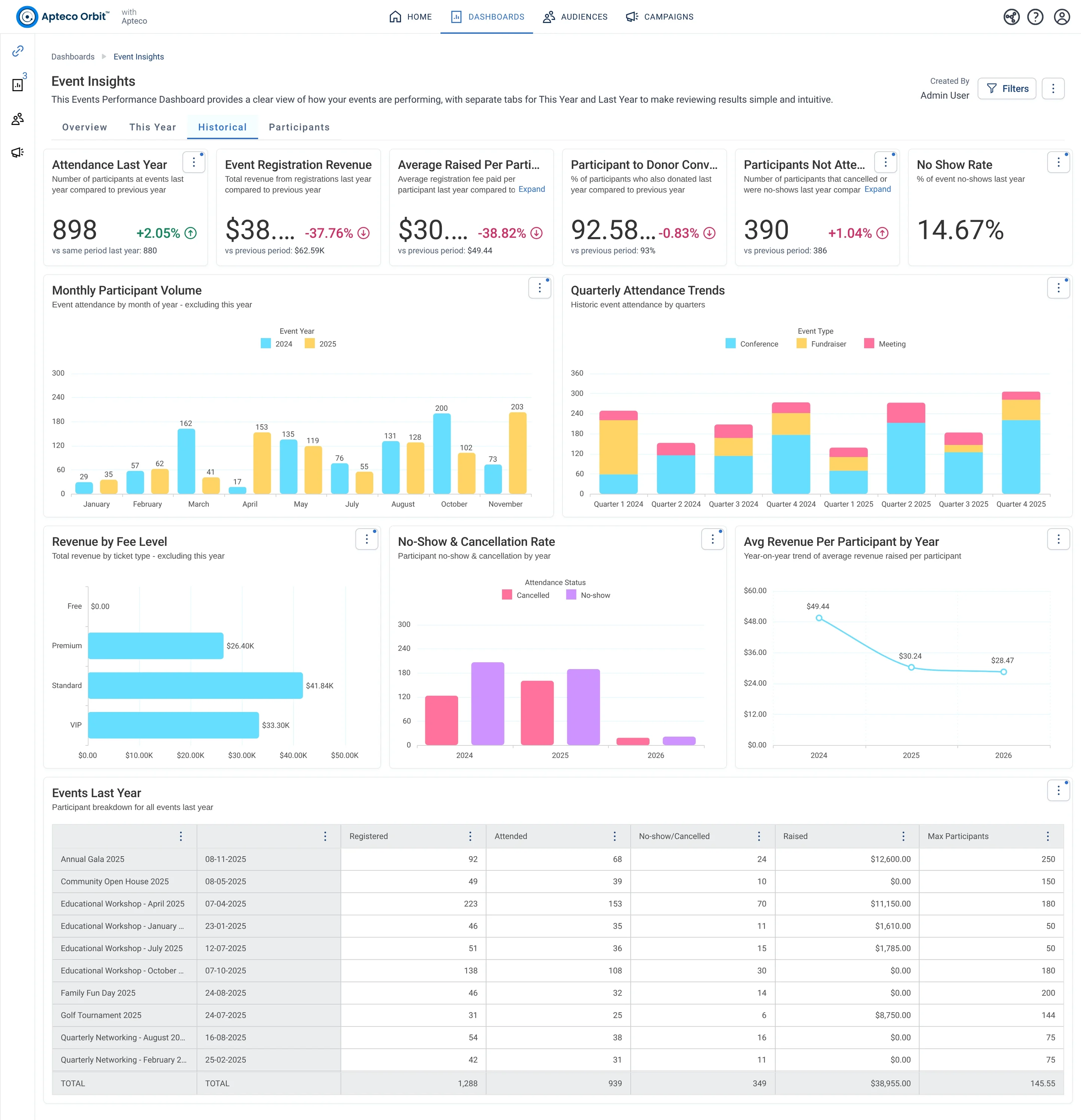
Event Insights · Historical, in Apteco Orbit: The Historical tab, with cards comparing last year's events with the year before, charts of guests, ticket money and no-shows, and an events table.
Event Insights · Historical The Historical tab, with cards comparing last year's events with the year before, charts of guests, ticket money and no-shows, and an events table. A fundraiser sees which events are growing and which earn less before planning next year.
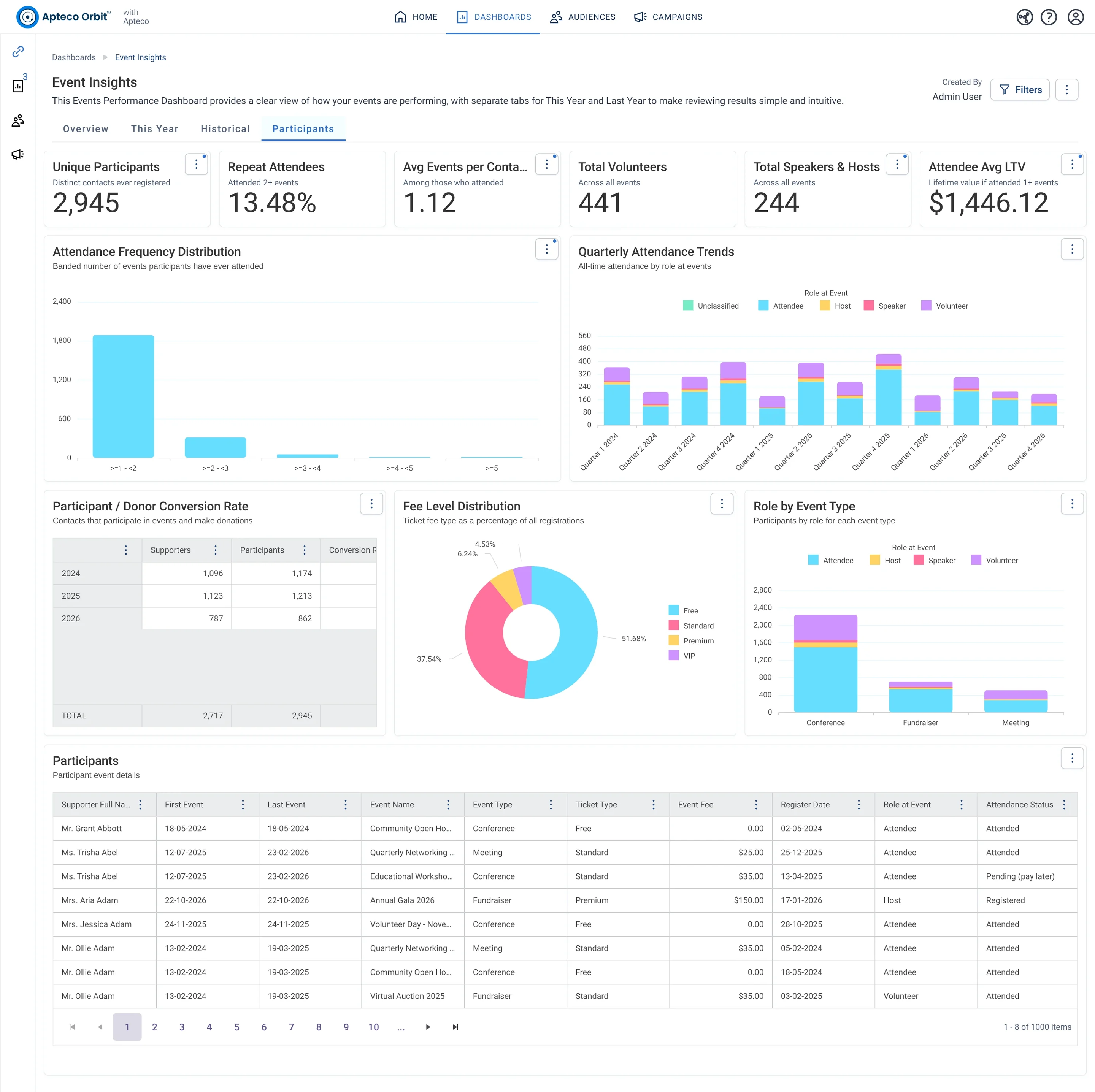
Event Insights · Participants, in Apteco Orbit: The Participants tab, with cards about event-goers, charts of how often they attend, their roles and ticket types, and a table of guests who also donate.
Event Insights · Participants The Participants tab, with cards about event-goers, charts of how often they attend, their roles and ticket types, and a table of guests who also donate. A fundraiser finds loyal event-goers and volunteers who could be asked to give more.

Sample charity: the people and numbers in these screens are made up, so the picture shows the tool, not a result.

What it answers

Event lists live in the ticketing tool and the sign-in sheet. Once participants are a table in Mission, every event has an attendance rate, a no-show rate and a donor conversion rate, without a spreadsheet.

Event Insights counts participants.

4

tabs, each with its own cards and charts

14

insights Orbit works out for it

3

tables it reads: Donations, Participants, Supporters

1

pathway uses it

What it is built from

Every insight is worked out by Orbit for every supporter. Click one to read it in the Field Guide.

Insights

Fields from your data

Which CRMs can feed it

The Field Guide maps every insight to the fields each CRM keeps. This is how many of this dashboard's insights each one can build.

Filter the Field Guide by your CRM

Pathways that use it

Each pathway reads this dashboard's numbers, then acts on them.

Learn to use it

Two weeks before an event: This Year, Registered vs Maximum Capacity. The week after: Historical, No-Show and Cancellation Rate. Every quarter: Participants, the donor conversion table. Guests who came twice and never gave are the Field Guide's From Guest to Giver audience.

Learn Mission: Event Insights

Watch the lesson · about a minute

Questions people ask

What does the Event Insights dashboard show?

Event lists live in the ticketing tool and the sign-in sheet. Once participants are a table in Mission, every event has an attendance rate, a no-show rate and a donor conversion rate, without a spreadsheet.

Event Insights counts participants.

Which data does it need?

Supporter Full Name, Event Name, Event Start Date, Event End Date, Event Type, Max Participants, Attendance Status, Event Fee, Participant Donor ID, Register Date, Role at Event, Ticket Type, Gift Amount.

Which CRMs does it work with?

How many of its 14 insights each CRM's data can build, by the Field Guide's mapping: Raiser's Edge NXT: 13 of 14; Salesforce NPSP: 12 of 14; Salesforce Nonprofit Cloud: 13 of 14; DonorPerfect: 1 of 14; Bloomerang: 1 of 14; Little Green Light: 10 of 14; CiviCRM: 14 of 14; HubSpot: 12 of 14; Givebutter: 1 of 14.

How do I use it?

Two weeks before an event: This Year, Registered vs Maximum Capacity. The week after: Historical, No-Show and Cancellation Rate. Every quarter: Participants, the donor conversion table. Guests who came twice and never gave are the Field Guide's From Guest to Giver audience.

How do I get the Event Insights dashboard?

Send a request with the form on this page. An Apteco Architect gets in touch to set it up with you. To learn it first, open the course stop.

Request this dashboard

Tell us who you are and what you need. An Apteco Architect gets your request and gets in touch to set it up with you.

Clients, partners and Apteco offices are all welcome.

We use what you send only to reply to you. Privacy