
Apteco Learn Mission Schedule Time with an Apteco Architect Play with a Live System

Build an audience by hand

Stop 32 of 58 · about 12 minutes

Who gave once, this year, and hasn't heard from you since?* Building an audience by hand is like learning to cook. You will use recipes later, but it helps to know what is in the pot.
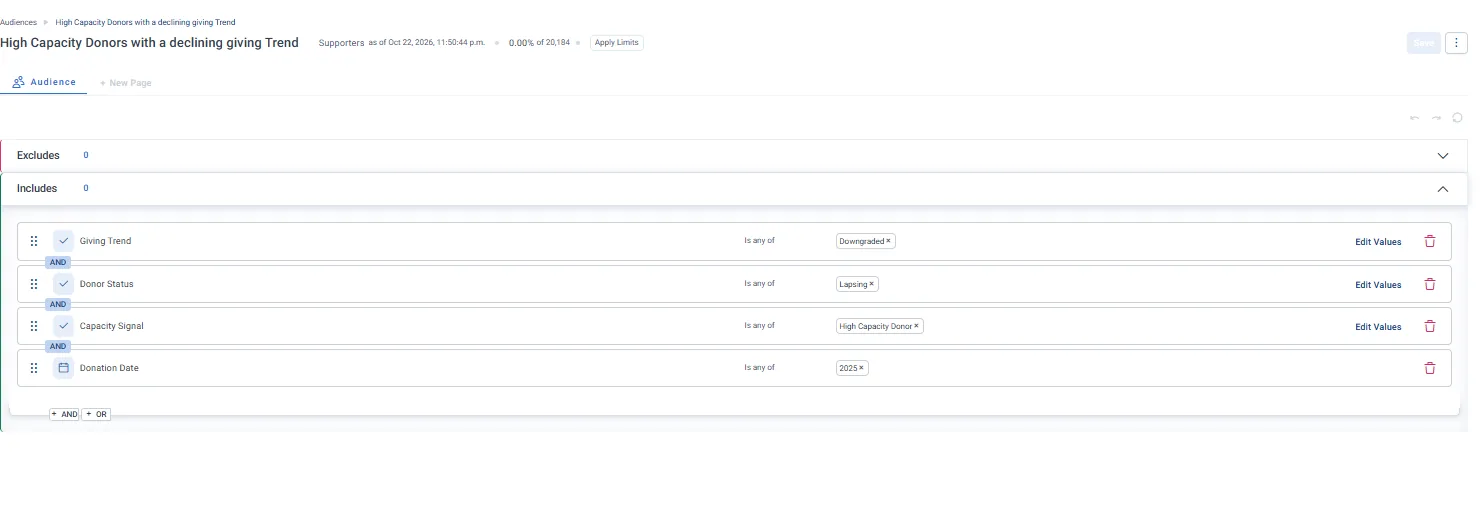
An audience being built: four rules joined with AND. Giving Trend is Downgraded, Donor Status is Lapsing, Capacity Signal is High Capacity Donor, Donation Date is 2025. The count sits at the top.
An audience being built: four rules joined with AND. Giving Trend is Downgraded, Donor Status is Lapsing, Capacity Signal is High Capacity Donor, Donation Date is 2025. The count sits at the top. Open full size

Sample charity: the people and numbers in these screens are made up, so the picture shows the tool, not a result.
The lesson

You build an audience by including the people you want and excluding the ones you don't. Each kind of variable works a little differently:

  • Lists (like Donor Development Stage): pick values.
  • Numbers (like Number Of Lifetime Donations): set a range, like exactly 1.
  • Dates (like First Donation Date): pick a fixed range, a moving one like "the last year", or a custom rule.
  • Text (like postal code): type or paste values, or upload a file.

The count updates as you go, and Orbit saves your audience automatically. Give it a clear name: your team, and Orin, will find it by that name later.

Watch this stop · about a minute

More of it in Orbit

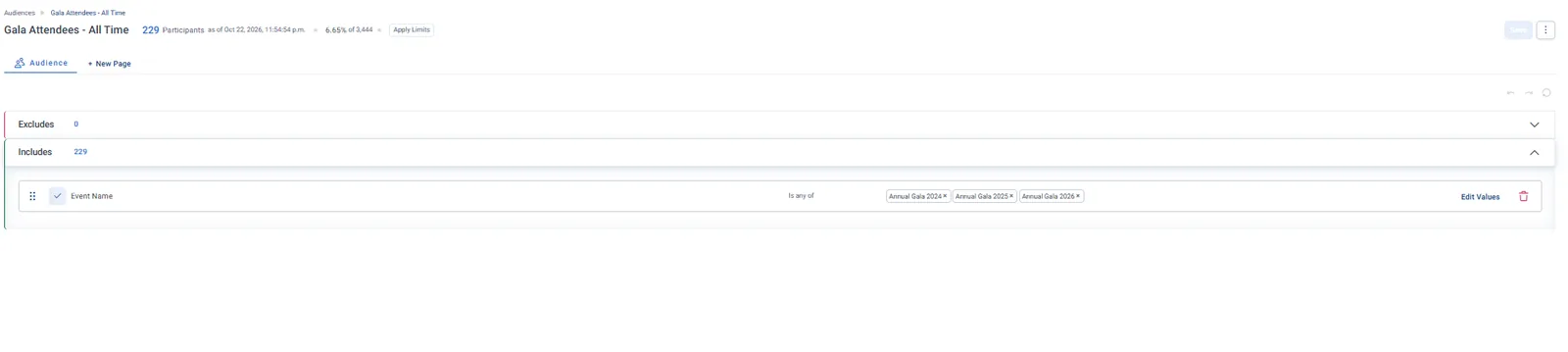
A finished audience on Participants: Event Name is any of the three Annual Galas.
A finished audience on Participants: Event Name is any of the three Annual Galas. Open full size

Your turn, in Orbit

  1. In Orbit, go to Audiences and click New Audience.
  2. In the includes section, click Add Filter.
  3. Set Number Of Lifetime Donations to exactly 1.
  4. Add First Donation Date, set to the last year.
  5. Check the count, and name the audience "Second Gift Push (mine)".

Quick check

How many people are in your audience?

Write your answer in the course; it stays in your browser.

Need a hint?

Numbers use ranges. Dates can be fixed, moving or custom. The count sits at the top.

Why it matters

Everyone on this list could give a second time, if someone welcomes them back before the window closes.

* Standard definition. Your Orbit Admin or Apteco can change it to fit you.

Read on

Audiences on this stop

Read more in the Apteco Help Hub

Learn Mission is a free course. You read a little, do it yourself, then answer one quick check. Orin, the assistant in Orbit, walks with you. Your progress stays in your browser.

Do this stop yourself

It is stop 32 of 58. Open it in the course, or start from the beginning.

Open this stop in the course