Apteco Learn Mission Schedule Time with an Apteco Architect Play with a Live System

Ready-made audiences

Stop 31 of 58 · about 7 minutes

Who should hear from you next? The traditional way to choose who to contact is to email everyone and see what happens. What usually happens is unsubscribes.

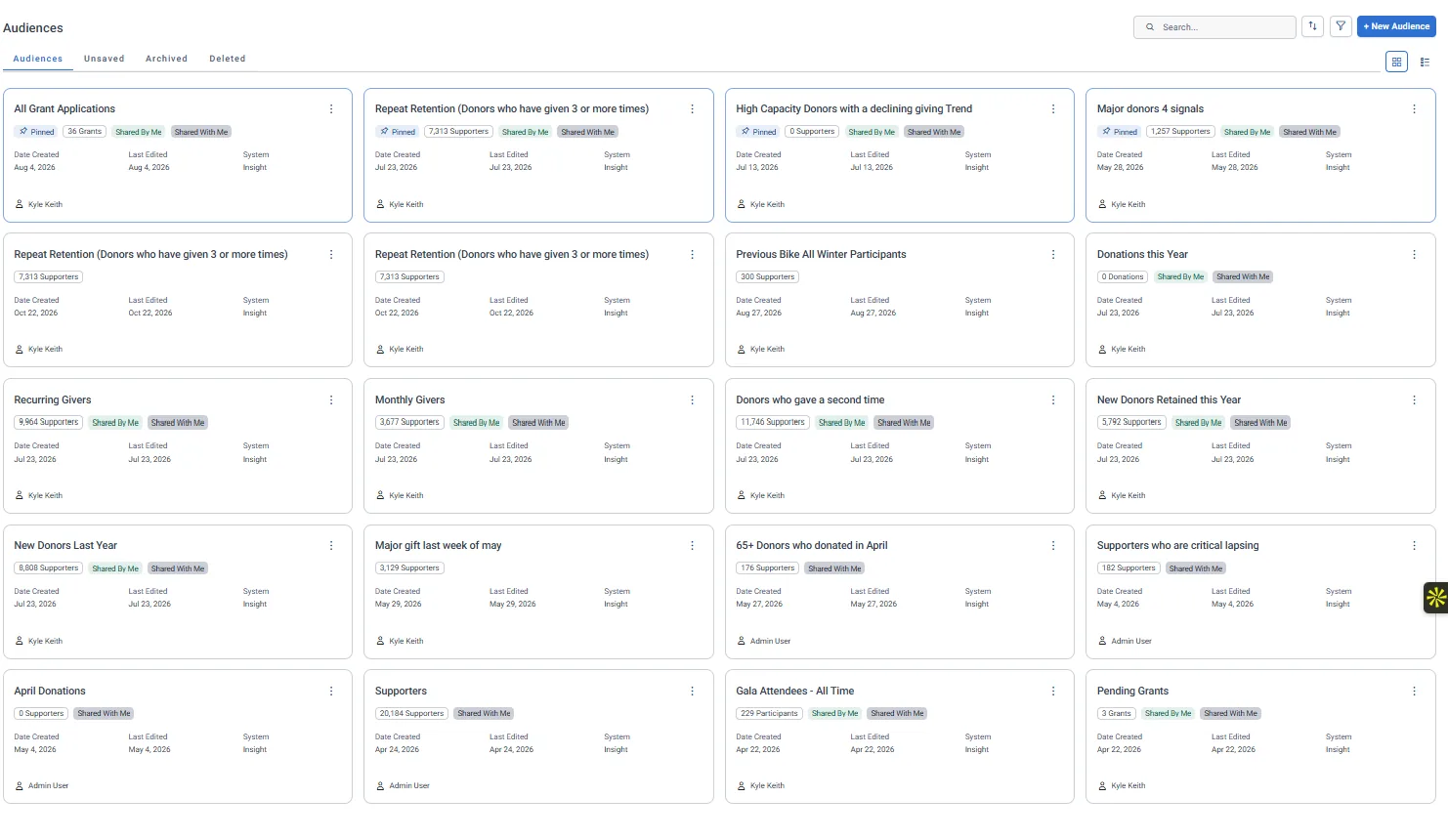
The Audiences screen on the demo charity's system: each audience with its count and the table it counts (Supporters, Grants, Participants), pinned ones first, owner and dates on the right.
The Audiences screen on the demo charity's system: each audience with its count and the table it counts (Supporters, Grants, Participants), pinned ones first, owner and dates on the right. Open full size

Sample charity: the people and numbers in these screens are made up, so the picture shows the tool, not a result.

The lesson

An audience is a group of people who share something. The Field Guide's Audiences tab lists 28 ready-made ones, each with a suggested next step. Six to know by name:

  • Second Gift Push: gave once and still in the window for a second gift.
  • Drifting Donors: overdue against their own giving rhythm. Not lapsed yet.
  • Sleeping Giants: score 3 or more out of 5 on signals of untapped potential.
  • Volunteers Who Have Never Donated: they already give you their time.
  • Gala Guests Who Never Gave: came to an event, never made a gift.
  • Critical Action Required: the most urgent signals firing at once. Your Monday call list.

Each audience is built from named insights, so you can see exactly who is in it and why.

Watch this stop · about a minute

More of it in Orbit

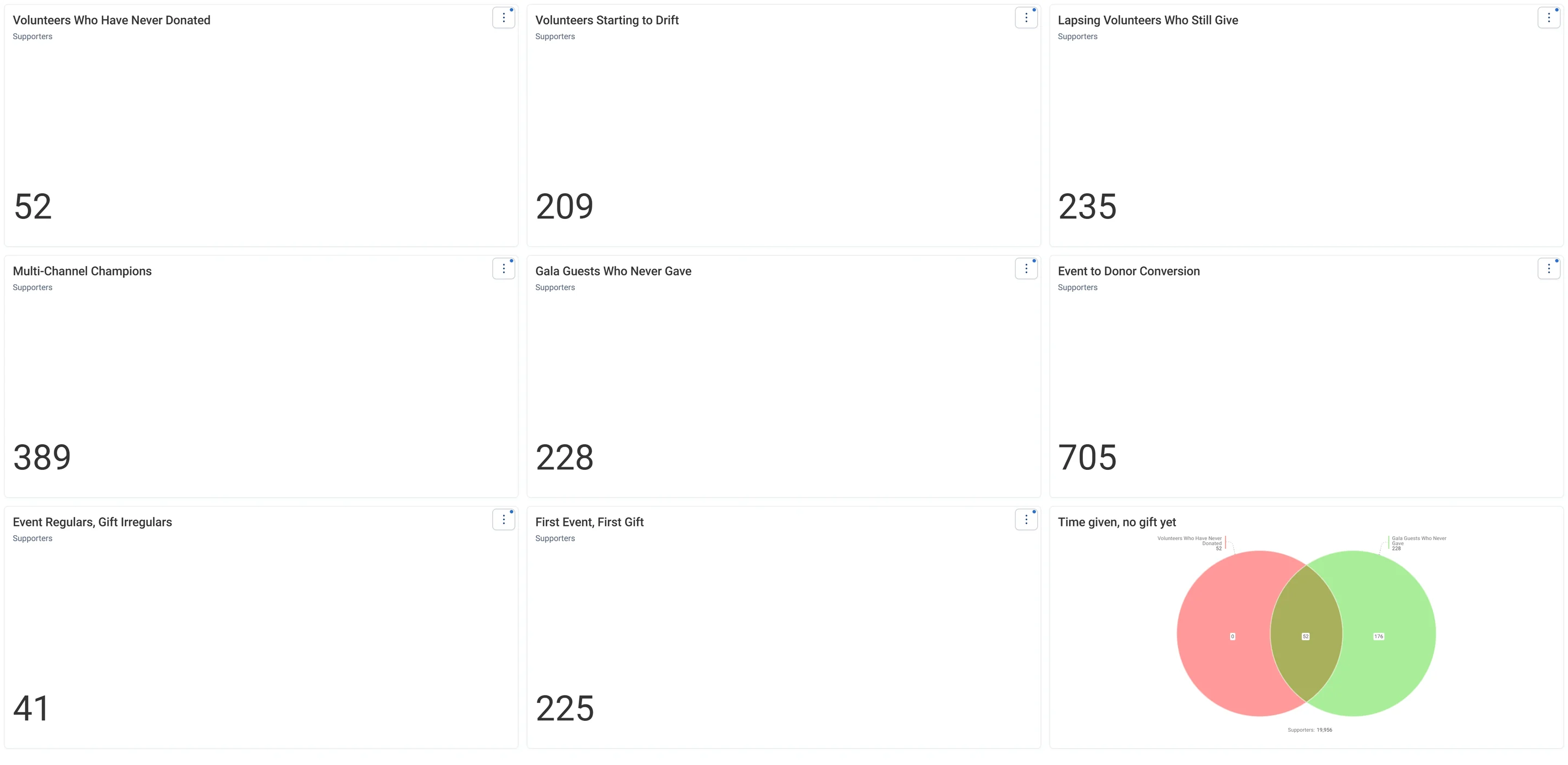
The Engage tab of the Field Guide Audiences dashboard: one number card for each ready-made audience, like Volunteers Who Have Never Donated and Gala Guests Who Never Gave, and a Venn of the people on both lists.
The Engage tab of the Field Guide Audiences dashboard: one number card for each ready-made audience, like Volunteers Who Have Never Donated and Gala Guests Who Never Gave, and a Venn of the people on both lists. Open full size

Your turn, in Field Guide

  1. In the Field Guide, open the Audiences tab.
  2. Read three audiences and their next steps.
  3. Pick the one your team would act on first.

Quick check

Which audience did you pick, and why?

Write your answer in the course; it stays in your browser.

Need a hint?

Second Gift Push, Volunteers Who Have Never Donated and Drifting Donors are common first picks.

Why it matters

Every audience is a decision to reach real people on purpose.

Learn Mission is a free course. You read a little, do it yourself, then answer one quick check. Orin, the assistant in Orbit, walks with you. Your progress stays in your browser.

Do this stop yourself

It is stop 31 of 58. Open it in the course, or start from the beginning.

Open this stop in the course