
Apteco Learn Mission Schedule Time with an Apteco Architect Play with a Live System

Share it

Stop 37 of 58 · about 6 minutes

How do you get your team looking at the same list? Sharing a list usually means attaching a spreadsheet called FINAL, then sending FINAL_v2 an hour later.
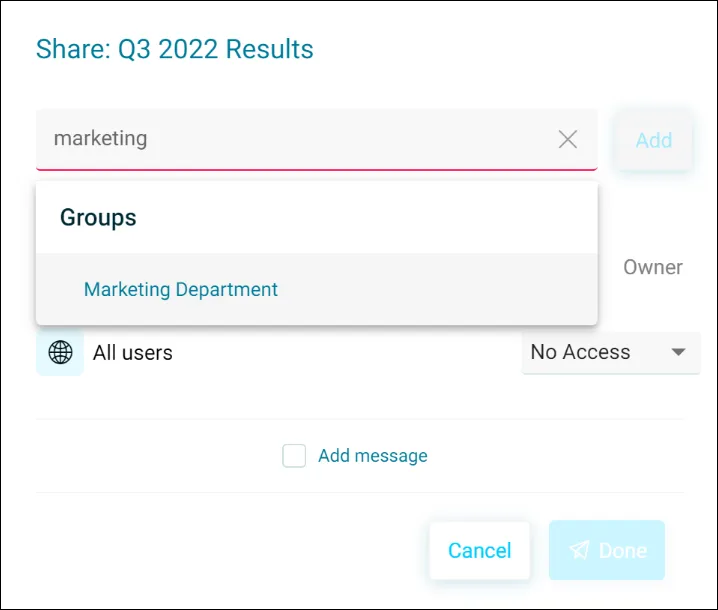
The Share dialog: search for a person or a group, add a message, choose their access.
The Share dialog: search for a person or a group, add a message, choose their access. Help Hub: Sharing

Sample charity: the people and numbers in these screens are made up, so the picture shows the tool, not a result.

The lesson

In Orbit you share audiences, dashboards and favourites with a person, a group, or someone outside your organization if your Orbit Admin has approved their email domain. Add a note, and choose whether to notify people when you update it.

The share icon tells you where things stand: green means you shared it, red means you haven't, purple means someone shared it with you. Viewers see the charts but not the records.

Watch this stop · about a minute

Your turn, in Orbit

  1. Find your audience in the Audiences list.
  2. Click the Share icon.
  3. Choose a colleague or group, add a short note, and share.

Quick check

After you share an audience, what colour is its share icon?
  • Red
  • Green
  • Purple

Answer: Green

Need a hint?

Red means not shared. Purple means shared with you.

Why it matters

Fundraising, programs and leadership working from the same list, toward the same goal.

Read on

Read more in the Apteco Help Hub

Learn Mission is a free course. You read a little, do it yourself, then answer one quick check. Orin, the assistant in Orbit, walks with you. Your progress stays in your browser.

Do this stop yourself

It is stop 37 of 58. Open it in the course, or start from the beginning.

Open this stop in the course