
Apteco Learn Mission Schedule Time with an Apteco Architect Play with a Live System

Where campaigns live

Stop 38 of 58 · about 8 minutes

Where do campaigns live, and how do you keep them organized? Outreach is usually planned with a shared calendar, a whiteboard and one person's memory. Only one of those is reliable on any given day.
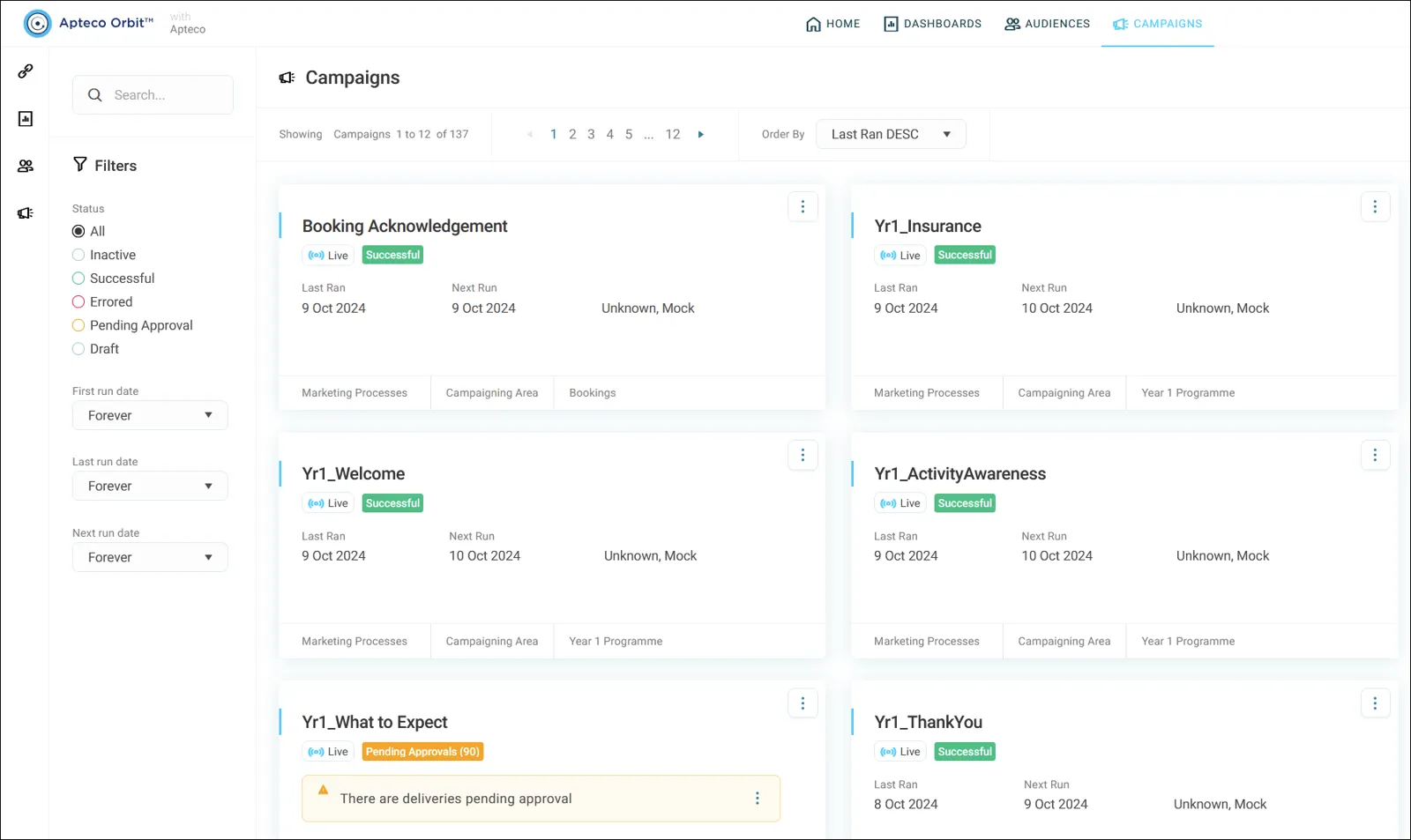
The Campaigns screen: one tile per campaign, filters by status and folder on the left.
The Campaigns screen: one tile per campaign, filters by status and folder on the left. Help Hub: Using campaigns

Sample charity: the people and numbers in these screens are made up, so the picture shows the tool, not a result.
The lesson

Click Campaigns at the top of Orbit. Each campaign is a tile showing its status, last run and schedule. Statuses include draft, pending approval, successful, errored and inactive.

Keep campaigns in folders: click + New, then Folder. Drafts can be moved or copied between folders, but published campaigns can only be copied.

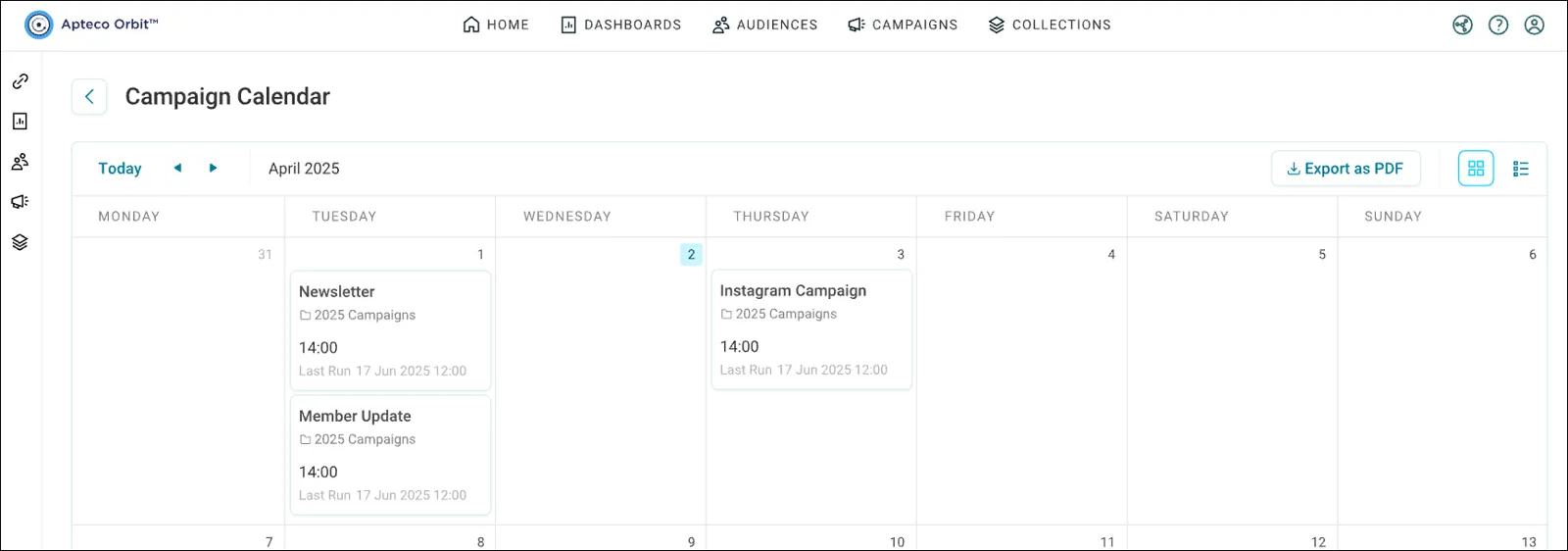
The calendar icon in the top right shows everything scheduled, by month or as a list. Your remaining email credits also show in the top right of this screen.

Watch this stop · about a minute

More of it in Orbit

The campaign calendar, by month. Switch to a list with the icon at the top right.
The campaign calendar, by month. Switch to a list with the icon at the top right. Help Hub: Campaign calendar

Your turn, in Orbit

  1. Click Campaigns.
  2. On a tile, find the status, last run and schedule.
  3. Click + New, then Folder, and make a folder for this course.
  4. Open the calendar and switch between month and list views.

Quick check

Which of these is not a campaign status?
  • Draft
  • Pending approval
  • Forgotten

Answer: Forgotten

Can you move a published campaign to another folder?
  • Yes, anywhere
  • No, you can only copy it
  • Only on weekends

Answer: No, you can only copy it

Need a hint?

Drafts move or copy. Published campaigns only copy.

Why it matters

A year of scattered sends becomes a planned year of conversations with your community.

Read on

Learn Mission is a free course. You read a little, do it yourself, then answer one quick check. Orin, the assistant in Orbit, walks with you. Your progress stays in your browser.

Do this stop yourself

It is stop 38 of 58. Open it in the course, or start from the beginning.

Open this stop in the course