The lesson
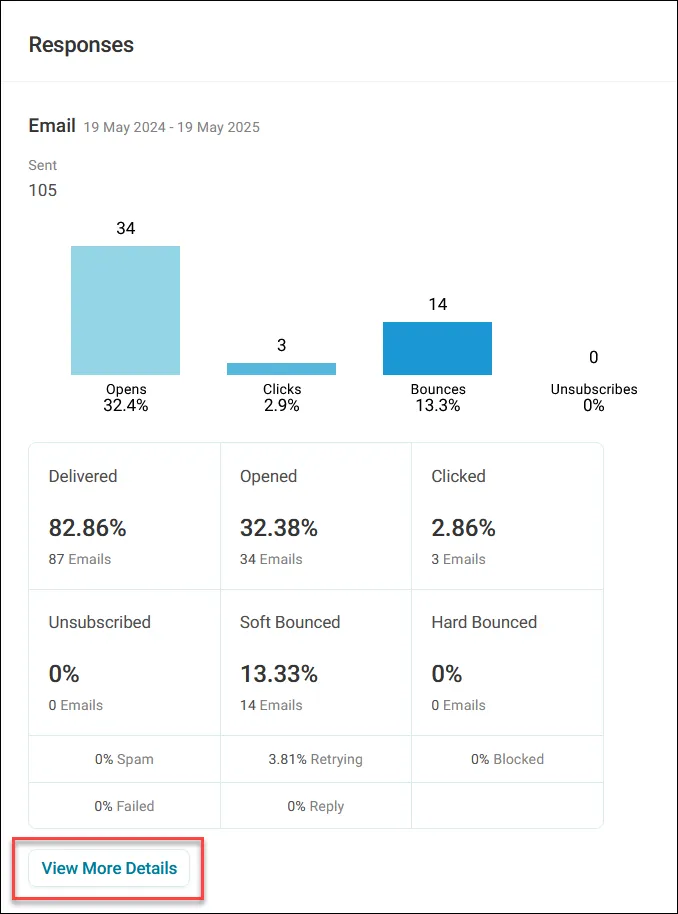
Open a campaign tile. The Overview tab shows the headlines: volumes, messages per channel and responses. For Apteco Email, click View More Details for the full breakdown, in tabs:
- Delivered, with dates.
- Opens and Clicks, each with a timestamp.
- Hard Bounces: addresses that no longer exist.
- Soft Bounces: a full inbox, try again later.
- Blocked: rejected by the recipient's server, with the reason.
- Spam: marked as spam by the recipient.
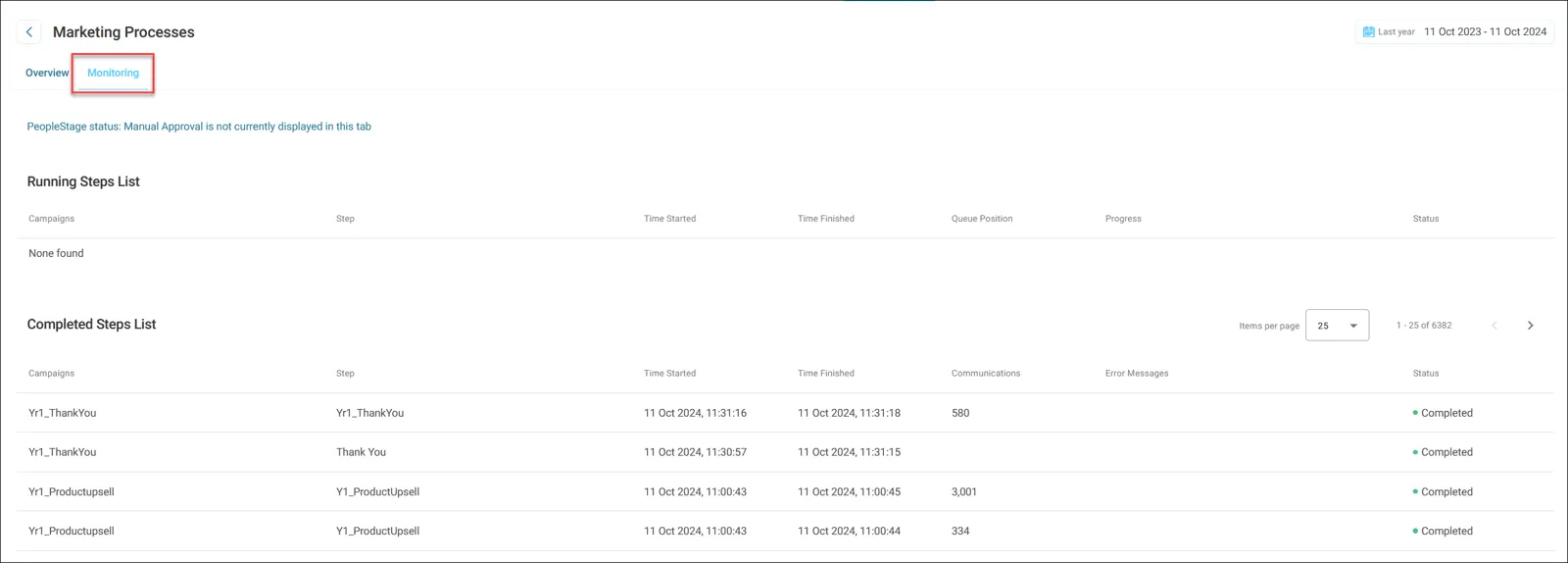
Tabs with no data are greyed out. Click Export to download any of them as a CSV. The Monitoring tab shows each journey step: when it ran, how many messages went out, and any errors. Drafts show nothing here until they have run.
A hard bounce is a record to fix, not a person to give up on. Someone who clicked the impact story is a person to call.