
Apteco Learn Mission Schedule Time with an Apteco Architect Play with a Live System

Find your way around dashboards

Stop 8 of 58 · about 8 minutes

Where is everything? Most software tours involve someone clicking very fast and saying "and then you just" a lot. This one goes at your pace.
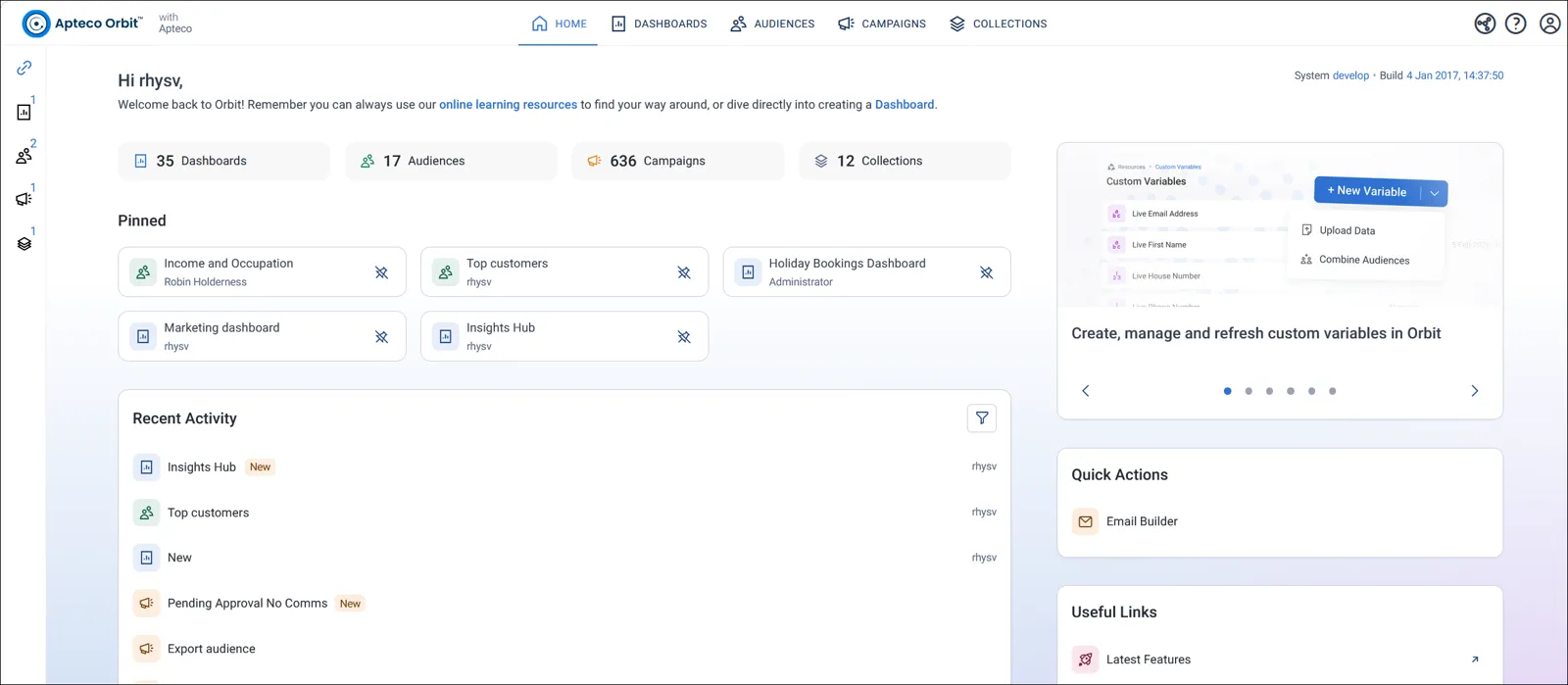
The Orbit homepage: Dashboards, Audiences and Campaigns across the top, pinned items and recent activity below.
The Orbit homepage: Dashboards, Audiences and Campaigns across the top, pinned items and recent activity below. Help Hub: Homepage

Sample charity: the people and numbers in these screens are made up, so the picture shows the tool, not a result.

The lesson

Click Dashboards at the top, then the Dashboard Home tab. That is every dashboard you can see, including ones shared with you. Type in the search box to filter the list.

The Field Guide calls a dashboard a module. Same thing: Charity Overview, Donation Analysis, Events, Volunteers, Grants.

Click the pin icon to keep a dashboard at the top of your list. To make one open first every time you sign in, open its menu and click Set as Home Dashboard. Bigger dashboards split into tabs along the top, up to 15 tiles each.

Watch this stop · about a minute

Your turn, in Orbit

  1. Click Dashboards, then the Dashboard Home tab.
  2. Search for a dashboard by name.
  3. Open two dashboards you haven't seen and click through their tabs.
  4. Pin the one you'll use most, and set your favourite as your Home Dashboard.

Quick check

A colleague shared a dashboard with you. Where do you find it?
  • On the Dashboard Home tab
  • In your CRM
  • In your inbox

Answer: On the Dashboard Home tab

You want the same dashboard to open every time you sign in. What do you do?
  • Pin it
  • Set it as your Home Dashboard
  • Bookmark it

Answer: Set it as your Home Dashboard

Need a hint?

Pinning keeps a dashboard at the top of your list. Home Dashboard makes it open first.

Why it matters

Your home dashboard is the first thing you see each morning. Make it about your supporters.

Read on

Read more in the Apteco Help Hub

Learn Mission is a free course. You read a little, do it yourself, then answer one quick check. Orin, the assistant in Orbit, walks with you. Your progress stays in your browser.

Do this stop yourself

It is stop 8 of 58. Open it in the course, or start from the beginning.

Open this stop in the course