The lesson
Charity Overview has three tabs. Each starts with a row of number cards, then charts.
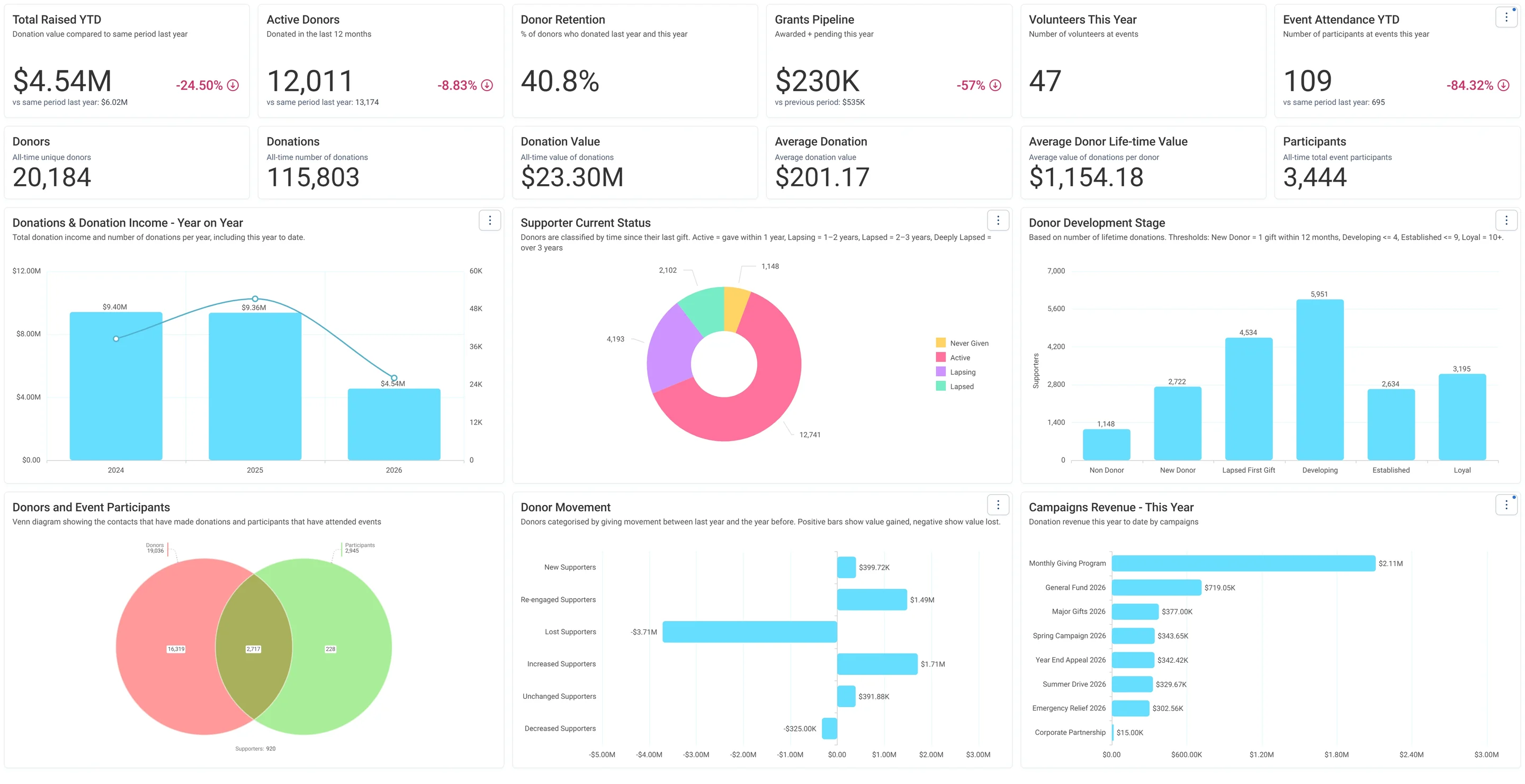
- Summary: six cards along the top, most with a same-period-last-year line (Total Raised YTD, Active Donors, Donor Retention, Grants Pipeline, Volunteers This Year, Event Attendance YTD). Donor Retention and Volunteers This Year come from Behaviour audiences: retained donors divided by last year's donors, and people with a timesheet this year. Then the all-time cards (Donors, Donations, Donation Value, Average Donation, Average Donor Life-time Value, Participants). The charts: Donations & Donation Income - Year on Year, Supporter Current Status (a donut: Never Given, Active, Lapsing, Lapsed), Donor Development Stage, a Donors and Event Participants Venn, Donor Movement and Campaigns Revenue - This Year.
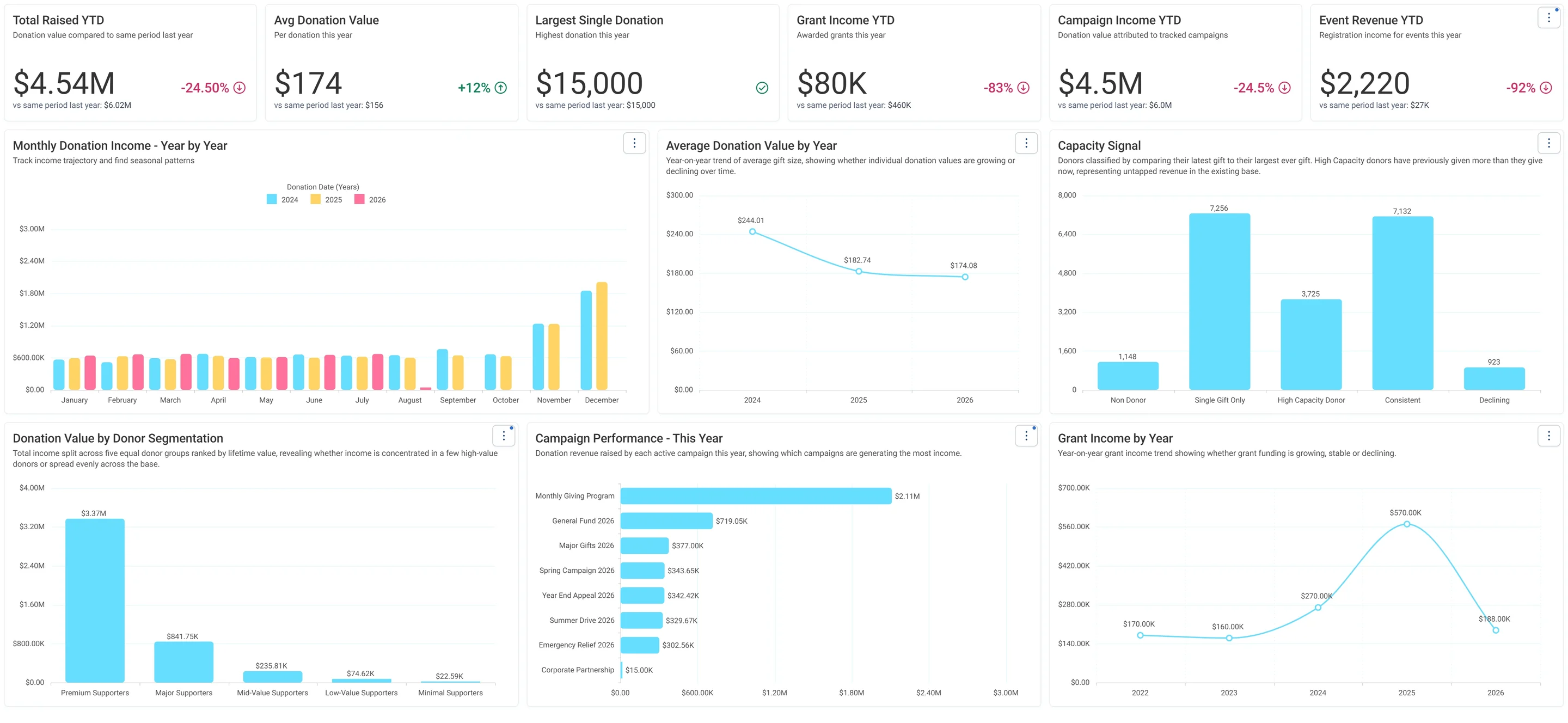
- Fundraising: money. Total Raised, Avg Donation Value, Largest Single Donation, Grant Income, Campaign Income and Event Revenue, each against last year. Then Monthly Donation Income - Year by Year (one bar per year, by month: your seasonality), Average Donation Value by Year, Capacity Signal, Campaign Performance, Grant Income by Year and Donation Value by Donor Segmentation (five value groups: Premium to Minimal).
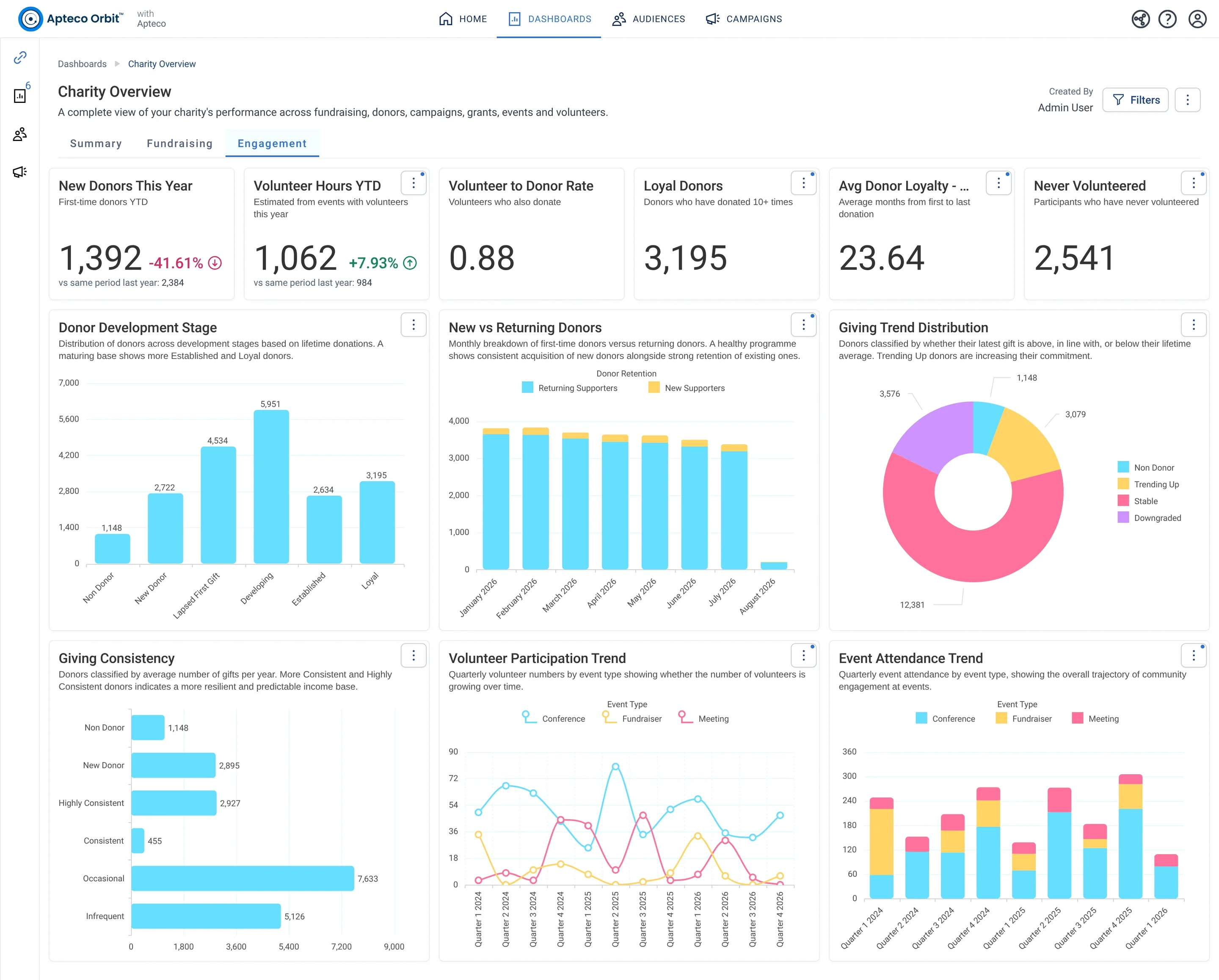
- Engagement: people. New Donors This Year (first-ever gift this year), Volunteer Hours (the hours on this year's timesheets), Volunteer to Donor Rate, Loyal Donors (10 or more gifts), Avg Donor Loyalty in months, Never Volunteered. Then Donor Development Stage, New vs Returning Donors by month, Giving Trend Distribution, Giving Consistency, and the volunteer and event attendance trends by quarter.
How to use it. Read Summary first, top row only, and note what moved against last year. Then open the tab that explains the move: a money question goes to Fundraising, a people question to Engagement. Anything you want to act on, you take to an audience in Part 4. Share it with the board as Viewers, and export the tabs you need as PDF for the minutes.