Apteco Learn Mission Schedule Time with an Apteco Architect Play with a Live System

Jumping Off Metrics: the board report

Stop 25 of 58 · about 9 minutes

What are the handful of numbers a board should watch every quarter? Jumping Off Metrics was built as a board report: retention, repeat giving, the second gift, lifetime value, and data hygiene. It is the dashboard a fundraising director opens before the quarterly meeting.

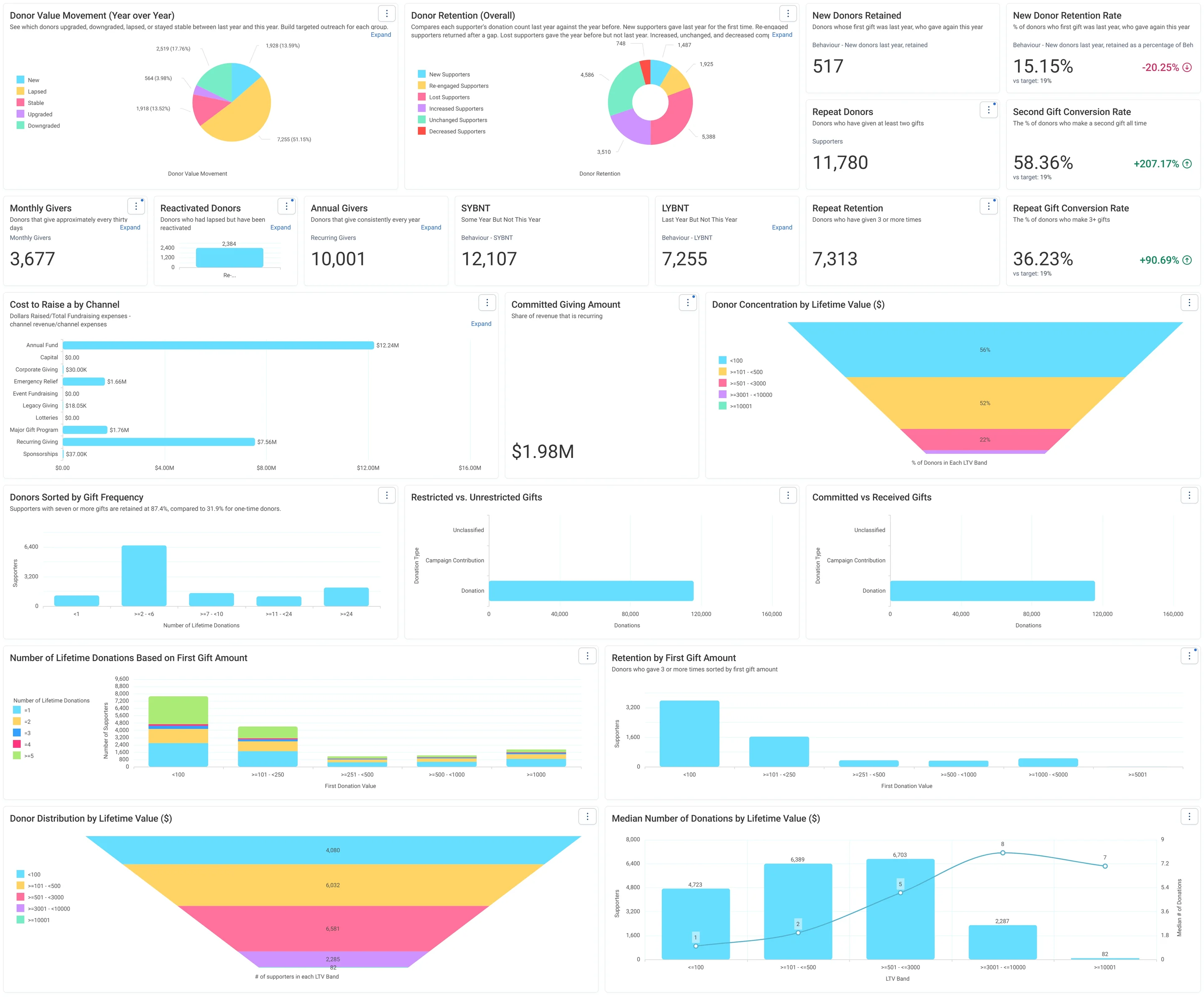
The Donor Health - Board Report tab of Jumping Off Metrics: retention by group, the second-gift and repeat-gift rates against their targets, gift frequency, lifetime value funnels, LYBNT and SYBNT, monthly and annual givers.
The Donor Health - Board Report tab of Jumping Off Metrics: retention by group, the second-gift and repeat-gift rates against their targets, gift frequency, lifetime value funnels, LYBNT and SYBNT, monthly and annual givers. Open full size

Sample charity: the people and numbers in these screens are made up, so the picture shows the tool, not a result.

The lesson

Jumping Off Metrics has six tabs:

  • Donor Health - Board Report: the big six. Donor Retention (Overall) by group (New, Re-engaged, Lost, Increased, Unchanged, Decreased), Second Gift Conversion Rate, New Donor Retention Rate (last year's new donors who gave again this year, divided by all of last year's new donors) and Repeat Gift Conversion Rate, each shown against a target. Then Donors Sorted by Gift Frequency (its note: donors with 7 or more gifts are retained far better than one-time donors), Retention by First Gift Amount, lifetime value distribution and concentration funnels, LYBNT (gave Last Year But Not This) and SYBNT (gave Some Year But Not This, so people who have never given are left out), both counted from Behaviour audiences, Monthly Givers, Annual Givers, Reactivated Donors, Committed Giving Amount, Restricted vs Unrestricted Gifts, Committed vs Received Gifts, and Cost to Raise a Dollar by Channel (its note says cost data is still needed).
  • Overview: the same all-time cards and RFM charts as Donation Analysis, plus the bands.
  • Donations - This Year and Donations - Historic: this year, then last year against the year before, band by band.
  • Individual - Donor Investigation: one donor through the filter.
  • Data Hygiene: Missing Fields (supporters with unknown name, ID, email, phone, address, fund, campaign, solicit code or payment type), a draft Potential Duplicates tile, and tables of fund codes, data sources and campaign codes.

How to use it. Each quarter, read the Board Report tab top to bottom and write one sentence per card. LYBNT is your lapse list: those people are an audience. Donor Retention (Overall) and Reactivated Donors come from Donor Movement, so read New and Re-engaged together, as in Part 2. Midway through a year, every "this year" rate covers part of a year: say so when you share it. Data Hygiene is for your data owner: every bar in Missing Fields is a field Connect could not fill, and a fix there improves every other dashboard.

Watch this stop · about a minute

More of it in Orbit

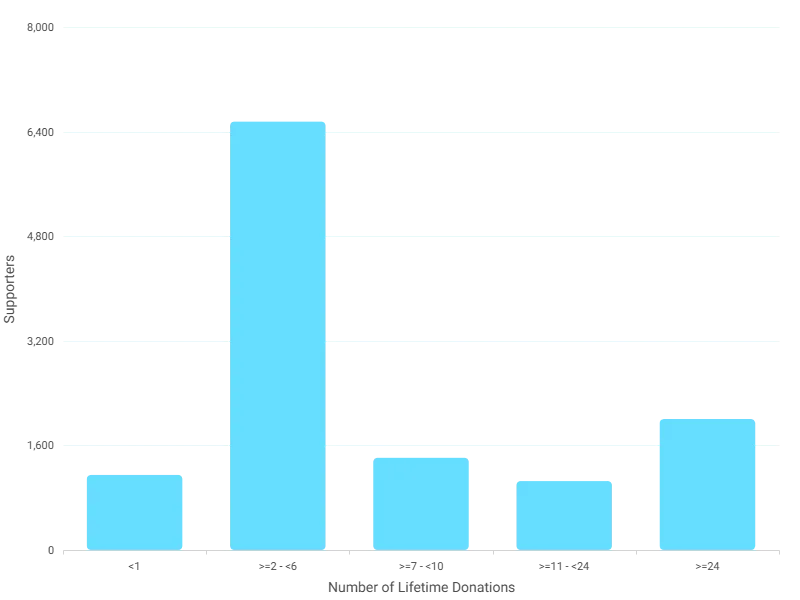
Donors Sorted by Gift Frequency: how many supporters have given once, twice, and on up. Its note: donors with 7 or more gifts are retained far better than one-time donors.
Donors Sorted by Gift Frequency: how many supporters have given once, twice, and on up. Its note: donors with 7 or more gifts are retained far better than one-time donors. Open full size

Your turn, in Orbit

  1. Open Jumping Off Metrics, Donor Health - Board Report. Read Second Gift Conversion Rate and its target.
  2. Find LYBNT and SYBNT. Say in one line what the difference is.
  3. Read the note on Donors Sorted by Gift Frequency.
  4. Open Data Hygiene. In Missing Fields, which field is missing most often?

Quick check

LYBNT counts supporters who gave...
  • Last year but not this year
  • Last year and this year
  • Only once, ever

Answer: Last year but not this year

Need a hint?

L-Y-B-N-T: Last Year But Not This.

Why it matters

A board that watches six honest numbers every quarter asks better questions than one that gets a new slide deck each time.

Read on

Read more in the Apteco Help Hub

Learn Mission is a free course. You read a little, do it yourself, then answer one quick check. Orin, the assistant in Orbit, walks with you. Your progress stays in your browser.

Do this stop yourself

It is stop 25 of 58. Open it in the course, or start from the beginning.

Open this stop in the course