Apteco Learn Mission Schedule Time with an Apteco Architect Play with a Live System

Grant Tracking

Stop 26 of 58 · about 7 minutes

Which applications are out, what is likely to come in, and which funders stay with us? Grants often live in a spreadsheet owned by one person. When the grants table is in Mission, every application, decision and payment shows up beside the donations, on one dashboard.

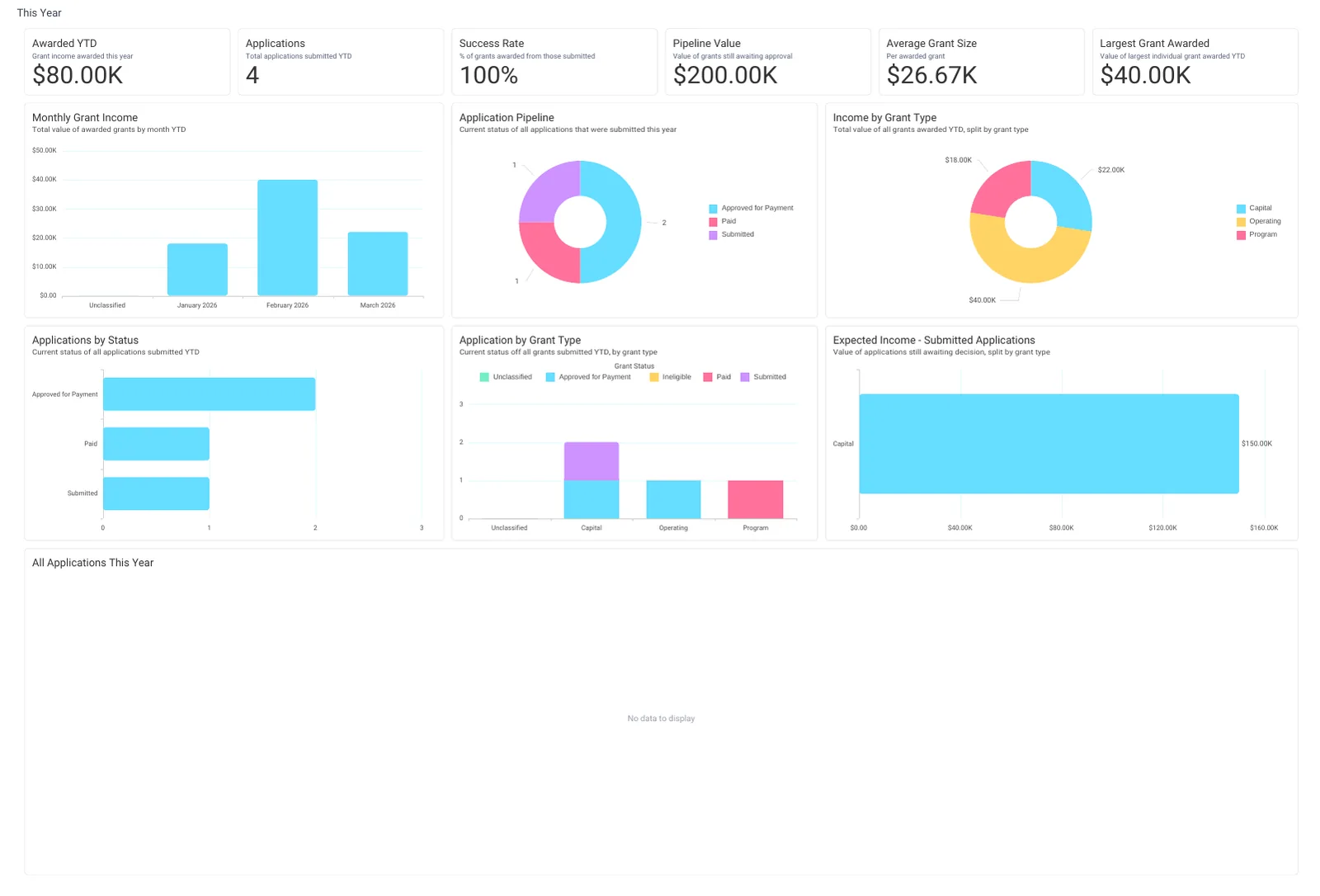
The This Year tab of Grant Tracking: Awarded YTD, Pipeline Value, Average Grant Size, the Application Pipeline, Expected Income from submitted applications, Monthly Grant Income and the applications table.
The This Year tab of Grant Tracking: Awarded YTD, Pipeline Value, Average Grant Size, the Application Pipeline, Expected Income from submitted applications, Monthly Grant Income and the applications table. Open full size

Sample charity: the people and numbers in these screens are made up, so the picture shows the tool, not a result.

The lesson

Grant Tracking counts grants, not people. Four tabs:

  • Overview: Total Awarded, Unique Funders, Average Grant Size, Success Rate, Total Applications and Total Applied For. Then Applications by Status, Avg Grant Size by Year, Applications by Grant Type, a Top Funders - All Time table, Grant Income Trend, Income by Grant Type and Success Rate by Grant Type.
  • This Year: Awarded YTD, Pipeline Value, the Application Pipeline (the status of every application submitted this year), Expected Income - Submitted Applications (what is still awaiting a decision, by type), Monthly Grant Income and the table All Applications This Year.
  • Historic: Declined Value, Success Rate by year, Funder Retention - Historic (grants year on year by whether the funder is new or returning), Avg Grant Value by Year, Year-on-Year Grant Income by type, Applications Submitted by Year and the list of awarded grants.
  • Grants: the operational view: Amount Applied For and Awarded, the Variance between them, Avg Days to Decision (also by grant type), Avg Days to Payment, Reports Due, Grant Status Breakdown (filter to one funder to see their whole record), Grant Received by Funder, Application Status Over Time and Number of Applications by Funder.

How to use it. Monday: This Year, Application Pipeline and Reports Due. Quarterly: Historic, Funder Retention, to see which funders come back. Before a new application: Grants, Avg Days to Decision by Grant Type, so you plan the cash flow honestly.

Watch this stop · about a minute

More of it in Orbit

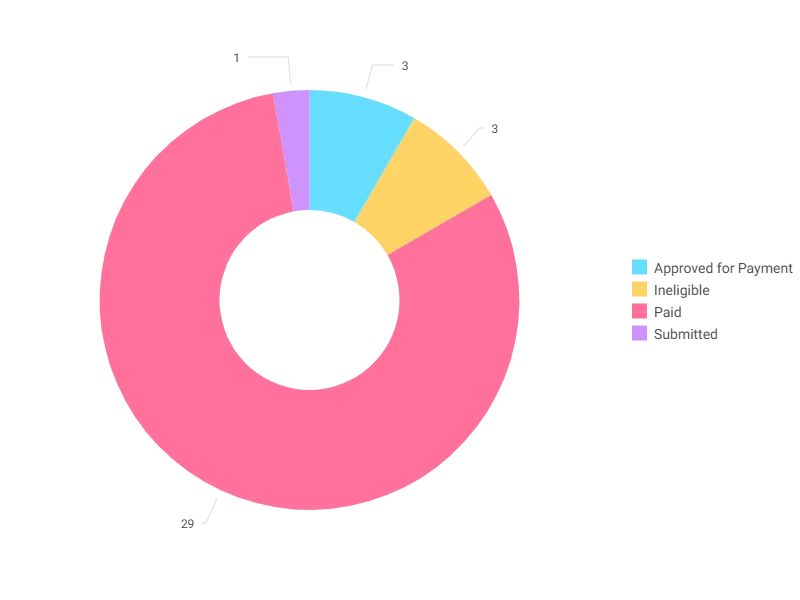
Grant Status Breakdown on the Grants tab: every grant by its current status. Filter to one funder to see their whole record.
Grant Status Breakdown on the Grants tab: every grant by its current status. Filter to one funder to see their whole record. Open full size

Your turn, in Orbit

  1. Open Grant Tracking, This Year. Read Pipeline Value and the Application Pipeline chart.
  2. Open Grants. Read Reports Due and Avg Days to Decision.
  3. In Grant Status Breakdown, use the filter to pick one funder and read their record. Clear the filter after.
  4. Open Historic. In Funder Retention, are more grants coming from returning funders or new ones?

Quick check

You want to know how long a funder usually takes to decide. Which tile?
  • Grants, Avg Days to Decision by Grant Type
  • Overview, Applications by Status
  • This Year, Monthly Grant Income

Answer: Grants, Avg Days to Decision by Grant Type

Need a hint?

Days to decision is an operational measure: the Grants tab.

Why it matters

A grants pipeline the whole team can see, next to the donations it supports.

Read on

Read more in the Apteco Help Hub

Learn Mission is a free course. You read a little, do it yourself, then answer one quick check. Orin, the assistant in Orbit, walks with you. Your progress stays in your browser.

Do this stop yourself

It is stop 26 of 58. Open it in the course, or start from the beginning.

Open this stop in the course