Apteco Learn Mission Schedule Time with an Apteco Architect Play with a Live System

Donation Analysis

Stop 21 of 58 · about 8 minutes

Who gives, how often, how much, and is that changing? Most charities can say how much came in. Fewer can say how many people gave, how often each one gives, and whether this year's new donors look like last year's. Donation Analysis answers those.

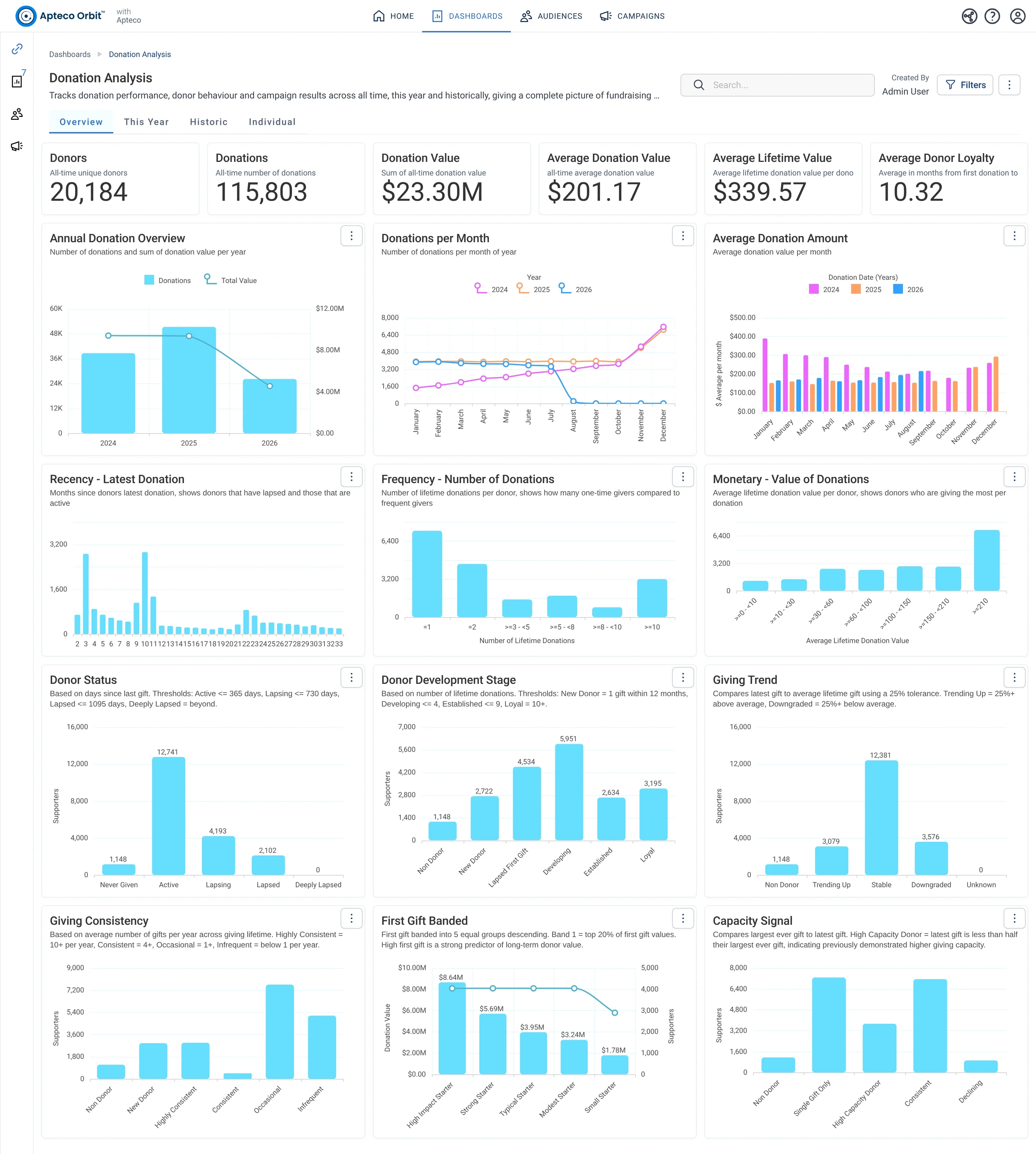
The Overview tab of Donation Analysis: the all-time cards, Recency, Frequency and Monetary, then every Field Guide band: Donor Status, Development Stage, Giving Trend, Giving Consistency, First Gift Banded, Capacity Signal.
The Overview tab of Donation Analysis: the all-time cards, Recency, Frequency and Monetary, then every Field Guide band: Donor Status, Development Stage, Giving Trend, Giving Consistency, First Gift Banded, Capacity Signal. Open full size

Sample charity: the people and numbers in these screens are made up, so the picture shows the tool, not a result.

The lesson

Donation Analysis is the donor and gift dashboard. Four tabs:

  • Overview: the all-time cards (Donors, Donations, Donation Value, Average Donation Value, Average Lifetime Value, Average Donor Loyalty), then the three RFM charts: Recency - Latest Donation (months since the last gift), Frequency - Number of Donations and Monetary - Value of Donations. Below them the Field Guide bands you met in Part 2: Donor Status, Donor Development Stage, Giving Trend, Giving Consistency, First Gift Banded and Capacity Signal, plus donations per year and per month.
  • This Year: the same measures for the year to date, with First Time Donors, First Donations by Month (each new donor counted once, in the month of their first gift), First Gift Band of New Donors, Donation Value by Donor Segmentation and a Donation Measures table by month.
  • Historic: last year against the year before, and every band year on year: Donor Status, Development Stage, Capacity Signal, Giving Consistency, Giving Trend, First Gift Banded.
  • Individual: one donor at a time. Type a name in the Donor Full Name search filter at the top right and the tab fills with that person's donations, totals, first and latest gift, median gift and days since the last one.

How to use it. Overview tells you what kind of donor base you have. This Year tells you whether the new donors coming in are bigger or smaller starters than before. Historic tells you whether the bands are moving the right way. When a band looks wrong (Lapsing growing, Downgraded growing), that band is your next audience.

Watch this stop · about a minute

More of it in Orbit

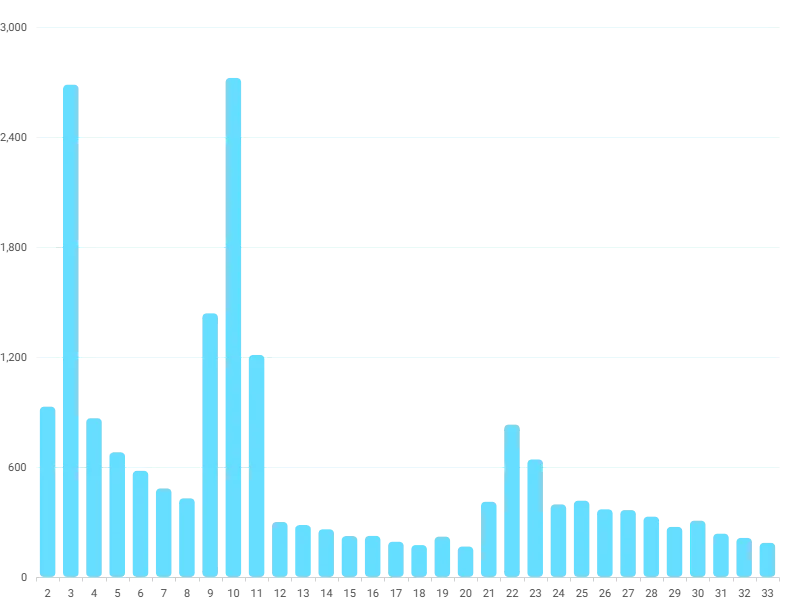
Recency - Latest Donation: donors by months since their last gift. The first bar is the people who gave most recently.
Recency - Latest Donation: donors by months since their last gift. The first bar is the people who gave most recently. Open full size

Your turn, in Orbit

  1. Open Donation Analysis. On Overview, read Recency, Frequency and Monetary in turn. Which of the three has the most people in its first bar?
  2. Find Donor Status. Count the Lapsing bar against the Active bar.
  3. Open Historic and find Giving Trend Year on Year. Is Downgraded growing or shrinking?
  4. Open Individual. Read the tile that tells you how to use the filter. You don't have to search for anyone.

Quick check

You want to see one donor's whole giving history. Which tab?
  • Overview
  • Historic
  • Individual, with the Donor Full Name filter

Answer: Individual, with the Donor Full Name filter

Need a hint?

The Individual tab is driven by the search filter at the top right.

Why it matters

Income is one number. A donor base is a shape, and the shape tells you what to do next.

Read on

Read more in the Apteco Help Hub

Learn Mission is a free course. You read a little, do it yourself, then answer one quick check. Orin, the assistant in Orbit, walks with you. Your progress stays in your browser.

Do this stop yourself

It is stop 21 of 58. Open it in the course, or start from the beginning.

Open this stop in the course