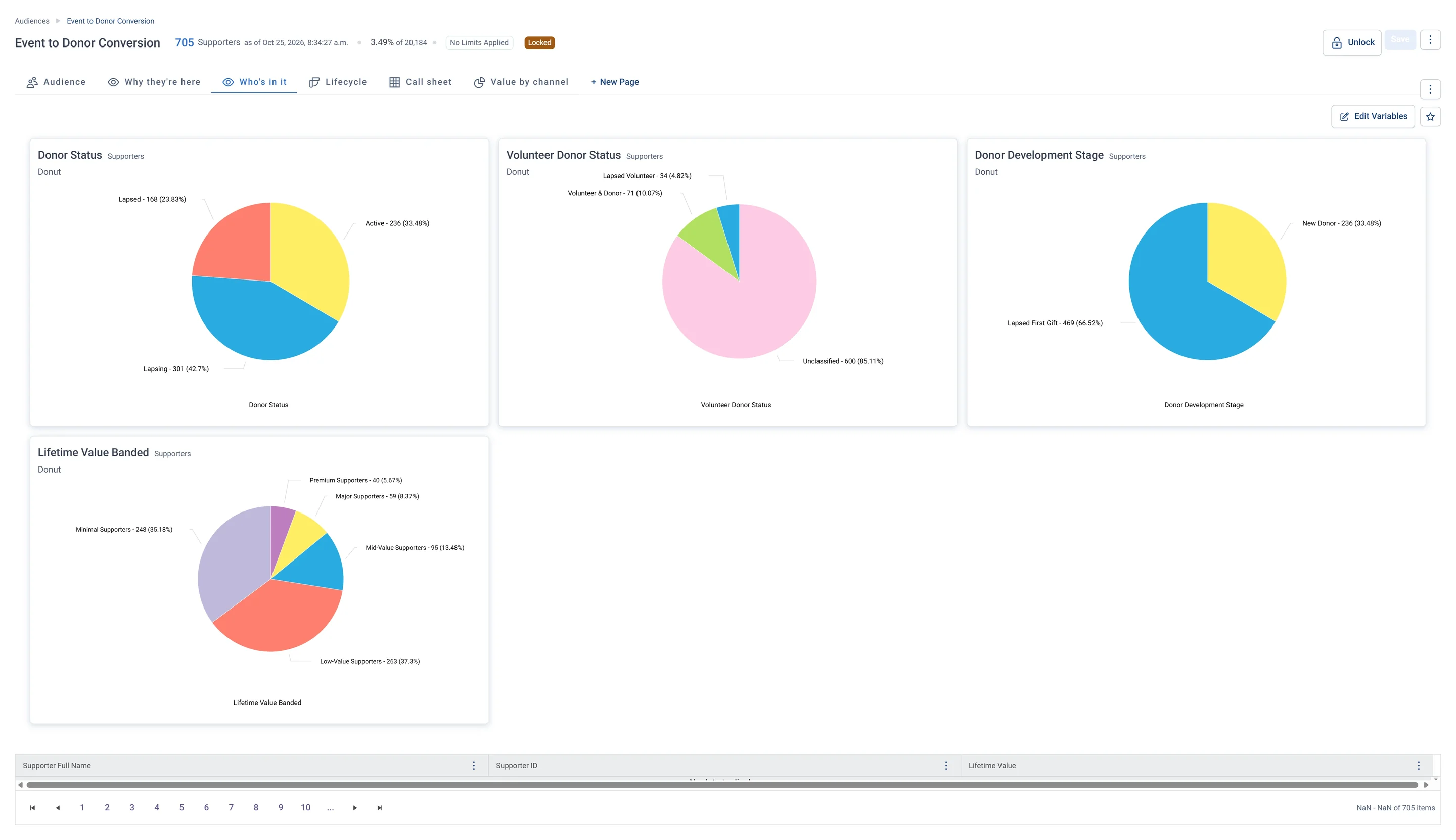
Event to Donor Conversion · Who's in it The Who's in it tab: donuts of donor status, stage and value band, mostly Lapsing or Lapsed, Lapsed First Gift, and Low-Value or Minimal. Most gave one small gift after an event and have not come back.
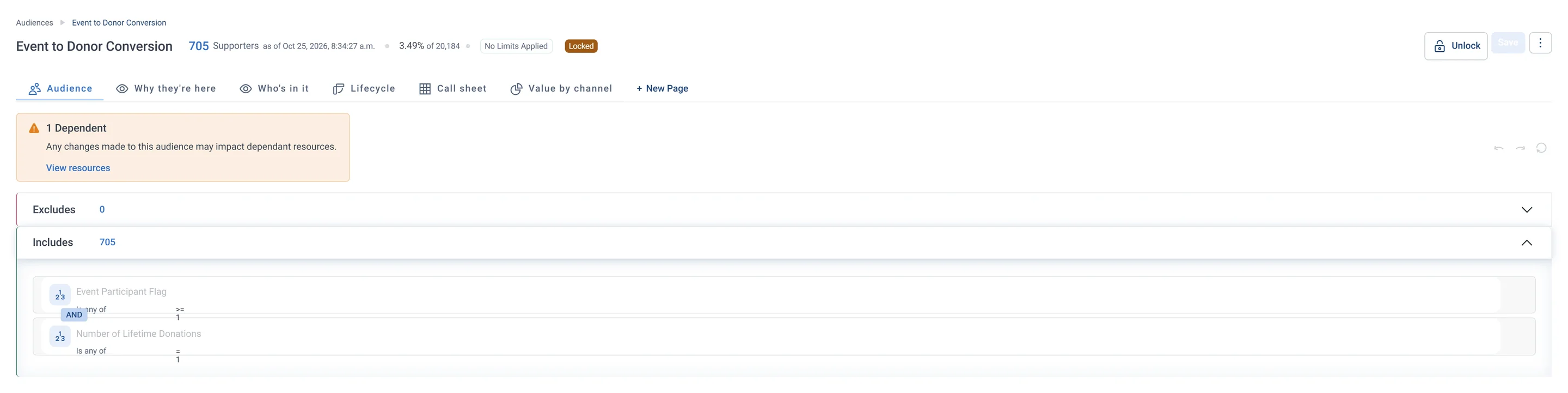
Event to Donor Conversion · Audience rules The rules tab: two rules under Includes, took part in an event and made exactly one gift, and nothing under Excludes. These event-goers gave once, so a second-gift ask can turn them into regular donors.
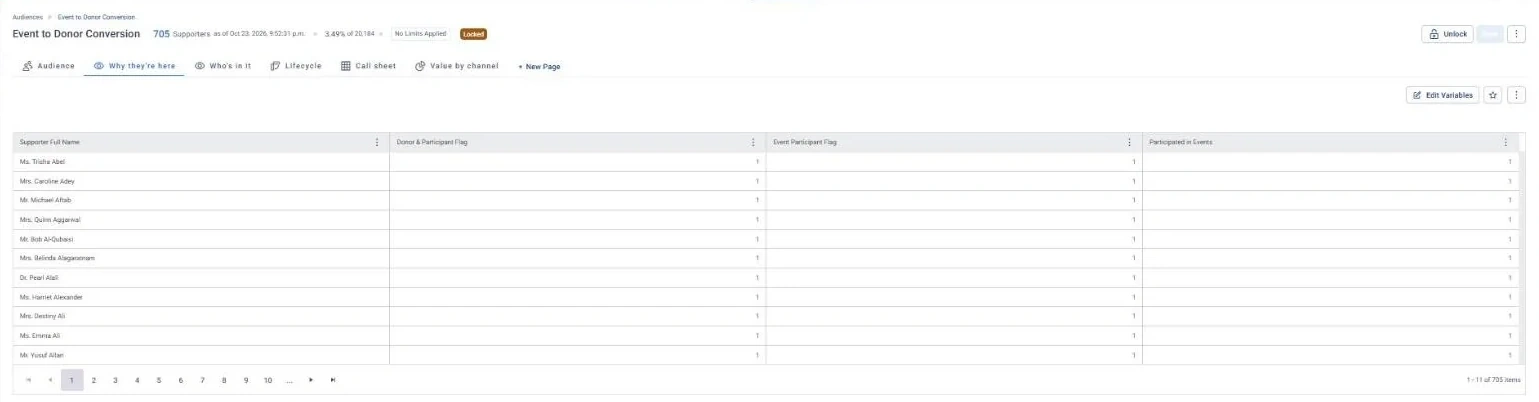
Event to Donor Conversion · Why they're here The Why they're here tab: a table of each person's Donor and Participant Flag, Event Participant Flag and Participated in Events flag, all set. It proves each person both gave and came to an event.
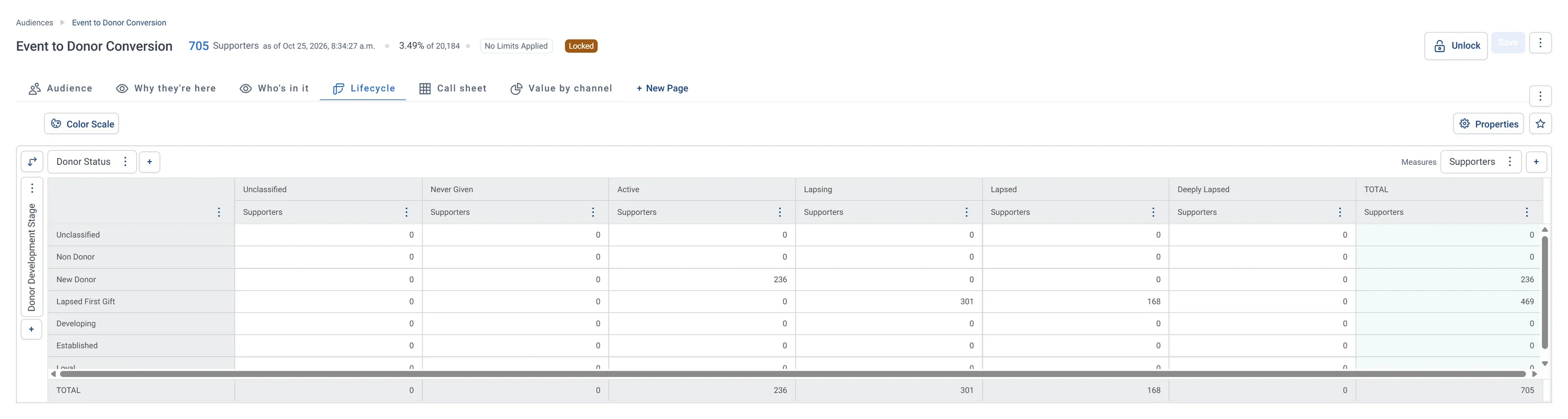
Event to Donor Conversion · Lifecycle The Lifecycle tab: a grid of donor stage against donor status, with New Donors all Active and Lapsed First Gift people split between Lapsing and Lapsed. It tells the team to reach new donors quickly, before they slip away.
Event to Donor Conversion · Call sheet The Call sheet tab: names, lifetime value, days since last gift, donor status and next step, mostly Unclassified with some Thank-you call. Staff work down it, skipping anyone marked Do Not Phone.
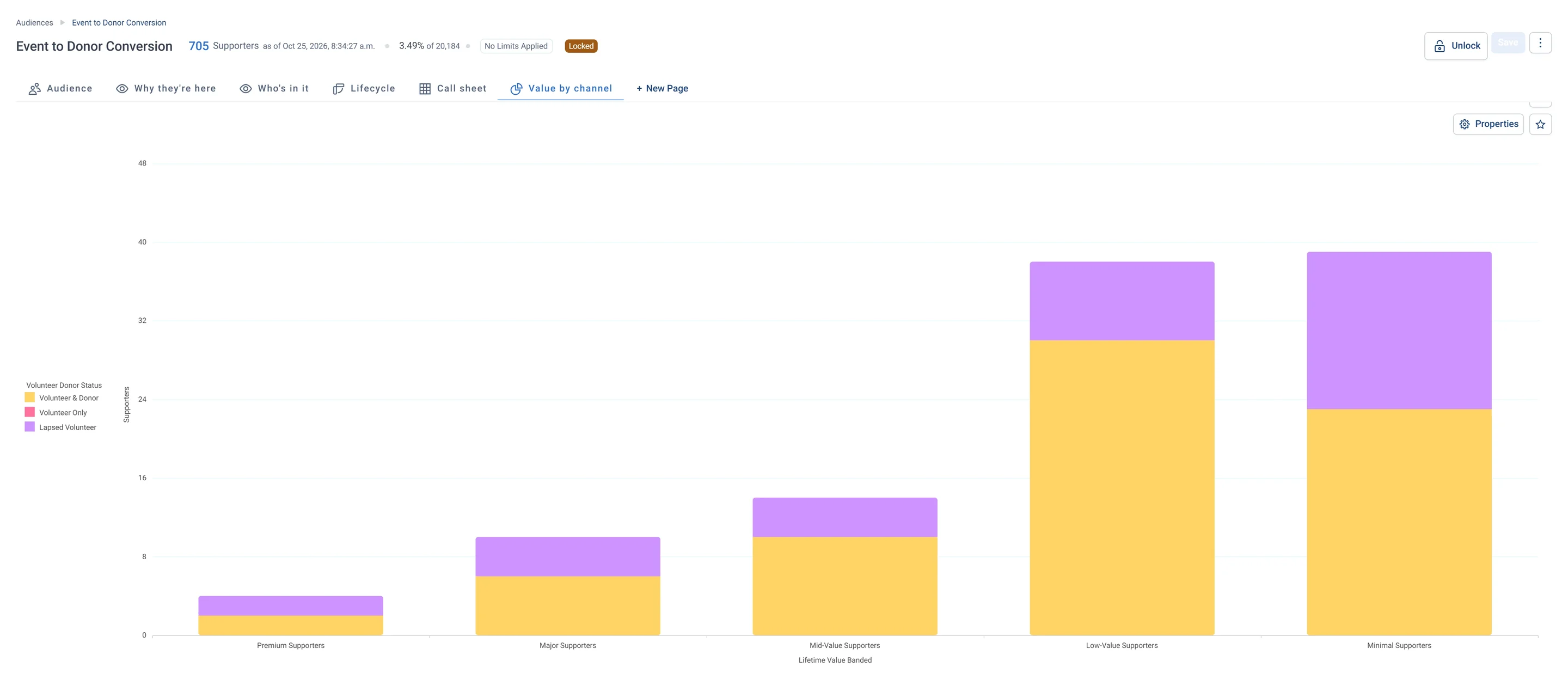
Event to Donor Conversion · Value by channel The Value by channel tab: stacked bars of value bands, coloured by volunteer status, for the people who have volunteered, with Minimal and Low-Value tallest. Most volunteers in this group have given small amounts so far.
Sample charity: the people and numbers in these screens are made up, so the picture shows the tool, not a result. The Audience tab is Orbit's own. The other tabs are views added to this audience's workbook; Get to know the list shows how to add them.
Who is in it
These event-goers gave once, so they are the people to turn into regular donors with a second-gift ask.
3
insights it is built from
Engage
its tab on the Field Guide Audiences dashboard
Event to Donor Conversion · Audience rules The rules tab: two rules under Includes, took part in an event and made exactly one gift, and nothing under Excludes. These event-goers gave once, so a second-gift ask can turn them into regular donors.Event to Donor Conversion · Why they're here The Why they're here tab: a table of each person's Donor and Participant Flag, Event Participant Flag and Participated in Events flag, all set. It proves each person both gave and came to an event.
What to do next
Follow up after each event with a giving ask tied to what they experienced.
The call sheet tab lists each person with a suggested next step, so you can work down it.
Event to Donor Conversion · Call sheet The Call sheet tab: names, lifetime value, days since last gift, donor status and next step, mostly Unclassified with some Thank-you call. Staff work down it, skipping anyone marked Do Not Phone.
What it is built from
Each insight below is worked out by Orbit for every supporter. Click one to read it in the Field Guide.
Donor & Participant FlagHas this supporter both given and come to an event? Find supporters who both give and attend events, since they tend to stay longer and give more.
Event Participant FlagHas this supporter ever attended an event? Separate event-engaged donors from those who have never come to an event.
Participated In EventsHas this supporter taken part in any event? Find donors who also attend events, since supporters on more than one channel stay longer and give more.
Supporters who come to your events but have not yet become regular givers. They are already engaged with your mission.
These event-goers gave once, so they are the people to turn into regular donors with a second-gift ask.
What should I do with Event to Donor Conversion?
Follow up after each event with a giving ask tied to what they experienced.
Which data does Event to Donor Conversion use?
Donor & Participant Flag, Event Participant Flag, Participated In Events. Each is an insight Orbit works out for every supporter.
Which pathway uses Event to Donor Conversion?
No Field Guide pathway starts from this list yet. Use the advice above, or build your own journey in Orbit.
How do I build it in Apteco Orbit?
Open Audiences, start a new audience and add each rule: who to let in, then who to leave out. Build an audience by hand walks you through it, and Ask Orin to build it shows how Orin can draft it for you.
Learn Mission is a free course. Part 5 is all about audiences: you build one, read it tab by tab and tidy it before anyone gets a message.
Build it yourself
Start with the stops below, then read more in the Apteco Help Hub.